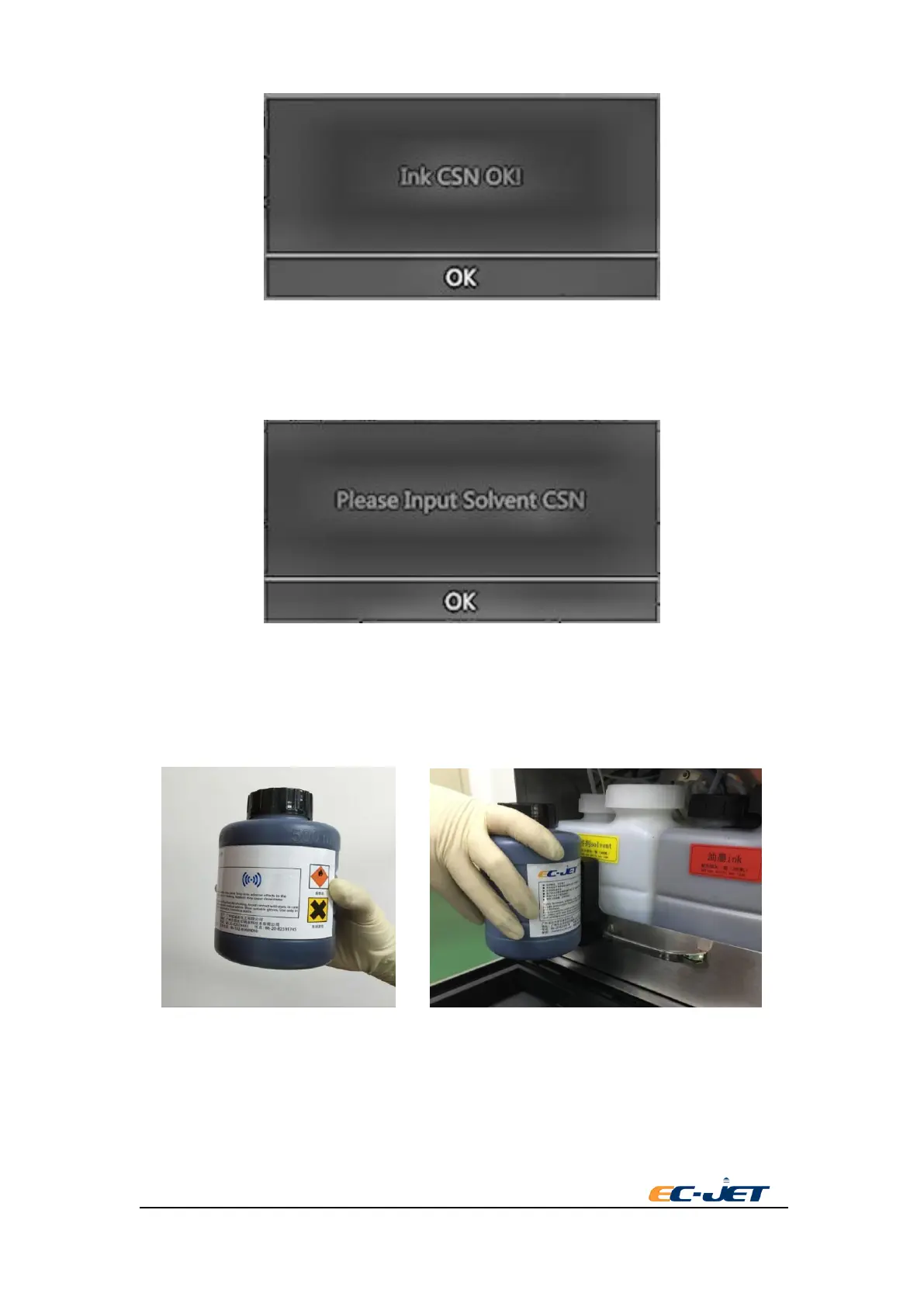
8.2.2.2. The ink or solvent change from “low” to “OK” , the printer will automatically pop-up
“please input CSN quality code”. Please put the ink or solvent bottle to the CSN quality
code reader closely and put the tag near the RFIC reader closely , the printer will read
the CSN quality code.
8.2.2.3. Open the ink system door and find the RFID assembly;
8.2.2.4. Hold the ink or solvent bottle, keep label alignment of RFID, putting into the groove
about 2 seconds. When the light of the RFID turn green with one-long alarming, it
means read successfully. When shown the following interface, printer read the correct
CSN.



 To Next Page