103
DVD
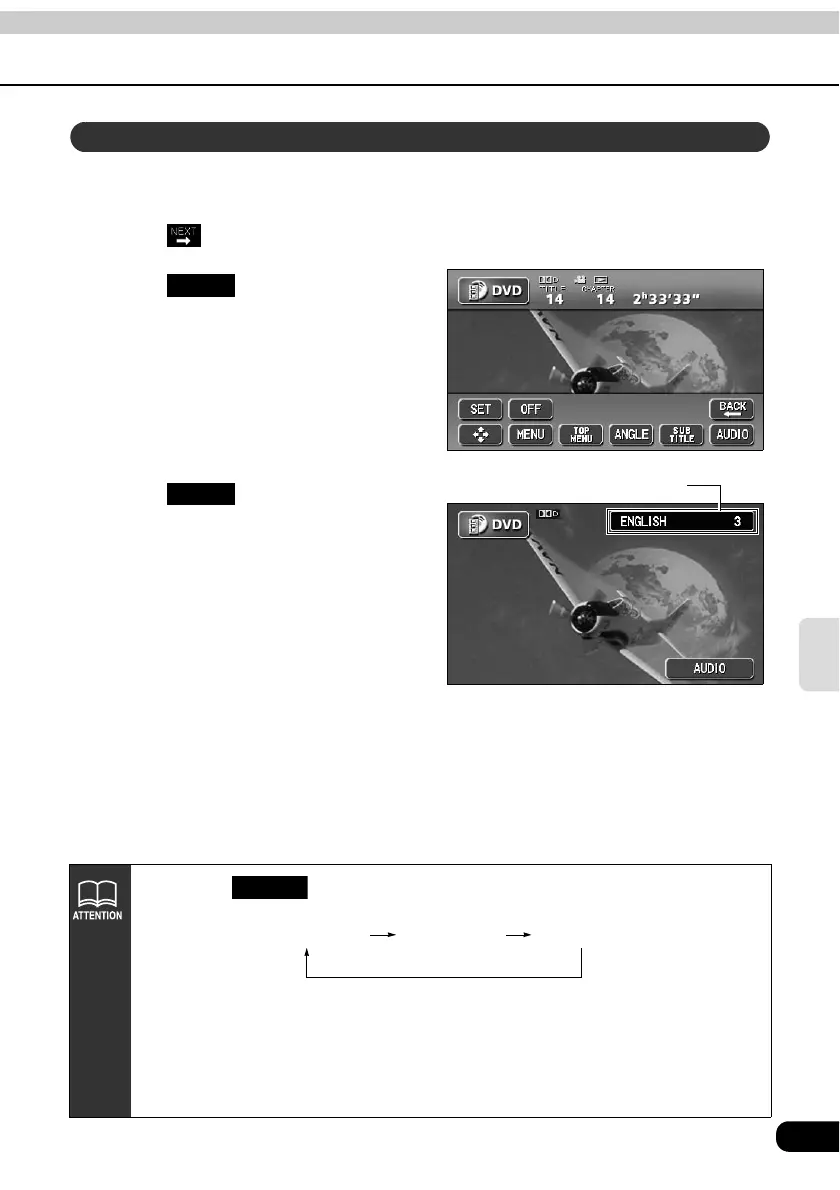
When dubbed voices in several languages are recorded on a disc, the voices can be
switched.
Touch on the DVD operation screen.
Touch .
• The audio number and language will
be displayed.
Touch .
• The audio number will change and the
language of voices being played will
be switched.
Switching dubbed audio language
AUDIO
Audio number and language
AUDIO
• Each time is pressed, the audio language will change in order from
among the languages recorded on the disc.
• Depending on the disc, it may only be possible to change the language from the
top menu.
• The dts format is not supported by this equipment, so no audio will be emitted
when "dts audio" is selected by a disc having dts audio recorded on it. In this
case, select "Dolby Digital audio" if it is definitely recorded on the DVD video.
• dts is a registered trademark of the US company Digital Theater Systems, Inc.
AUDIO
Language 1 Language 2 Language...



 To Next Page