EasyManua.ls Logo

Eclipse AVN6600 - Switching the Bass Enhancement (Tru Bass); Setting LOUDNESS

Eclipse AVN6600
157 pages
Print Icon
To Next Page IconTo Next Page
To Previous Page IconTo Previous Page
Loading...
37
Basic
operation
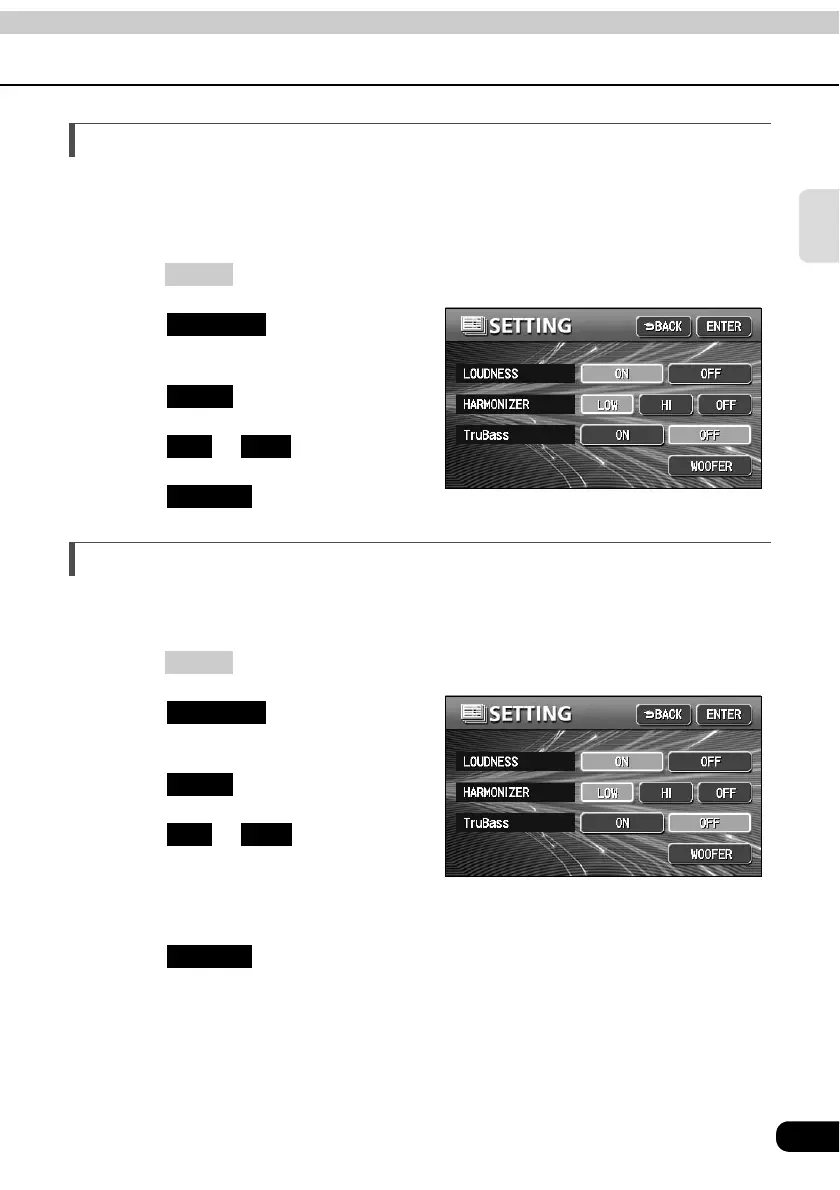
Switching the bass enhancement (Tru Bass)
You can switch the bass enhancement.
Note that the Tru Bass is adjusted only when the Circle Surround II (page 42) effectiveness
is set to Low or Hi.
Press .
Touch on the
INFORMATION screen.
Touch .
Touch or of Tru Bass.
Touch .
Setting LOUDNESS
Audio can be modulated to correct for insufficient low and high sounds when listening at low
volume.
Press .
Touch on the
INFORMATION screen.
Touch .
Touch or of
LOUDNESS.
The pressed touch switch will become
brighter.
Touch .
INFO
SETTING
NEXT
ON OFF
ENTER
INFO
SETTING
NEXT
ON OFF
ENTER

Table of Contents

Other manuals for Eclipse AVN6600

Related product manuals