28
Basic operation
Adjusting sound quality
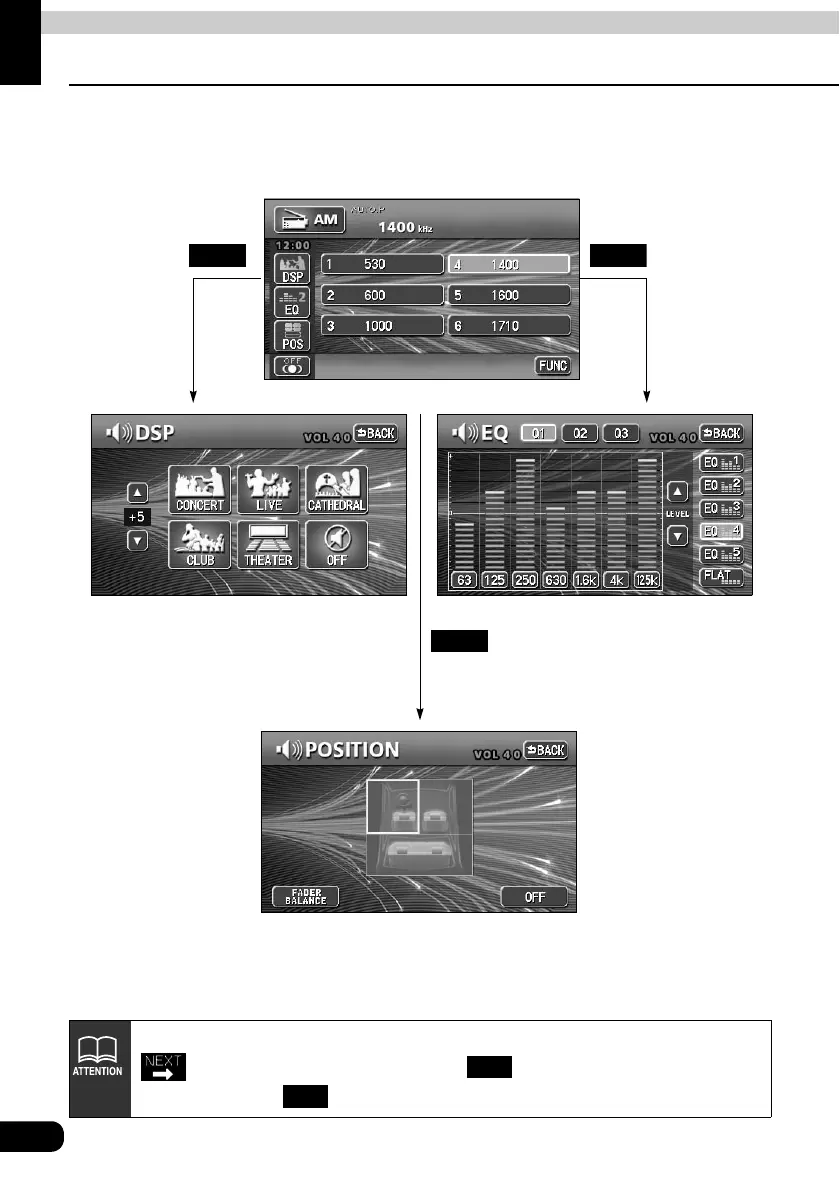
To adjust sound quality, touch the DSP, EQ or POS switch while the operation screen for a
mode is displayed. Adjustments made in any mode will be saved and applied to all modes.
DSP EQ
POS
In the DVD mode, display the sound quality adjustment switches by touching
from the operation modes, and then . In the VTR mode display them
either by touching .
SET
SET



 To Next Page