83
IPod
Fast-forwarding/rewinding
It is possible to fast-forward/rewind the song played currently.
Press or until a beep is heard.
• (up): Fast-forwards
(down): Rewinds
The main unit switches to the fast-forward (rewind) mode when the beep is heard and
will continue fast-forwarding (rewinding) until your finger is removed from the switch.
Searching for a song in various ways
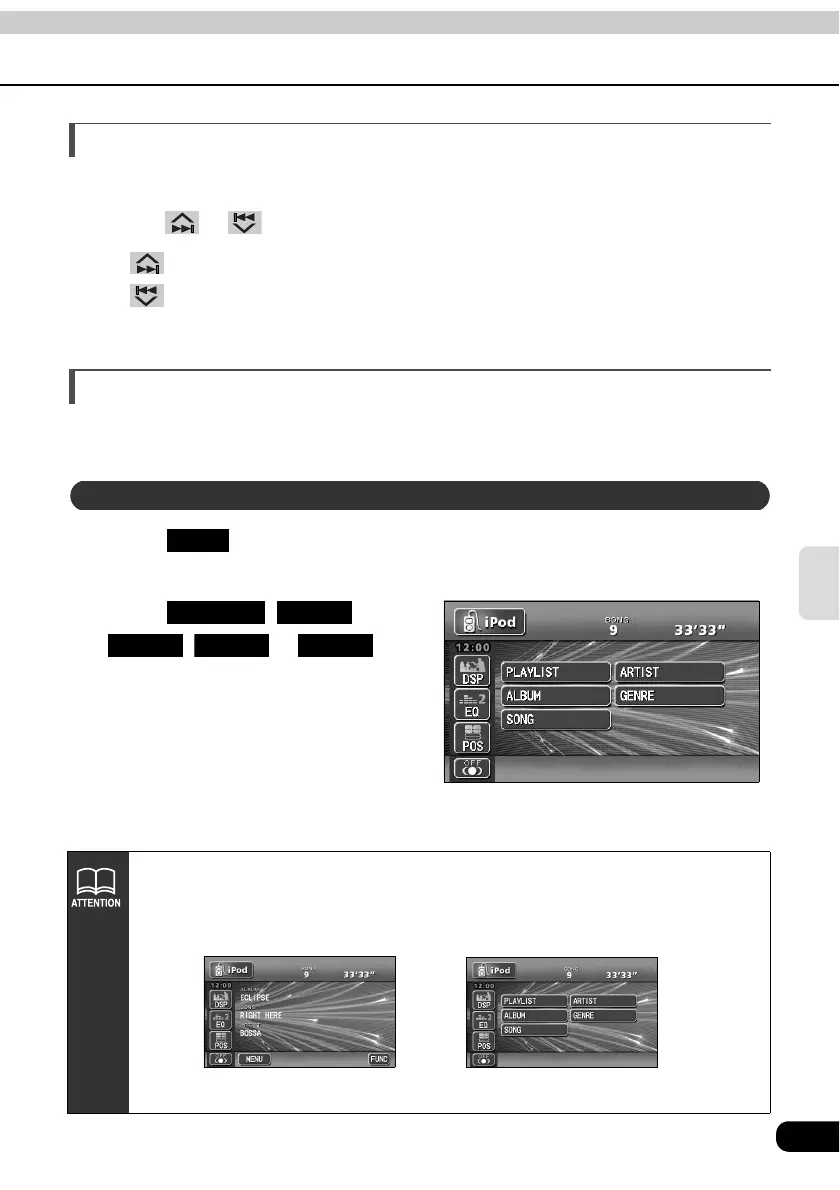
You can select a song you want to listen to from ALBUM, ARTIST, PLAYLIST, GENRE or
SONG.
Touch repeatedly until the search mode screen (top menu) as
shown below is displayed.
Touch , ,
, or and
select the song you want to listen
to.
• If no operation was performed on the
search mode screen for 10 seconds, it
returns to the playback.
Displaying the search mode screen
MENU
Search mode screen (top menu)
PLAYLIST ARTIST
ALBUM GENRE SONG
About text display
Alphanumeric and symbols can be used for text display. Even if the characters
other than alphanumeric and symbols are displayed on your iPod, they are not
displayed on this unit.
Playback mode screen Search mode screen



 To Next Page