134
How to use the steering wheel switch
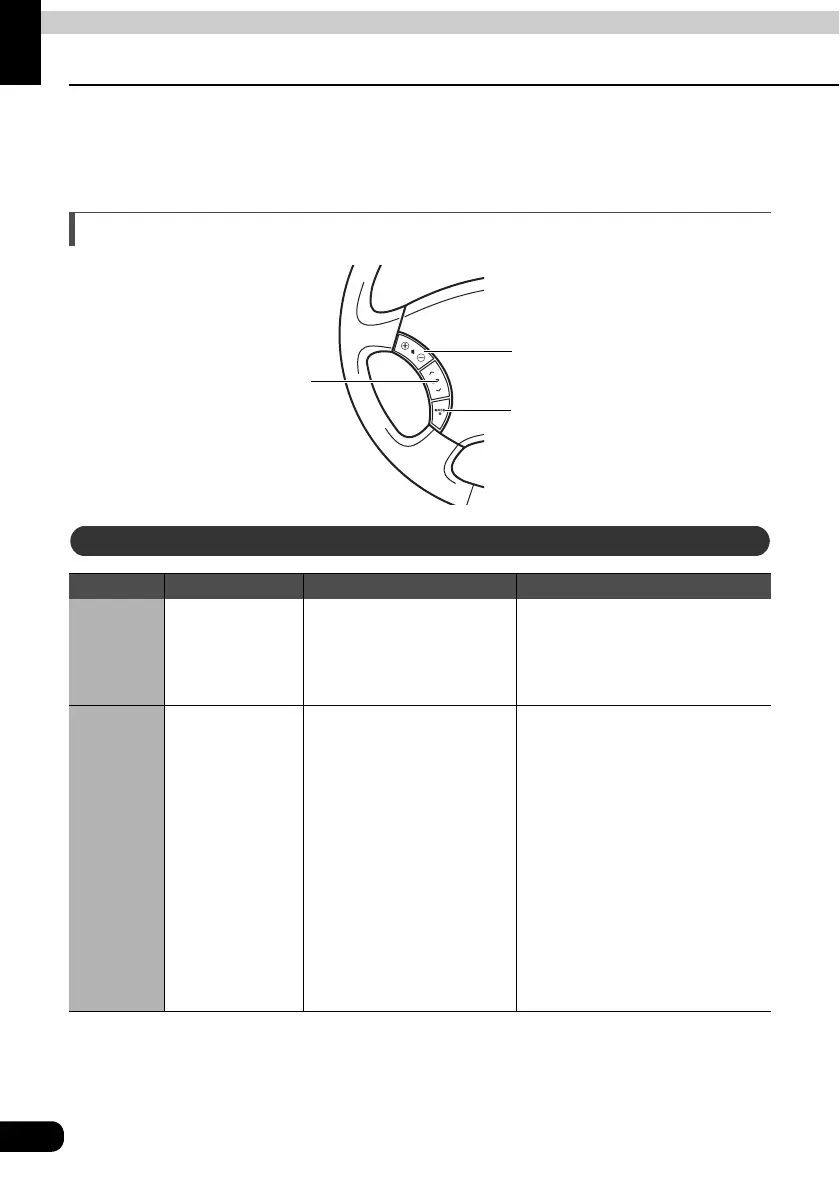
About the steering wheel switches
On vehicles equipped with steering wheel switches, these easy-access switches can be
used to perform the main audio and other operations.
(For details of the steering wheel switch, please contact your local dealer.)
Function names and summaries
Switch Name Function Explanation of operation
(+)
(–)
Volume switch
Each momentary actuation
of these switches changes
the volume one step.
Hold a switch down for a
continuous volume change.
(+): Volume UP
(–) : Volume DOWN
(MODE)
Mode selection
switch
• When the power is OFF,
pressing this switch turns
it ON.
• The mode changes.
FM1 → FM2 → FM3 →
CD → MP3/WMA → (CD
changer) → DVD → (TV)
→ (VTR) → (iPod) → AM
→ (SIRIUS1) →
(SIRIUS2) → (SIRIUS3)
→ (SIRIUS4) → return to
FM1
• Press the switch until it
beeps to turn the power
OFF.
Each time (MODE) is pressed
while the power is ON, the mode
changes.
( ) : Optional
Channel selection (radio) switches
Track selection (CD/CD changer,
MP3/WMA mode) switch
Chapter selection (DVD) switch
Volume switch
Mode selection switch
Common operations



 To Next Page