39
Basic
operation
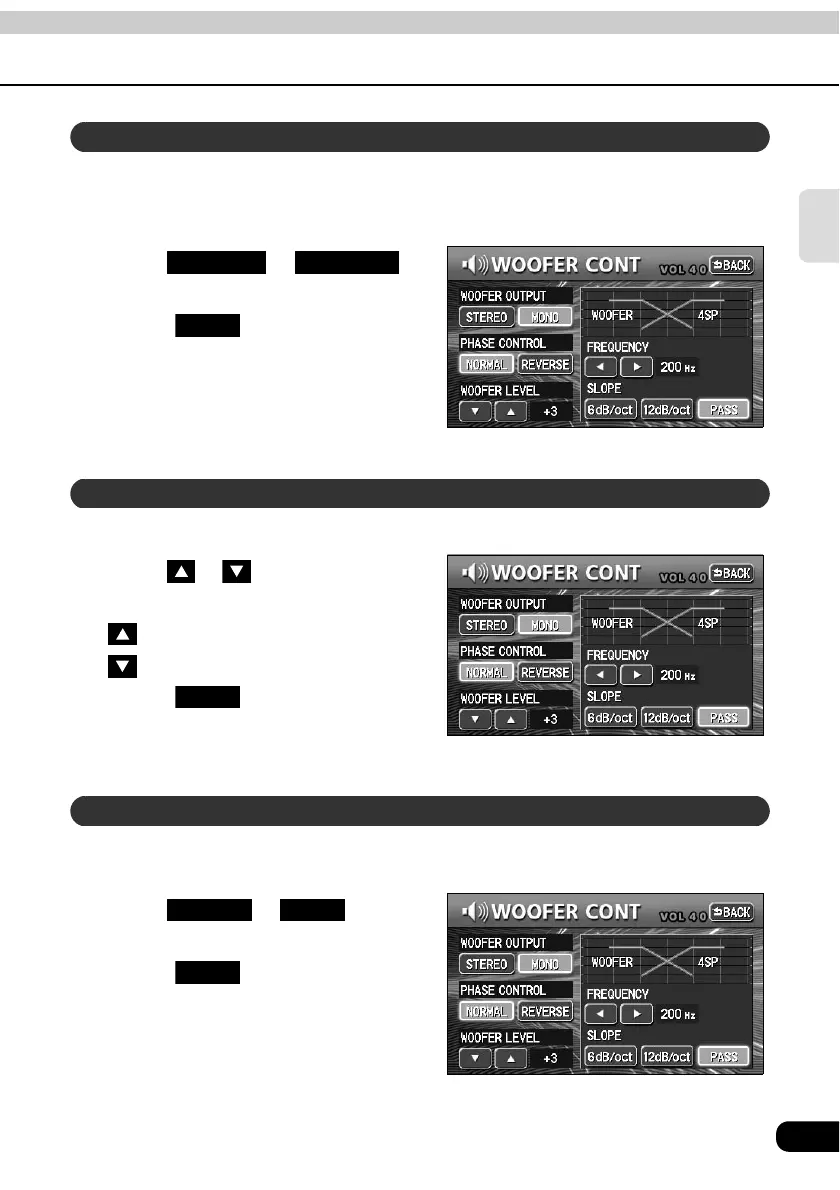
The merging of sound between the front and rear speakers and the sub-woofer can be
improved by selecting the phase.
Switch to a phase which lets the speakers combine without any disharmony.
Touch or
for PHASE CONTROL.
• Touch after making settings.
The phase control will be saved and
the system will return to the previous
screen.
The output level of the sub-woofer can be adjusted with this function.
Touch or for WOOFER
LEVEL.
: Increase level
: Decrease level
• Touch after making settings.
The woofer level will be saved and the
system will return to the previous
screen.
The sub-woofer output can be set to STEREO or MONO. Select the method that matches the
output method for the connected sub-woofer system.
Touch or for
WOOFER OUTPUT.
• Touch after making settings.
The woofer output setting will be saved
and the system will return to the
previous screen.
Selecting phase control
NORMAL REVERSE
Back
Selecting the sub-woofer level
Back
Setting WOOFER OUTPUT
STEREO MONO
Back



 To Next Page