12
Introduction
How to use this manual
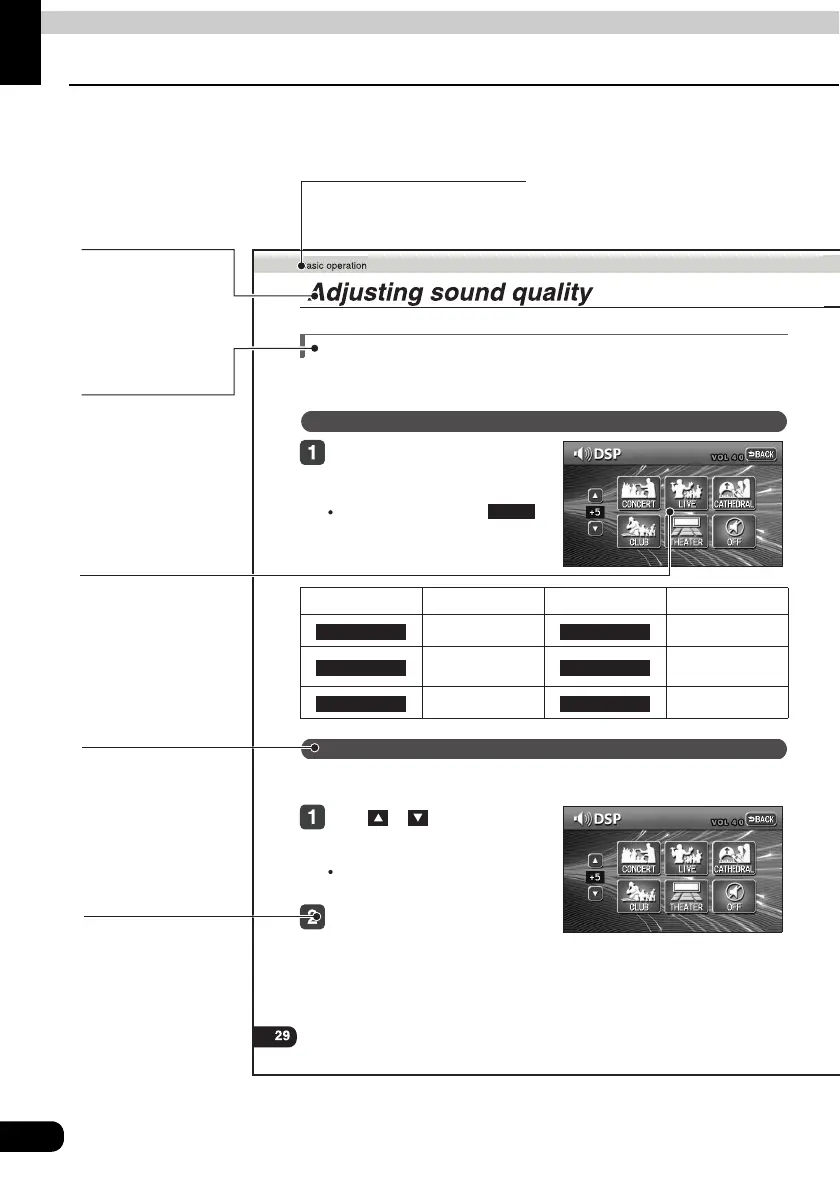
Setting DSP (acoustics)
The DSP function reproduces the sensation of various factory set performance environments
by adding reverberation to the music being played.
Touching the DSP touch switch
brings up the acoustics mode
screen as shown.
After making settings, touch .
The acoustics mode adjustments will
be saved and the system will return to
the previous operation screen.
The factory set DSP (acoustics) level for each mode can be adjusted to preference and
saved.
Touch or at the right of the
screen while in the acoustics mode
to be adjusted.
There are five + and five - adjustment
levels available.
Touch the switch for the acoustics
mode that has been adjusted until
a beep is heard.
Touch switch DSP Environment Touch switch DSP Environment
Concert hall Disco, Club
Live performance
arena
Movie theater
Church with echo DSP OFF
DSP mode setting
BACK
CONCERT CLUB
LIVE THEATER
CATHEDRAL OFF
Adjusting, saving DSP (acoustics)
Item title
A number and title
is assigned for
each item.
Section title
A title is assigned for each
section.
Operation title
A title is assigned
for each operation.
Operation procedure
Describes the
operation.
Proceed with the
operation as per the
numerical order.
Detailed operation title
A title is assigned for
each detailed
operation.
Operation screen
A screen showing
the operation will
appear.



 To Next Page