94
How to operate the DVD player
How to use the DVD player
A DVD can be watched only if the vehicle is completely stopped in a safe location with the
parking brake set and the ignition switch turned to ON or ACC. (Only sound can be heard if
a DVD is played while the car is in motion.)
Watching a DVD
Start playback by inserting a DVD into the DVD insertion slot, which will automatically turn on
power.
Press while a disc is inserted.
Touch .
• Playback will begin.
• If the operation switches (touch switches) are being displayed, press or
touch the screen.
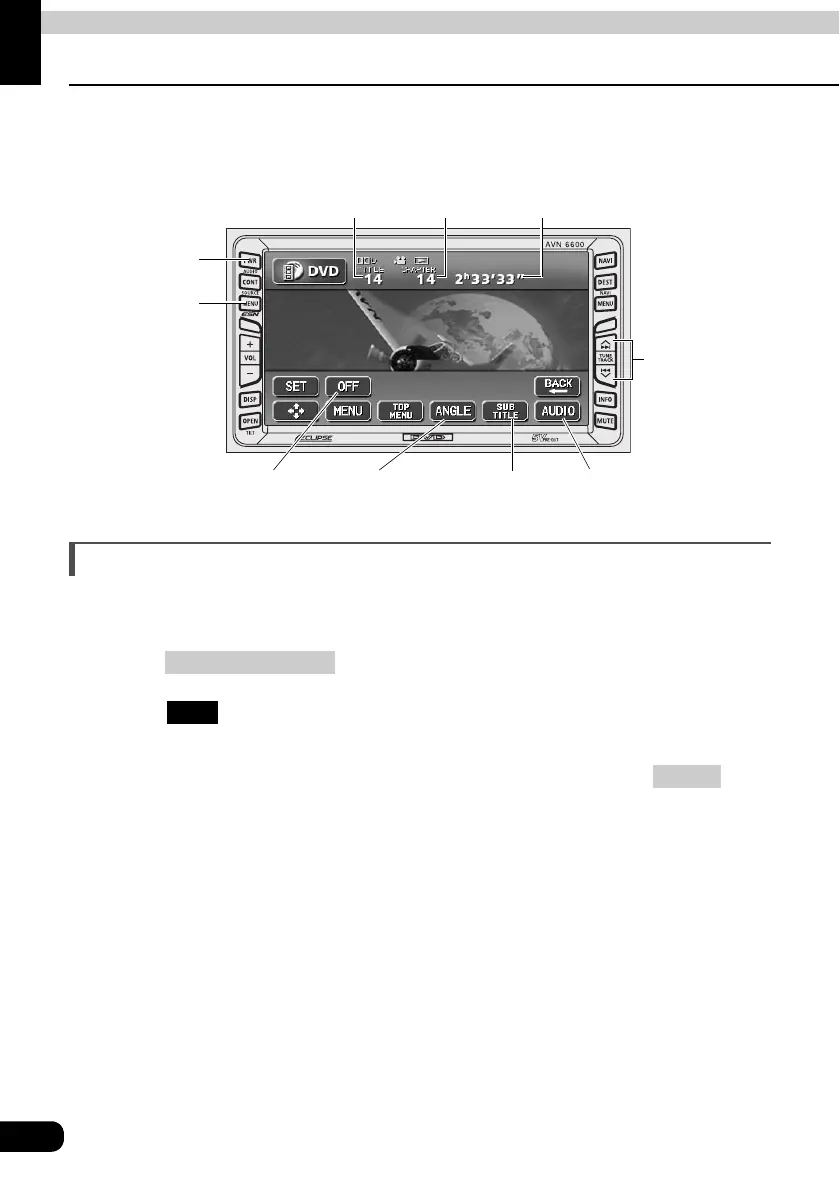
PWR
Button
(SOURCE) MENU
Button
Buttons off switch Angle change
switch
Subtitles change
switch
Audio change switch
Title number Chapter number Playing time
Chapter changing/
Fast-forward
(rewind) Button
(SOURCE) MENU
DVD
CONT



 To Next Page