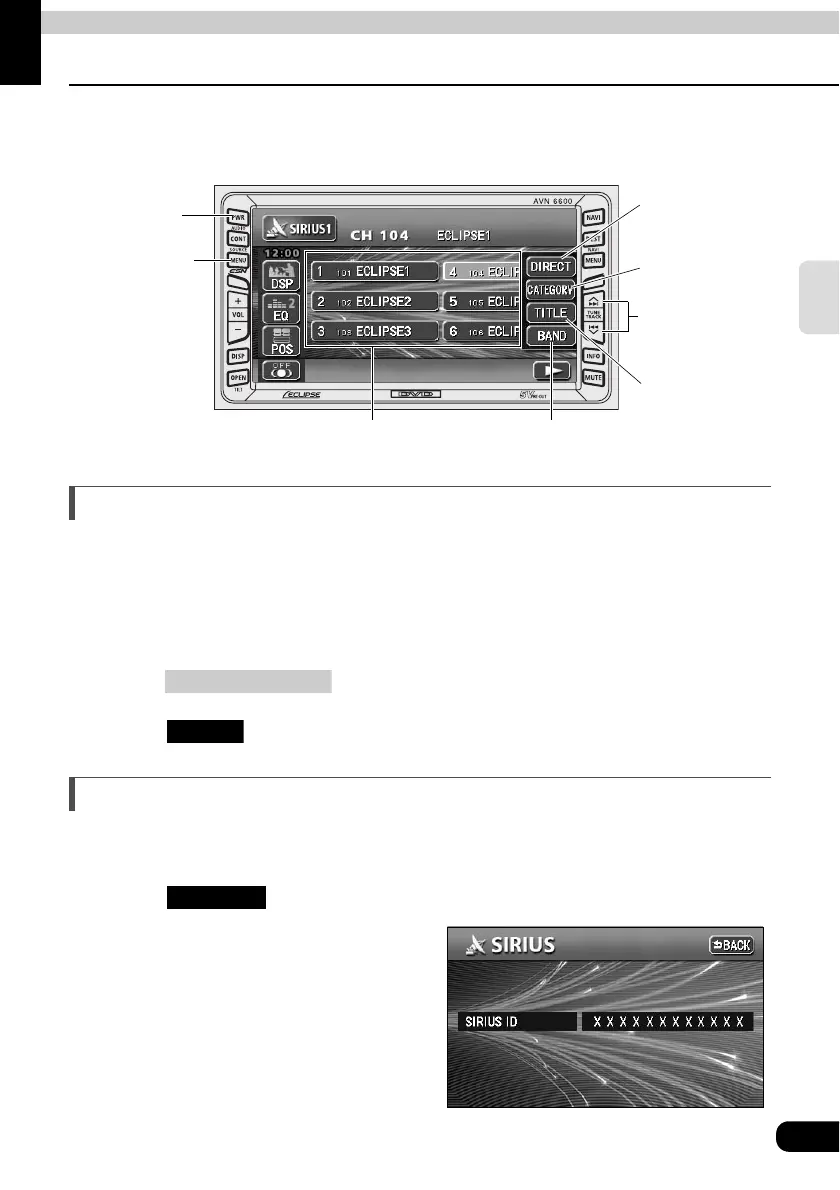
How to operate the tuner
59
RADIO
How to use the SIRIUS satellite radio
When an optional SIRIUS satellite radio tuner is connected, SIRIUS satellite radio
broadcasts can be received.
Listening to SIRIUS satellite radio
With SIRIUS satellite radio, over 100 channels are available including music, news, and
entertainment programs.
You can select the channel you want from 14 categories such as POP and ROCK, or you can
select a channel by direct input.
Reception of SIRIUS satellite radio is a paid subscription.
Press .
Touch .
Check the SIRIUS ID
The SIRIUS ID number is a 12-digit numerical code that is assigned each time the SIRIUS
satellite radio tuner is connected.
Touch on the INFORMATION screen.
•
A 12-digit numerical code is displayed
.
BAND
Switch
CATEGORY
Switch
DIRECT
Switch
TITLE
Switch
Preset
Switches
PWR
Button
(SOURCE) MENU
Button
TUNE TRACK
Button
(SOURCE) MENU
SIRIUS
SIRIUS ID



 To Next Page