104
How to use the DVD player
How to operate the DVD player
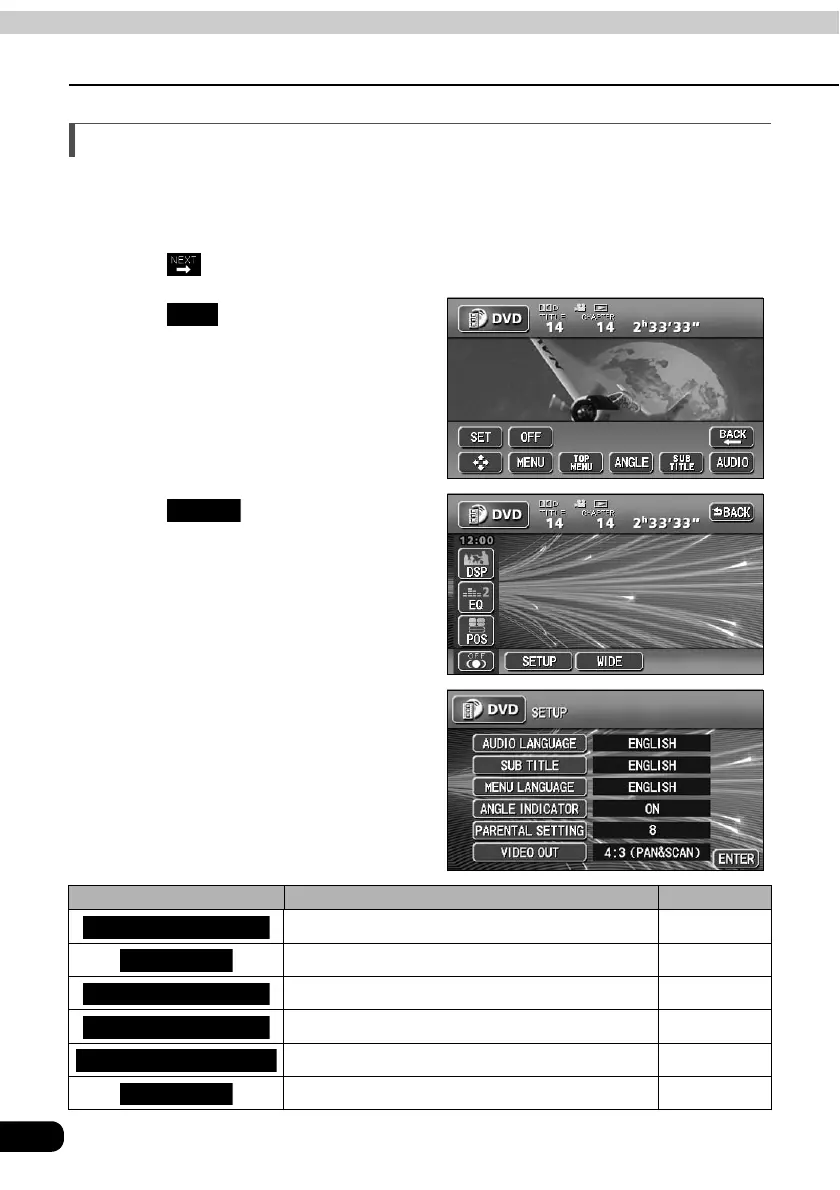
Setting the DVD player
The language preference for voices, subtitles and menu display used during DVD playback
can be set in advance. Optional display of the multiple angle mark, viewer restriction and
other functions can also be set.
Touch on the DVD operation screen.
Touch .
Touch .
• The SET UP screen will be displayed.
Touch any of the touch switches.
Settings can be made for the
following items.
Touch switch Function Page
Sets the language of voices for video playback. 105
Sets the language of subtitles for video playback. 106
Sets the language of displayed menus. 107
Sets display/non-display of multiple angle mark. 108
Restricts the types of DVD videos that can be played. 109
Sets screen size. 110
SET
SETUP
AUDIO LANGUAGE
SUB TITLE
MENU LANGUAGE
ANGLE INDICATOR
PARENTAL SETTING
VIDEO OUT



 To Next Page