48
Adjusting/setting the screen
Basic operation
Touch .
• Returns to the DVD, VTR or TV operation screen.
BACK
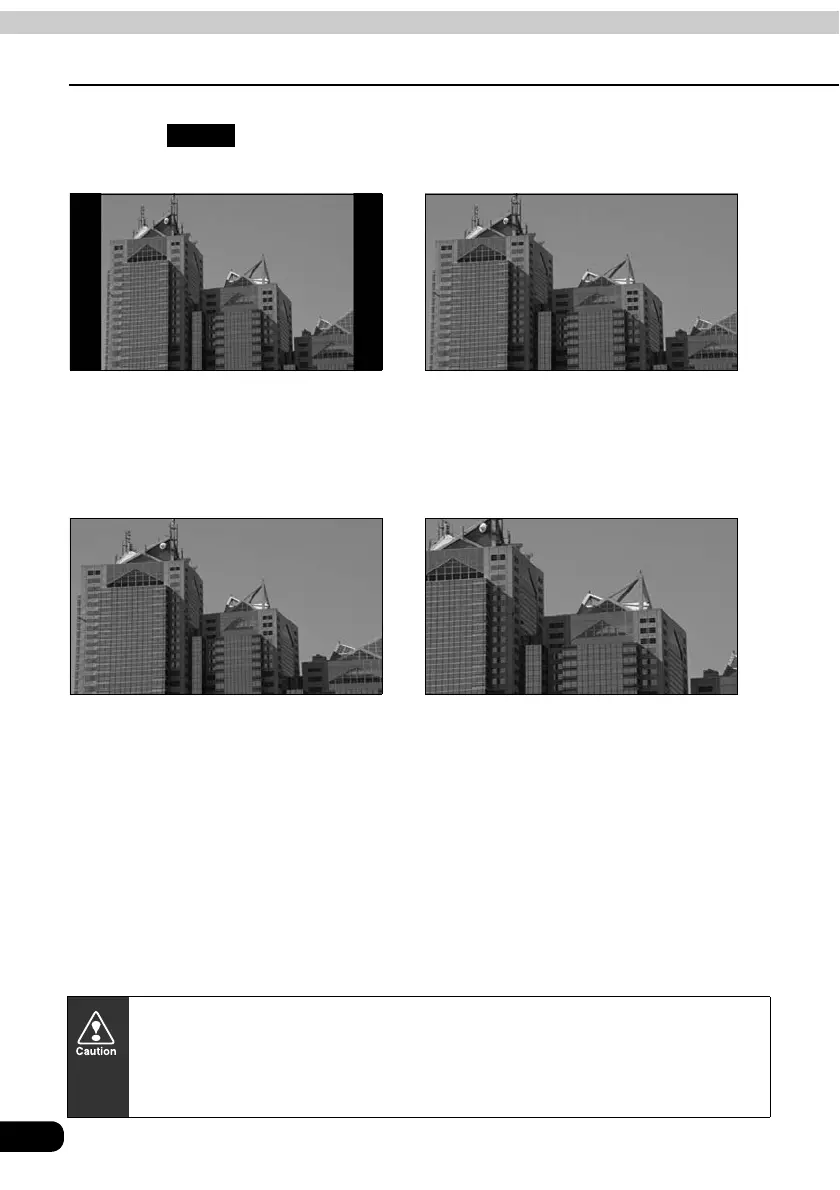
■ NORMAL mode
The screen is shown with vertical to
horizontal ratio of 3 to 4 (normal TV
screen size) and side edges are black.
■ WIDE 1 mode
The screen for vertical to horizontal ratio
of 3 to 4 (normal TV screen size) is
uniformly expanded in the left and right
directions.
■ WIDE 2 mode
The screen for vertical to horizontal ratio
of 3 to 4 (normal TV screen size) is
uniformly expanded in the left and right
directions (except for the central section
of the screen).
■ WIDE 3 mode
The screen for vertical to horizontal ratio
of 3 to 4 (normal TV screen size) is
uniformly expanded in the upward,
downward, left and right directions.
Viewing of wide screen modes is permitted when limited to the personal
entertainment of the user, but caution is required when using technologies such
as image compression and expansion for the purpose of commercial benefit or
public presentation may infringe upon the rights of the copyright holder being
protected by applicable copyright law.



 To Next Page