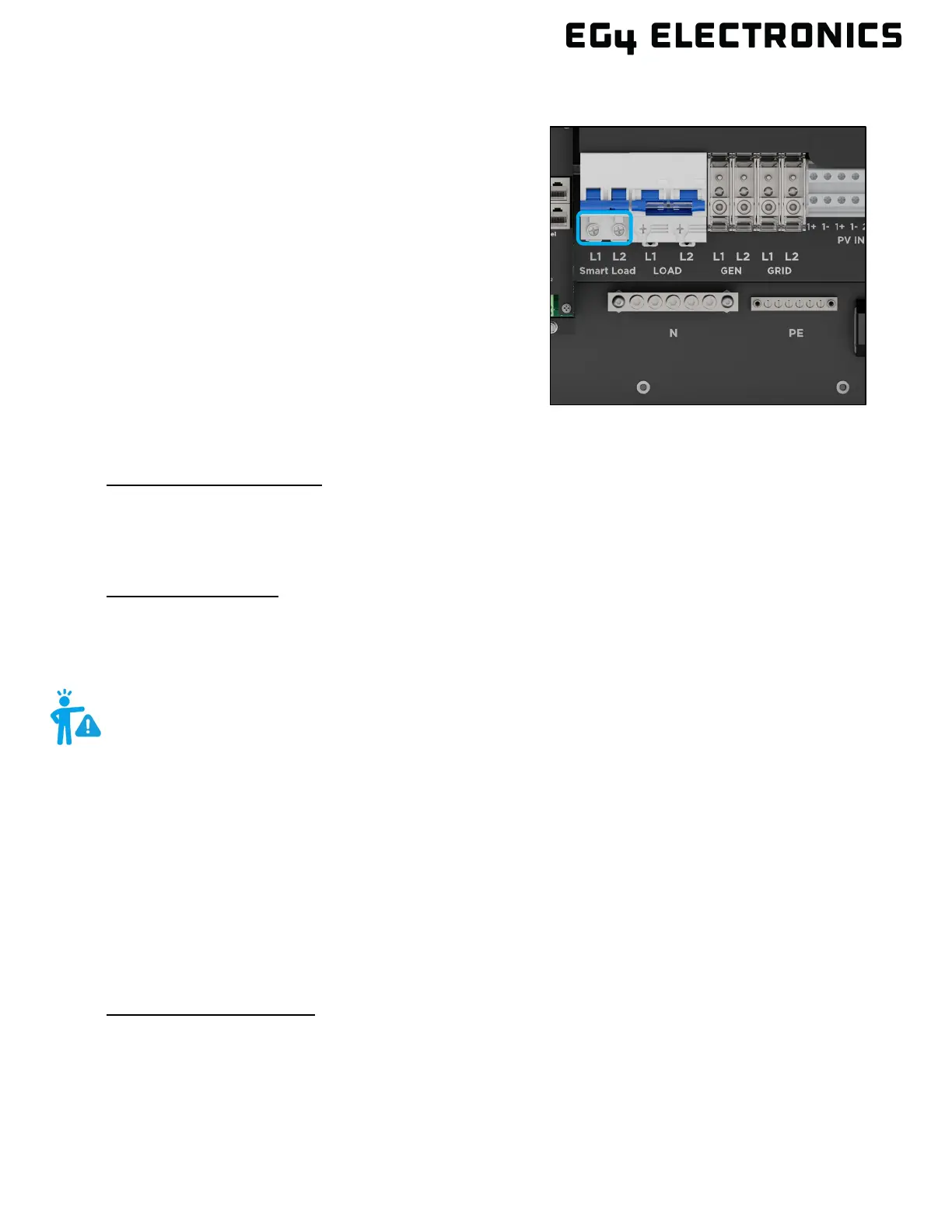
10. SMART PORT
The smart load port in the 12000XP is a programmable
smart port that can either output to loads or be enabled to
accept an AC coupled system as input. The settings to
configure either Smart Load or AC Coupling will be found in
the discharge settings section on the LCD screen (shown
in section 10.7), the EG4
®
Monitor Center (shown in
section 12.4), or the EG4 Monitor App.
10.1 SMART LOAD
The smart load port enhances the efficiency and
effectiveness of solar power systems by intelligently
managing energy consumption. The smart port uses
sensors, controllers, and communication technologies to
adjust output in real-time. The port can be programmed
to either load shed, or power shed for individual smart
appliances or whole subpanels. If enabled, the inverter will supply power to the load when the
battery SOC and PV power are above the user set values.
After Smart Load Enabled:
When PV power exceeds the set start PV power, and the battery SOC/voltage gets to the start
SOC/voltage, the smart load port will automatically switch on to power the connected load. When the
battery reaches the end SOC/voltage or PV drops below the start PV power value, the smart load
port automatically switches off.
Smart Load Settings:
The “Smart Load” setting must be enabled when the end user is trying to use the configurable
settings to control the smart port’s output. The inverter will provide power to this load based on set
“Smart Load Start Volt/SOC”, “Smart Load End Volt/SOC” and “Start PV power” values (see section
10.7 for settings through the LCD, see section 12.4 for settings through the Monitor Center).
10.2 AC COUPLING
The smart load port allows the user to AC couple, by adding onto an existing grid tied solar system.
PV comes from the existing system while the AC coupled inverter controls battery charging and any
extra PV coming into the system. This setting allows the user to still have power off-grid. The inverter
can accept PV inputs to both MPPT channels and AC coupled solar input simultaneously. The AC
coupled solar input can be up to 62.5A of AC power while the MPPT channels can handle up to
24kW of solar. Off-grid inverters such as the 12000XP are capable of AC coupling, but not of selling
back energy to the grid. To enable AC coupling or configure AC coupling settings, ensure the inverter
is in standby mode.
After AC Couple Enabled:
When battery SOC or voltage gets below the set parameters, AC coupling will engage and use PV
from the existing solar system to charge the batteries. When the battery bank is charged to the set
limit, the inverter will continue to control the loads without charging the battery bank. There will be
about a 5-minute delay for AC coupling to turn on.
WARNING:
If the Smart Load function is enabled, an AC coupled system CANNOT be
connected at the same time; otherwise, the device will be damaged.



 To Next Page