13. MONITOR CENTER SETTINGS
This section describes using Monitor Center to configure basic settings as well as settings that may be
specific to the 12000XP. For assistance using additional settings and features within Monitor Center,
see the EG4
®
Monitor Center Overview available on the EG4 website or by scanning the code below.
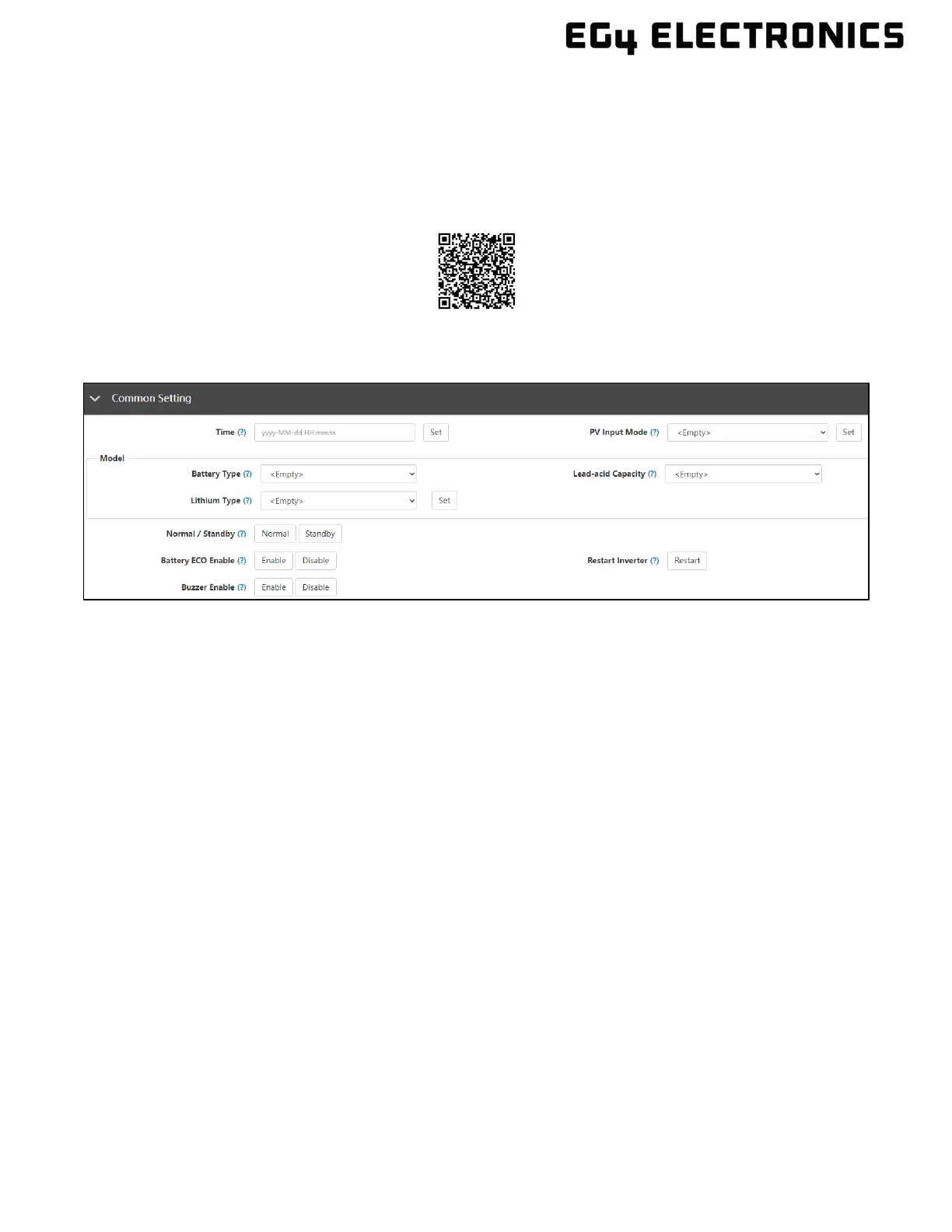
13.1 COMMON SETTING
• Time: Set the time/date of the inverter. The input format is 2019-02-14 14:44:00 (YYYY-MM-
DD HH:MM:SS).
• PV Input Mode: The connection type of solar modules.
• Battery Type: Choose the “Battery Type” and then select Lithium Brand (for closed-loop
communications), or battery capacity for lead-acid/lithium batteries with no communications.
Note: after setting the battery type, all other settings will reset to default.
• Lithium Type: This setting allows the user to select from a list of compatible batteries for
closed-loop communications.
• Lead-acid Capacity: Select the total battery capacity for lead-acid battery banks.
• Normal / Standby: When the inverter is set to Standby mode, PV input and battery
charging/discharging are inoperable. If the grid power is available, the Grid bypass relay will
close, and the grid will power the loads.
• Battery ECO Enable: When enabled, the inverter will switch to bypass mode if the battery
has reached the On-Grid EOD value and AC charging is disabled. The inverter will stay in
bypass mode until the battery is charged again. When enabled, switch over time may be
increased up to 15 ms.
• Buzzer Enable: Enable or disable the alarm.
• Restart inverter: Restarts the inverter.
Overview



 To Next Page