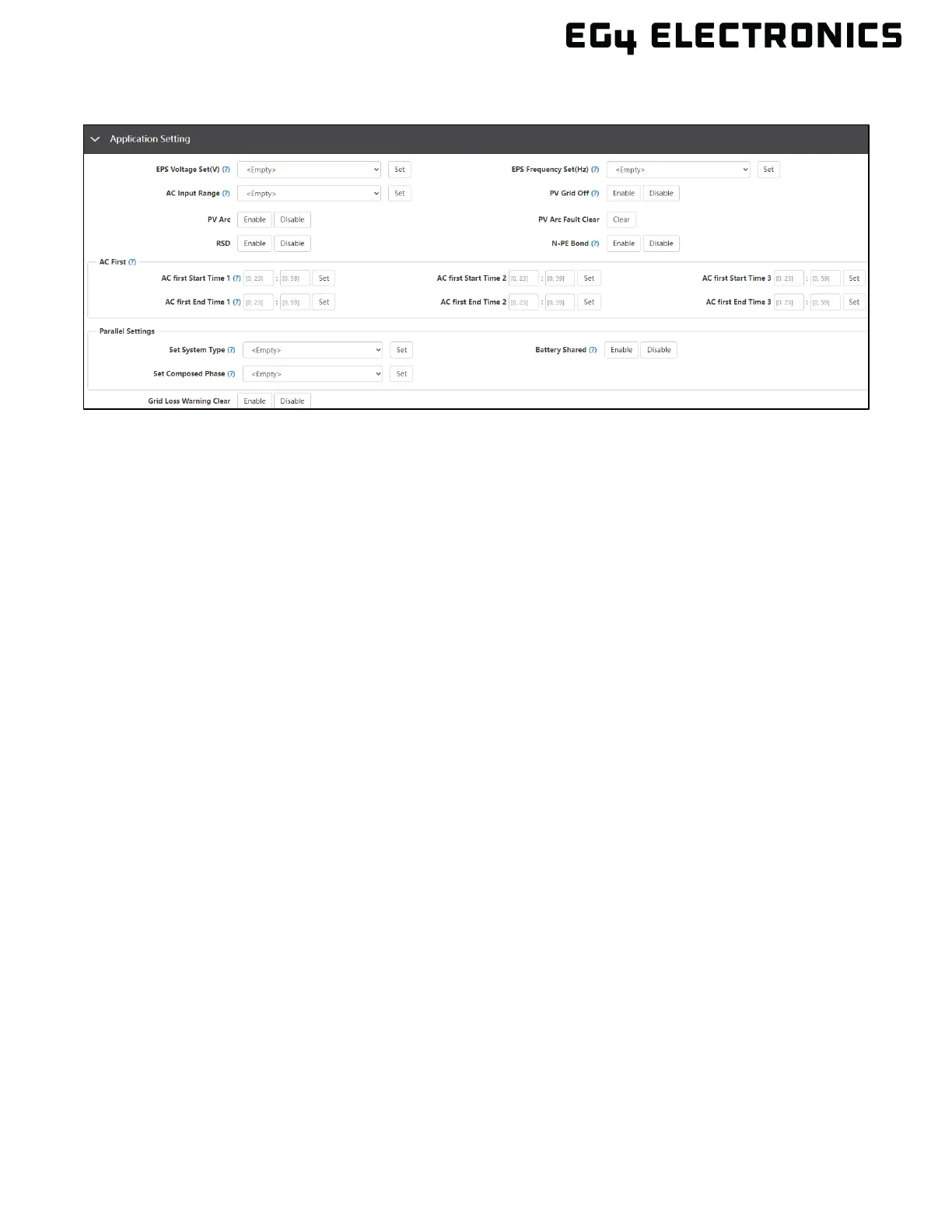
13.2 APPLICATION SETTING
• EPS Voltage Set(V): Set the voltage to accommodate the rated grid voltage.
• EPS Frequency Set(Hz): Set the inverter output frequency.
• AC Input Range: Set the voltage range for AC Input. Switch over time will typically, be
slower when APL is selected.
• PV Grid Off: When enabled, provides off-grid functionality without using battery backup.
Note, AC output is only supplied by solar which can cause output voltage instability due to
fluctuating voltages from the solar modules. It is always recommended to install a battery or
battery bank to keep the inverter output voltage stable.
• PV Arc: The inverter will detect when there is an arc fault on the PV inputs in order to protect
itself from potential damage.
• PV Arc Fault Clear: Clear the records of PV arc fault.
• RSD: The rapid shut-down detection of the PV inputs.
• N-PE Bond: Enable or disable the neutral ground bond inside the inverter. This is not a
dynamic bond, meaning it is only disabled or enabled.
AC First
• AC first Start Time (1 – 3): The time at which the inverter starts to use only AC to power
loads and uses all PV input to charge the battery. The range is 00:00 – 23:59.
• AC first End Time (1 – 3): The time at which the inverter ends the use of only AC to power
loads and all PV input to charge the battery. The range is 00:00 – 23:59.
Parallel Settings
• Set System Type: Set to “No Parallel” when using a single inverter. Set to “Single Phase
Parallel” when connecting two or more inverters using split-phase 120/240VAC. “Set to Three
Phase Parallel” when composing a three-phase system using three or more inverters. This
setting can only be configured in standby mode or while in fault mode.
• Battery Shared: Enable or disable the battery sharing functionality. Enable battery sharing
when configuring more than one inverter in parallel mode sharing a battery bank
.
• Set Composed Phase: If the system is connected to the grid, the inverter will detect the
phase it connects to automatically, record it and output the phase as it detected. If the user
setting is different from the phase the inverter detected; it will still output the phase detected.
The output phase record will be cleared if the customer clears it. If the system is not
connected to the grid, the inverter will use the user output phase setting to compose the
three-phase output. If the customer sets the wrong phase, i.e., 2 U phase and no W phase,
the system will report errors. This setting can only be changed in standby mode or while in
fault mode.



 To Next Page