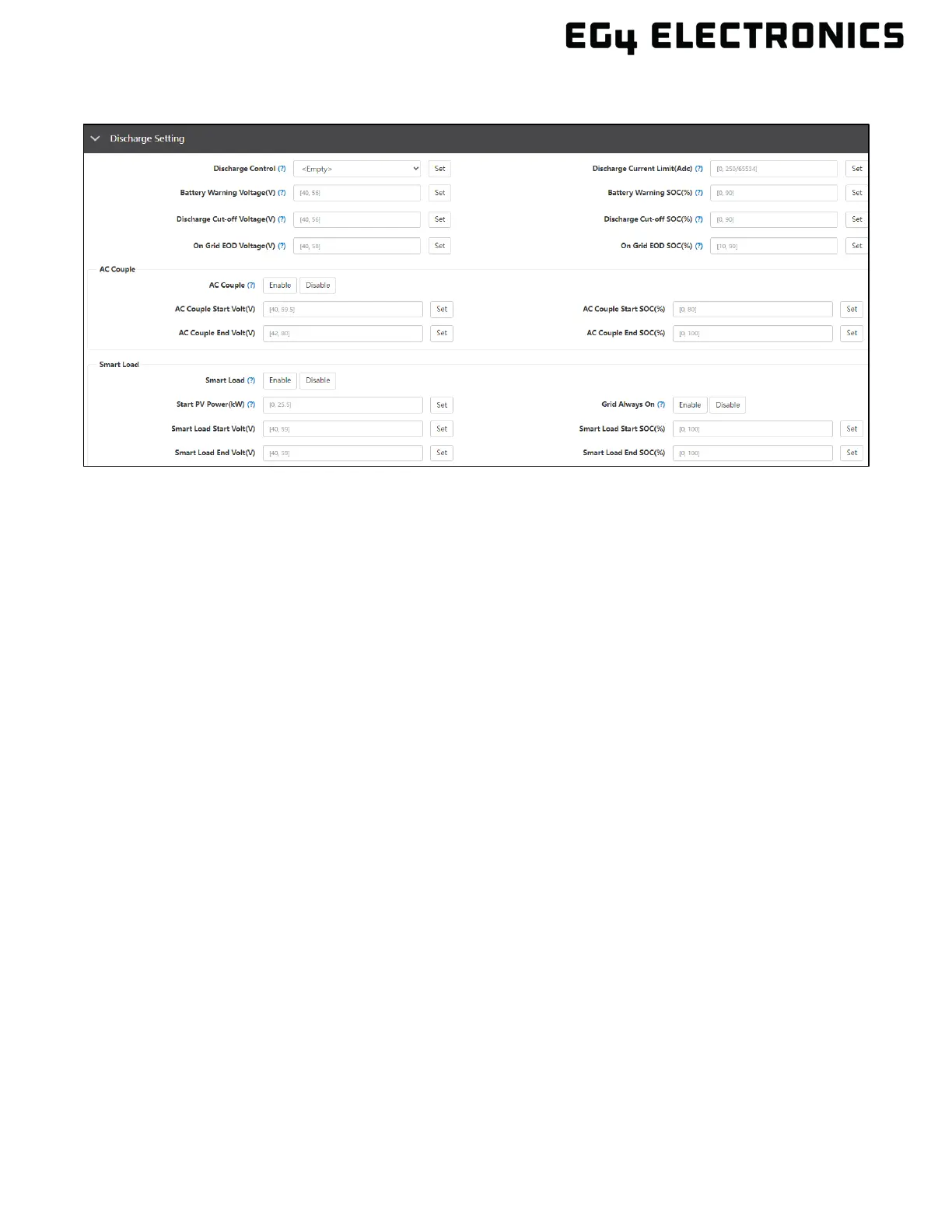
13.4 DISCHARGE SETTINGS
• Discharge Control: Battery discharge can be based on voltage or SOC. Set to “According to
Voltage” when using a lead-acid battery or a lithium battery in lead-acid mode. Set to
“According to SOC” when using a compatible Lithium battery.
• Discharge Current Limit(Adc): Set the discharge current for lead-acid batteries. Set this
according to the battery requirements. Range is 1 – 250A.
• Battery Warning Voltage(V): The inverter will display a battery low warning when the battery
voltage falls to this value. Set this according to the battery requirements. Range is 40 –
56VDC.
• Battery Warning SOC(%): The inverter will display a battery low warning when the battery
SOC falls to this value. Set this according to the battery requirements. Range is 0 – 90%.
• Discharge Cut-off Voltage(V): Voltage at which the batteries stop discharging in off-grid
mode. When the battery reaches the cut-off voltage, the inverter will force charge +2V when
grid is available. Discharge will be restored after forced charge completes the 2V charging,
unless the battery voltage is still below 48V. The battery needs to be above 48V to allow
discharge. Set this according to the battery requirements. Range is 40 – 56VDC.
• Discharge Cut-off SOC(%): SOC at which the batteries will stop discharging in off-grid
mode. Off-grid cut-off SOC should be ≤ on-grid cut-off SOC. When the battery reaches the
cut-off SOC, the inverter will force charge 3%. Discharge will be restored after forced charge
completes 5% charging. Range is 0 – 90%.
• On Grid EOD Voltage(V): When the set voltage is met, the inverter will change to on-grid
mode. For example, if the voltage is set to 51 volts, the inverter will remain in off grid mode
until the set battery voltage. At that point, the inverter will require power from the grid or from
solar.
• On Grid EOD SOC(%): When the set SOC is met, the inverter will change to on-grid mode.
AC Couple
• AC Couple: Enables the AC coupling function. Connect existing on-grid inverter to the smart
loads port as an AC Coupled system.
• AC Couple Start Volt(V): Configure the start voltage for the AC Coupling.
• AC Couple Start SOC(%): Configure the start SOC for AC Coupling.
• AC Couple End Volt(V): Configure the end voltage for AC Coupling.
• AC Couple End SOC(%): Configure the end SOC for AC Coupling.



 To Next Page