Smart Load
• Smart Load: Turns the smart load feature on or off.
• Start PV Power(kW): When the actual PV input power is greater than the value, the smart
load function takes effect.
• Grid Always On: Enable for continuous AC power on the GEN port when connected to the
grid.
• Smart Load Start Volt(V): Set the voltage point at which smart load will take effect.
• Smart Load Start SOC(%): The SOC percentage that smart load is enabled.
• Smart Load End Volt(V): Smart load end voltage point.
• Smart Load End SOC(%): The SOC percentage that smart load is disabled.
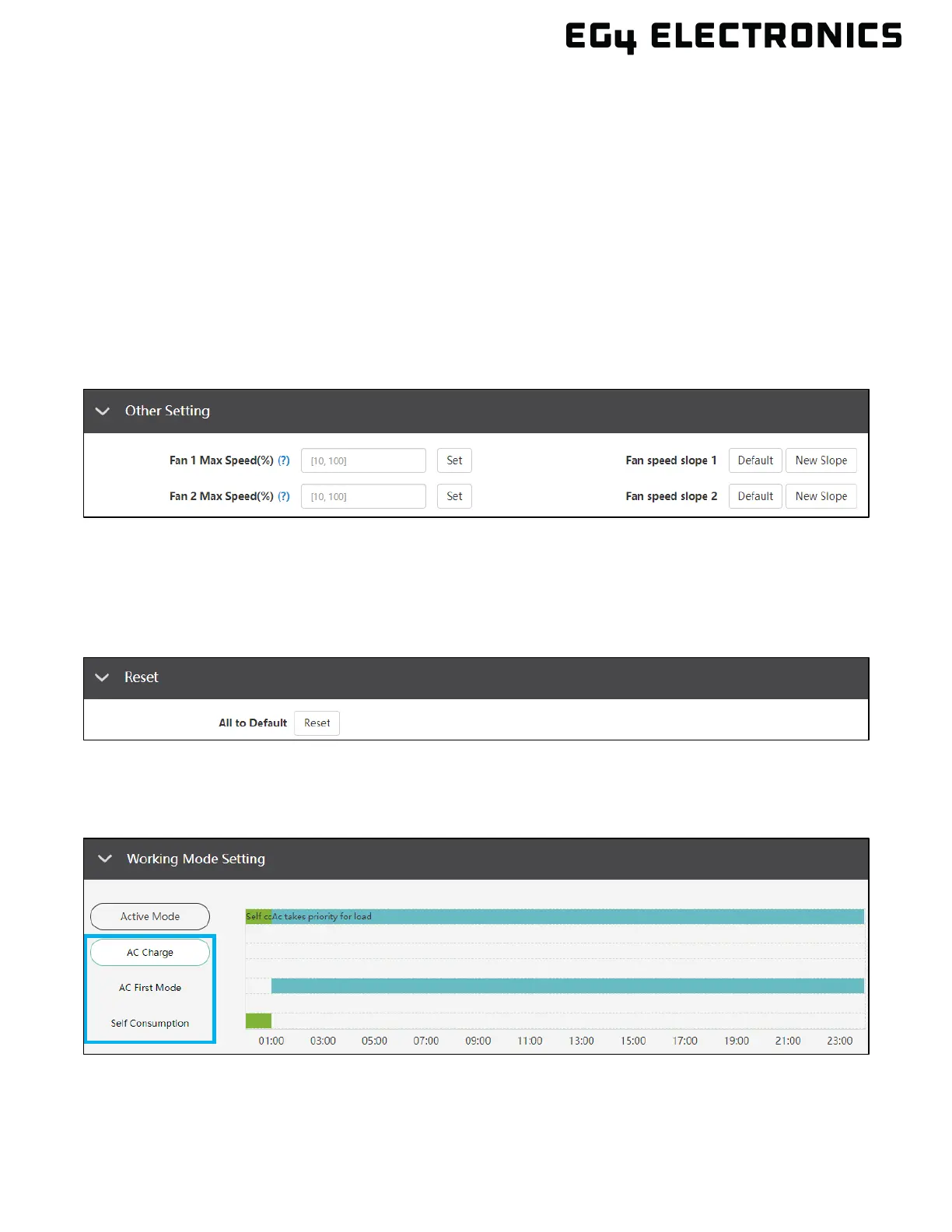
13.5 OTHER SETTING
• Fan 1 – 2 Max Speed: Sets the cooling fans maximum speed for fan 1 – 2. Range is 10 –
100%.
• Fan speed slope 1 – 2: Set to default or new slope.
13.6 RESET
• All to Default: Resets all settings on the inverter to default.
13.7 WORKING MODES
The “Working Mode” feature has several different preset working modes that allow the user to
configure the system to meet their needs through customizing settings. Working modes for the EG4
®
12000XP include AC Charge, AC First Mode, and Self Consumption.



 To Next Page