14.5 TROUBLESHOOTING DONGLE NETWORK CONFIGURATION
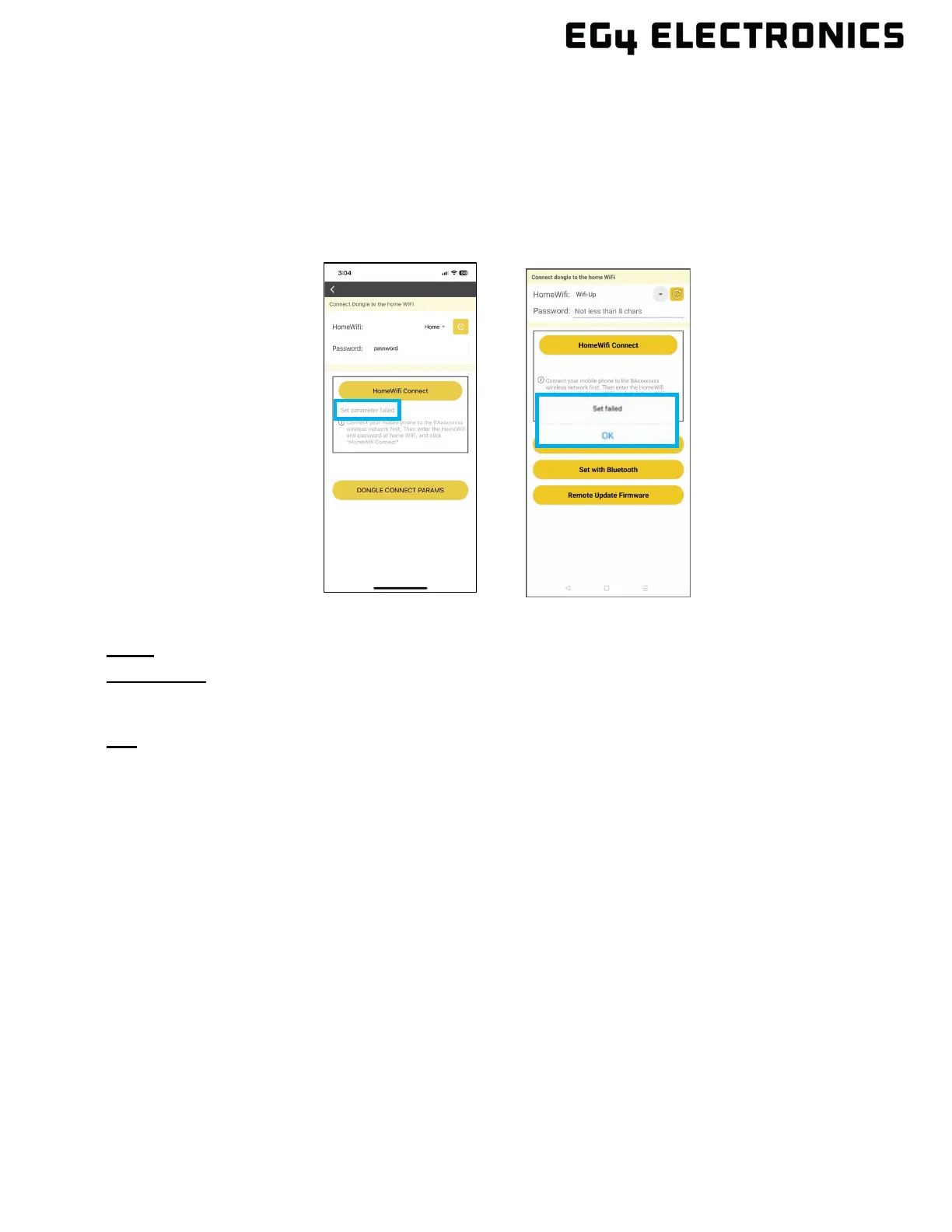
Error: “Set failed” and/or “Set parameter failed”
Description: This error message may appear after selecting any button in the app that performs an
action. For example, selecting the “HomeWiFi Connect” button as shown below.
Fix: Confirm the phone is connected to the dongle’s Wi-Fi network and the dongle’s wireless LED is
illuminated. If those two conditions are met, wait a few minutes and retry the last step that failed. At
times the dongle can become busy or slow to respond to the app.
Error: Lost Hotspot Connection
Description: This error will occur when there is an issue connecting to the dongle hotspot properly,
or the mobile device has disconnected from the dongle hotspot and is trying to connect using the
mobile Cellular Network.
Fix: V
erify the phone is not set up to connect to a cellular network when Wi-Fi connectivity is poor or
is not providing a connection to the internet. The WLAN/Wi-Fi assist can be disabled or the Cellular
can be temporarily disabled during the dongle setup process.
To disable WLAN and W-Fi assist perform the following:
• Android – Select Settings select Cellular, then scroll down the page (screen). Locate
‘WLAN assistant’ and disable this setting.
• iOS – Select Settings select Cellular, then scroll to the bottom of the page (screen). Locate
“Wi-F- Assist” and disable this setting.



 To Next Page