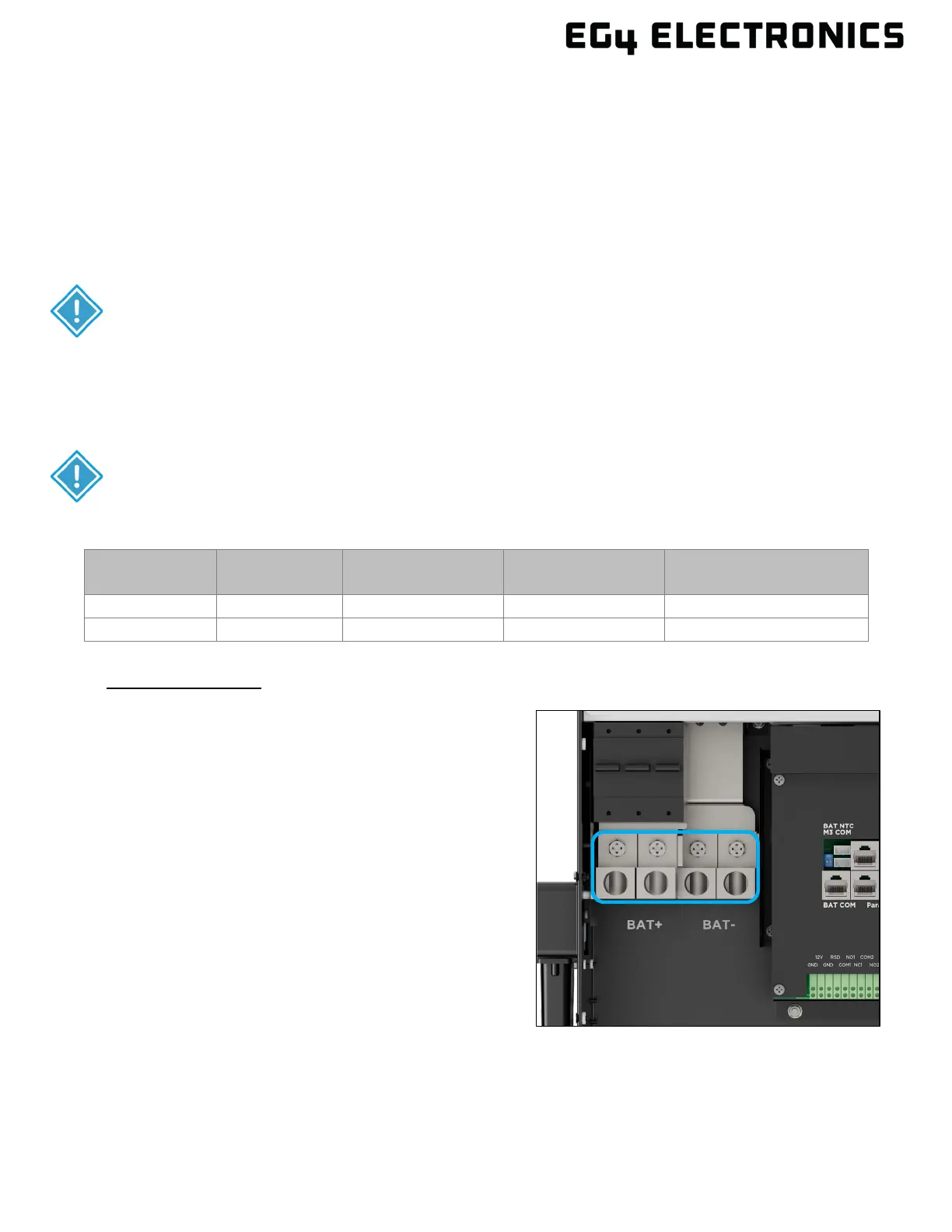
7.2 BATTERY CONNECTIONS
The EG4
®
12000XP supports connecting to lithium or lead-acid batteries. There is a combination of
settings that need to be configured depending on the battery type installed. When using lithium
batteries, it is recommended to configure the battery to communicate with the inverter using the
included battery communications cable. Attaching the communications cable allows the inverter to
communicate with the BMS inside the battery and is referred to as closed loop communication. If the
communications cable is not attached, open loop communication is used, and the inverter relies on
using voltage readings from the batteries. See the installation steps below for more information.
For safe operation and regulation compliance, install a separate DC over-current protector or
disconnect device between battery and inverter.
INTEGRATED
BREAKER
MAXIMUM
AMPERAGE
BATTERY
CAPACITY
CABLE SIZE MAX. TORQUE VALUES
Cable Installation
1. Verify all breakers are in the open (off) position
before connecting or disconnecting wires.
Using a multimeter, ensure that there is no DC
voltage present at the inverter breaker and the
battery cables if they are already connected to
the battery or battery bank. Verify the PV
switch is in the off position.
2. Connect the positive battery cable (Red) to the
positive mechanical lug (BAT+) and the
negative battery cable (Black) to the negative
mechanical lug (BAT-) using the torque values
in the table above.
3. Verify the positive and negative battery cables
are properly connected to the battery bank and
the battery bank total amp hours meet or
exceeds 400AH as specified in the table
above.
IMPORTANT:
The inverter needs a minimum 400Ah of battery capacity to support the output
CAUTION:
Use the proper cable size when connecting the inverter to the battery. See the
chart below for the recommended wire sizes.



 To Next Page