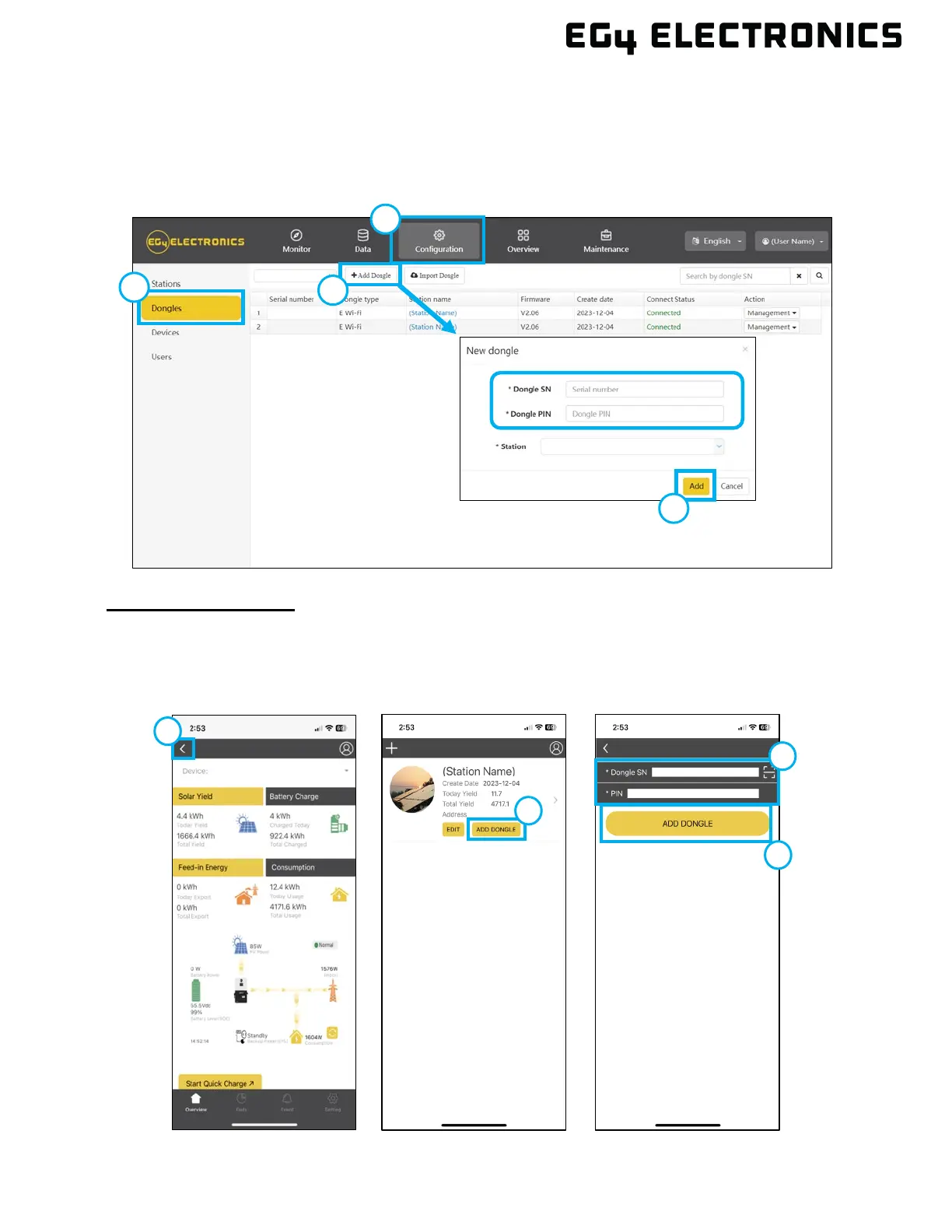
2. Navigate to the “Configuration” tab, then select “Dongles”.
3. Select “Add Dongle”.
4. Enter the new dongle serial number and pin, select the station to assign the dongle to, then
click” Add”.
5. The EG4
®
12000XP Off-Grid inverter should now be available in Monitor Center.
Using the Phone App
1. Open the “EG4 Monitor” app and login using an existing name and password.
2. Select the back arrow in the upper left corner of the screen.
3. Select “Add Dongle”. Scan or enter the dongle information located on the dongle sticker, then
press “Add Dongle”.



 To Next Page