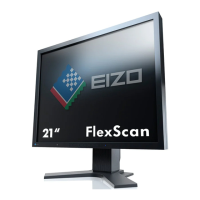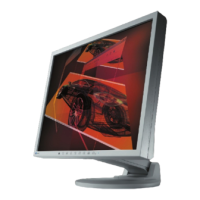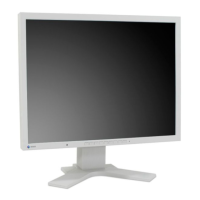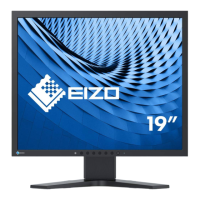
EasyManua.ls Logo

Eizo SCD 19102 - User Manual

Eizo SCD 19102
120 pages
Print Icon
To Next Page IconTo Next Page
Loading...
display
SOLUTIONS
SOLUTIONS
,QVWUXFWLRQ0DQXDOವ
+LJK(QG&RORUDQG*UD\6FDOH)ODW3DQHO'LVSOD\
6&'
60'

Table of Contents

Other manuals for Eizo SCD 19102

Questions and Answers

  • A
    Anna JacksonSep 2, 2025
    What to do if Eizo SCD 19102 Monitor operation LED flashes orange and a temperature warning appears?
    • T
      Tammy CruzSep 2, 2025
      If the Eizo Monitor displays a temperature warning and the operation LED flashes orange, it indicates that the overtemperature threshold has been exceeded. Check the following: the temperature limit setting in the OSD menu (Servicelevel 2); ensure the room temperature is not too high; make sure the cooling fins on the housing are not covered; ensure compliance with spacing requirements when installing the monitor; and verify the monitor is not close to a heat source.
  • R
    Rodney ManningSep 1, 2025
    What does it mean when Eizo SCD 19102 Monitor DPMS OFF mode LED flashes green?
    • M
      michellefosterSep 1, 2025
      If the DPMS OFF mode LED flashes green, it indicates a faulty cable. Replace the cable to resolve the issue.
  • R
    Ralph RichardsAug 31, 2025
    Why the image cannot be shifted horizontally on my Eizo Monitor?
    • T
      Timothy SantiagoAug 31, 2025
      If the image cannot be shifted horizontally, the synchronization may not be correct. Set the maximum window size and perform "Auto adjust".
  • M
    Mark DavisAug 30, 2025
    How to fix fuzzy picture with interference in vertical lines on Eizo SCD 19102 Monitor?
    • D
      Derek SimmonsAug 30, 2025
      A fuzzy picture with interference in vertical lines suggests that the scanning frequency or phase is incorrectly set. Adjust the frequency and phase settings to resolve this issue.
  • P
    Paul DanielAug 29, 2025
    What to do if Eizo SCD 19102 DPMS ON mode LED flashes green, then orange?
    • E
      Elaine ParkerAug 29, 2025
      If the DPMS ON mode LED flashes green and then orange, this usually indicates loose connections. Ensure all cables are properly plugged in and securely fastened.
  • B
    Bridget PetersAug 28, 2025
    What to do if my Eizo Monitor operation LED flashes green and there is no picture?
    • D
      Darrell TerryAug 28, 2025
      If the operation LED is flashing green but there's no picture, the issue might be a missing video signal. Check the video cable and the video source to ensure they are functioning correctly.
  • S
    Sonia BeasleyAug 27, 2025
    What to do if my Eizo Monitor operation LED is dark and there is no picture?
    • L
      Laura BurtonAug 27, 2025
      First, check if the power cable is correctly connected and that the power switch is in the "On" position. If these steps don't resolve the issue, the fuse may be blown, in which case you should inform the service department.
  • M
    Matthew GrayAug 26, 2025
    Why does my Eizo SCD 19102 operation LED flash orange and show a temperature warning?
    • T
      Tanya EvansAug 27, 2025
      This indicates that the overtemperature threshold has been exceeded. Verify the temperature limit setting in the OSD menu (Service level 2). Also, check if the room temperature is too high, the cooling fins on the housing are covered, spacing requirements on installing the monitor are not met, or the monitor is too close to a heat source.
  • R
    Rebekah JacksonAug 25, 2025
    How to fix an Eizo Monitor image with no contrast?
    • C
      Christy RiosAug 26, 2025
      If your Eizo Monitor image has no contrast, it might be because the video source is only transmitting a green signal. To resolve this, switch over from "RGB" to "MONO" in the OSD menu.
  • M
    Michelle LewisAug 25, 2025
    How to fix an Eizo SCD 19102 Monitor that displays no picture with the Operation LED off?
    • L
      Leah OneillAug 25, 2025
      If your Eizo Monitor displays no picture and the Operation LED is off, it could be due to a defective fuse, in which case you should inform service personnel. Alternatively, the power cable might not be correctly inserted. Ensure the power cord is properly connected.

Summary

Introduction

Contents of this document

Explains the functionality and approved applications of the displays.

Additional documentation

Lists other available documentation for the product.

Program for changing display settings

Details the software used for display setting adjustments.

Safety notes

General safety notes

Provides essential safety precautions for product operation and handling.

Product-specific safety notes

Highlights safety information specific to the SCD/SMD 19102 models.

Description

Scope of delivery

Lists all components included with the SCD/SMD 19102 displays.

Applications

Describes the intended uses and variations of the flat panel displays.

Important features

Outlines the key features and capabilities of the displays.

Application planning

Installation site

Guides on selecting an appropriate location for installing the display unit.

Assembly

Mounting of unit

Instructions for physically mounting the display unit, including VESA standards.

Connecting

General connection information

Covers essential guidelines and precautions for connecting the display to systems.

Connector location

Identifies the location of various connectors on the rear of the display.

Summary of signals and connections

Provides a visual overview of supported signal types and their connections.

Commissioning

Switching on the display

Steps to power on the display and verify its operational status.

Operator controls

Identifies and describes the buttons and LEDs on the display's front panel.

Description of OSD menu

OSD overview

Explains the purpose and basic operation of the On-Screen Display menu.

Menu functions

Details various functions and settings accessible through the OSD menu.

System settings

Avoiding image sticking

Provides methods to prevent or reduce image persistence on TFT displays.

Adjusting the image geometry

Explains how to align and size the picture based on the signal standard.

Adjusting the brightness and contrast

Guides on optimizing brightness and contrast for optimal picture quality.

Adaptation of display - video source; graphics card

Adaptation of display - video source; graphics card

Details matching display settings to graphics card output for optimal performance.

Display adjustment - LUT

Display adjustment - LUT

Explains how to change or update Look Up Table (LUT) values for display calibration.

Display adjustment - Force mode

Introduction

Introduces "Force Mode" as an engineering tool for unknown timings.

Blind mode

Blind mode

Describes entering known timing data for display configuration.

Live mode

Live mode

Details step-by-step setting of unknown timings using test patterns.

Motion image improvement with interlaced and non-interlaced (progressive)

Motion image improvement with interlaced and non-interlaced (progressive)

Explains how to reduce visual artifacts in motion images.

Operation

Note for users

Important notes for users regarding settings and warranty.

Switching on the display

Instructions for powering the display on and checking operational status.

Service and maintenance

Cleaning

Guidelines and recommendations for cleaning the display and its housing.

Troubleshooting

Troubleshooting

Provides solutions for common display faults and issues.

Technical specifications

Graphic display

Details the technical specifications of the display's visual output.

Voltage supply

Voltage supply

Specifies the electrical requirements for powering the display.

Electronics

Outlines the electronic technologies and features of the display.

Inputs;Outputs

Inputs;Outputs

Lists and describes all available input and output connections.

Control and connection elements

Control and connection elements

Identifies and details the physical buttons and connectors on the display.

Mechanical design

Mechanical design

Describes the physical construction, dimensions, and materials of the display.

Climatic conditions

Climatic conditions

Specifies operating and storage environmental conditions.

Mechanical requirements

Mechanical requirements

Outlines requirements related to vibration and shock resistance.

Safety specifications

Safety specifications

Lists safety standards and certifications the display complies with.

Electromagnetic compatibility

Electromagnetic compatibility

Details EMC standards and performance concerning electrical interference.

Dimensional drawings

SCD; SMD 19102 C;CP (without stand)

Provides technical drawings of the display's dimensions.

SCD; SMD 19102 D (with stand)

Front view

Shows the front view dimensions of the display with stand.

SCD; SMD 19102 D (with stand)

View from left

Shows the side view dimensions of the display with stand.

SCD; SMD 19102 D (with stand)

View from above

Shows the top view dimensions of the display with stand.

Accessories

Display stands

Lists available display stand options and their compatibility.

DVI transmission path and cable

Details accessories for DVI signal transmission over longer distances.

Calibration tools

Calibration tools

Lists software and hardware for display calibration and QA.

Graphics cards

Graphics cards

Mentions EIZO display controller cards tested with the display.

Appendix

Markings and symbols on the monitor

Explains various safety and compliance markings found on the display.

Warranty

Warranty

Outlines warranty conditions and contact information for service.

Repairs

Repairs

Instructions on how to obtain repair services for the product.

Environmental protection

Environmental protection

Advises on proper disposal and compliance with environmental laws.

Accessory devices

Accessory devices

States that connected devices must meet relevant safety specifications.

Contact

Contact

Provides contact information for installation support and technical questions.

Trademarks

Trademarks

Lists registered and unregistered trademarks associated with the product.

China RoHS (Restriction of Hazardous Substances)

China RoHS (Restriction of Hazardous Substances)

Information on hazardous substances in the product according to Chinese regulations.

Disposal of materials containing mercury

Disposal of materials containing mercury

Guidelines for the disposal of mercury-containing components, like backlight lamps.

List of abbreviations;acronyms

List of abbreviations;acronyms

Provides definitions for abbreviations and acronyms used in the manual.

Index

Index

An alphabetical index of topics covered in the manual.

Eizo SCD 19102 Specifications

General IconGeneral
BrandEizo
ModelSCD 19102
CategoryMonitor
LanguageEnglish

Related product manuals