99
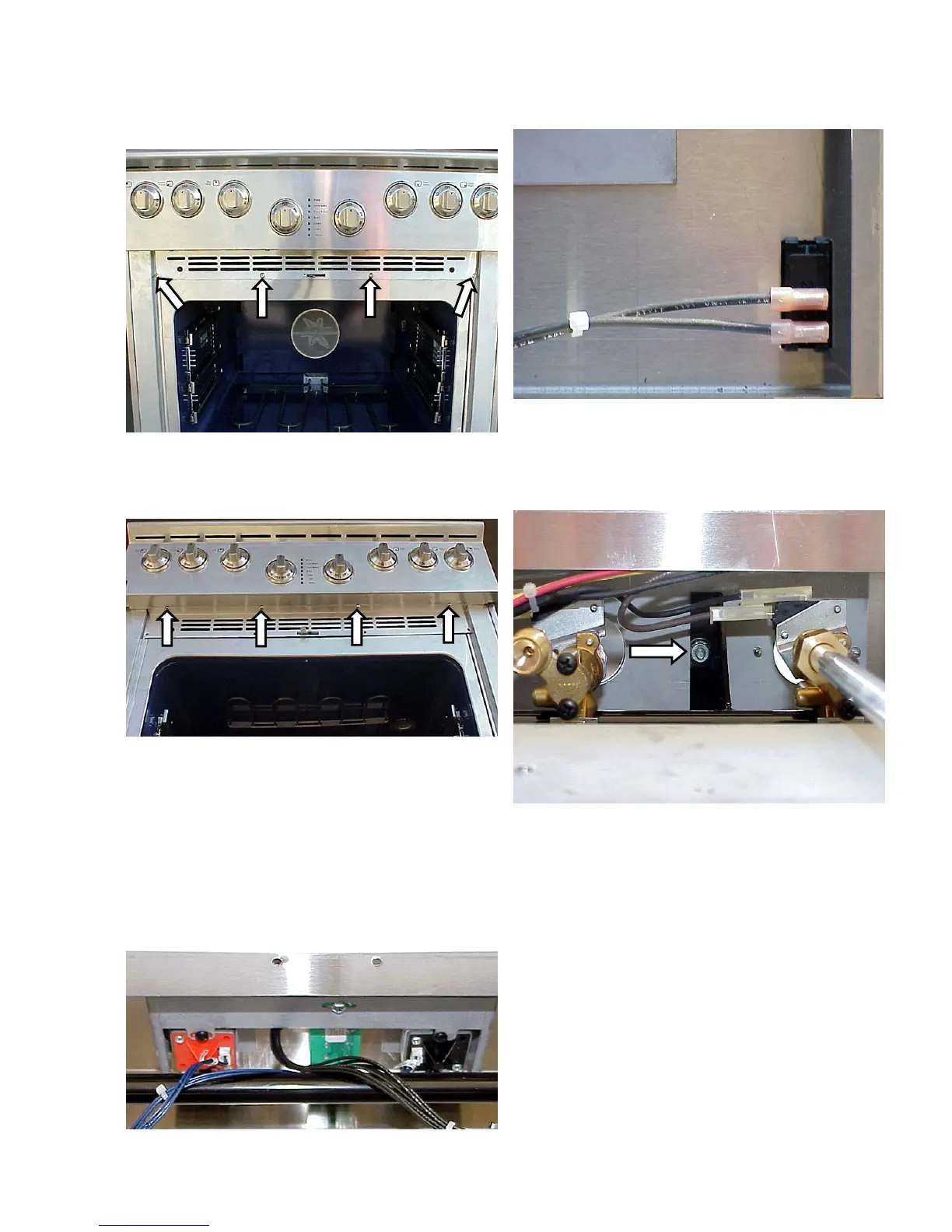
2. Remove the (4) screws holding the grill to the
front of the range.
3. Remove the (4) screws holding the grill to the
control panel and lift the grill off.
Removing the control panel:
1. Disconnect power and remove the spill tray.
2. Remove the front spill tray support, the top burner
knobs and the air intake grill.
3. Disconnect the wires from the interface board, the
functions selector and the temperature selector.
4. Disconnect the wires from the oven light switch.
5. Using an 11/32 socket, remove the (2) nuts from
the bolts holding the control panel to the manifold
pipe and lift the control panel off.
Removing the temperature selector:
1. Disconnect power and remove the control panel.
2. Remove the temperature selector knob.







 To Next Page