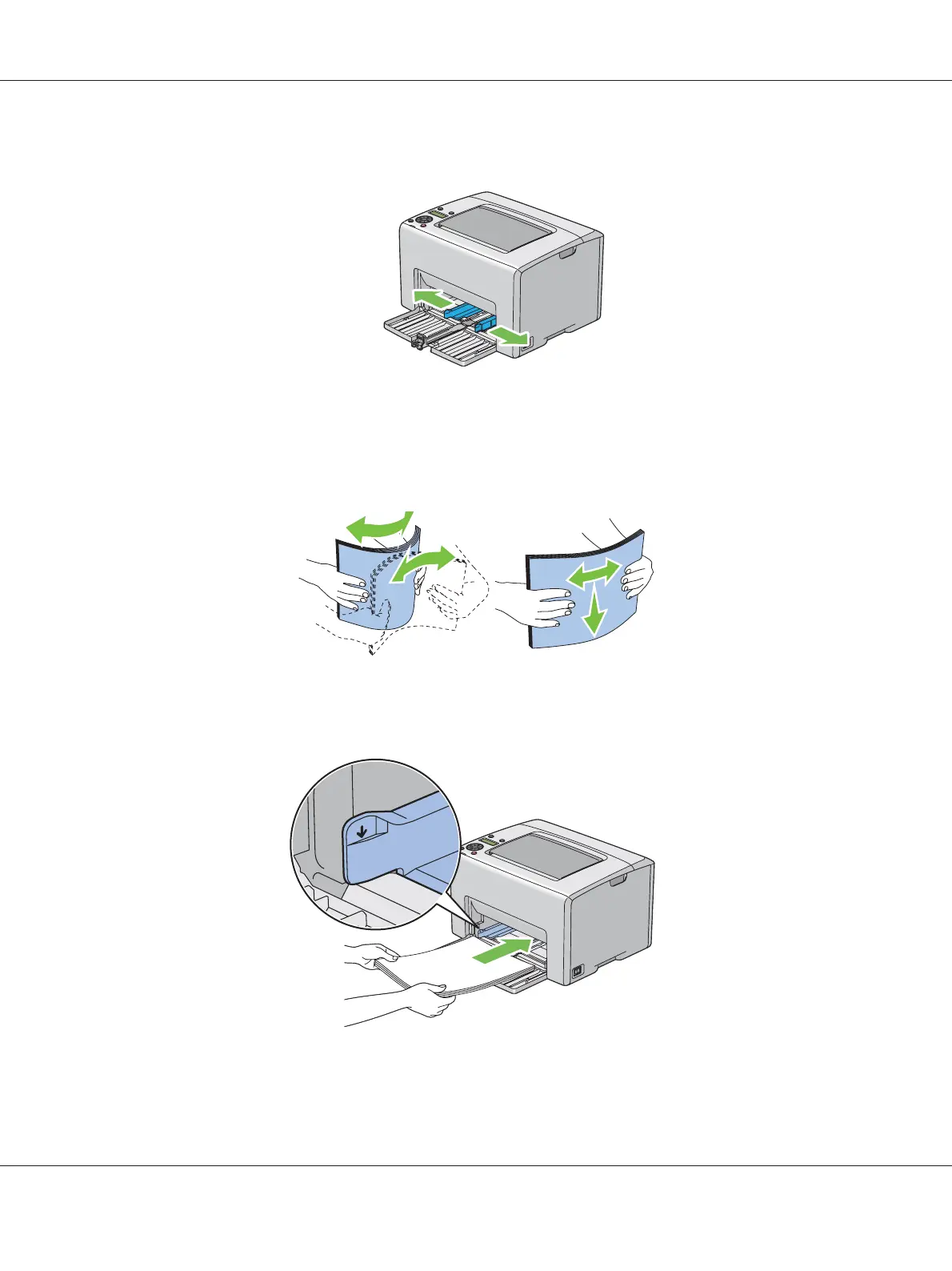
5. Adjust the paper width guides to their maximum width.
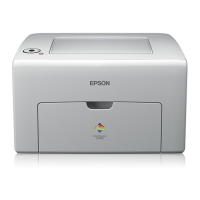
6. Before loading the print media, flex the sheets back and forth, and then fan them. Straighten the
edges of the stack on a level surface.
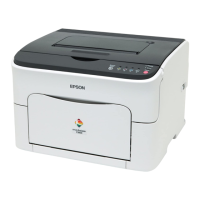
7. Load print media on the MPF with the top edge first and with the recommended print side facing
up.
Epson AcuLaser C1750 Series User’s Guide
Printing Basics 99






 To Next Page