248 Replacing Consumable Products
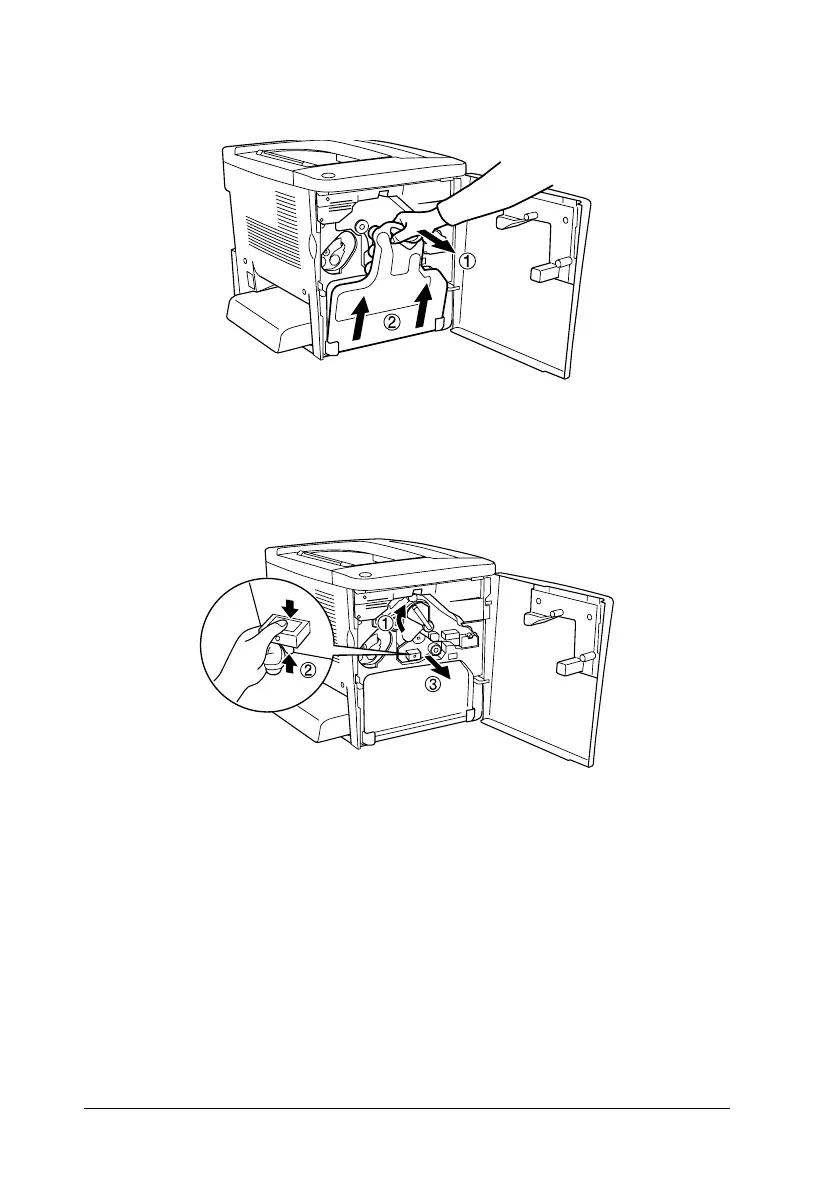
2. Tilt the waste toner collector and pull it out.
3. Turn the lever up to the unlocked position. Then, pull the
green knob on the photoconductor unit with your finger to
remove the photoconductor unit.
4. Take the new photoconductor unit out of its package.











 To Next Page