Cleaning and Transporting the Printer 261
9
9
9
9
9
9
9
9
9
9
9
9
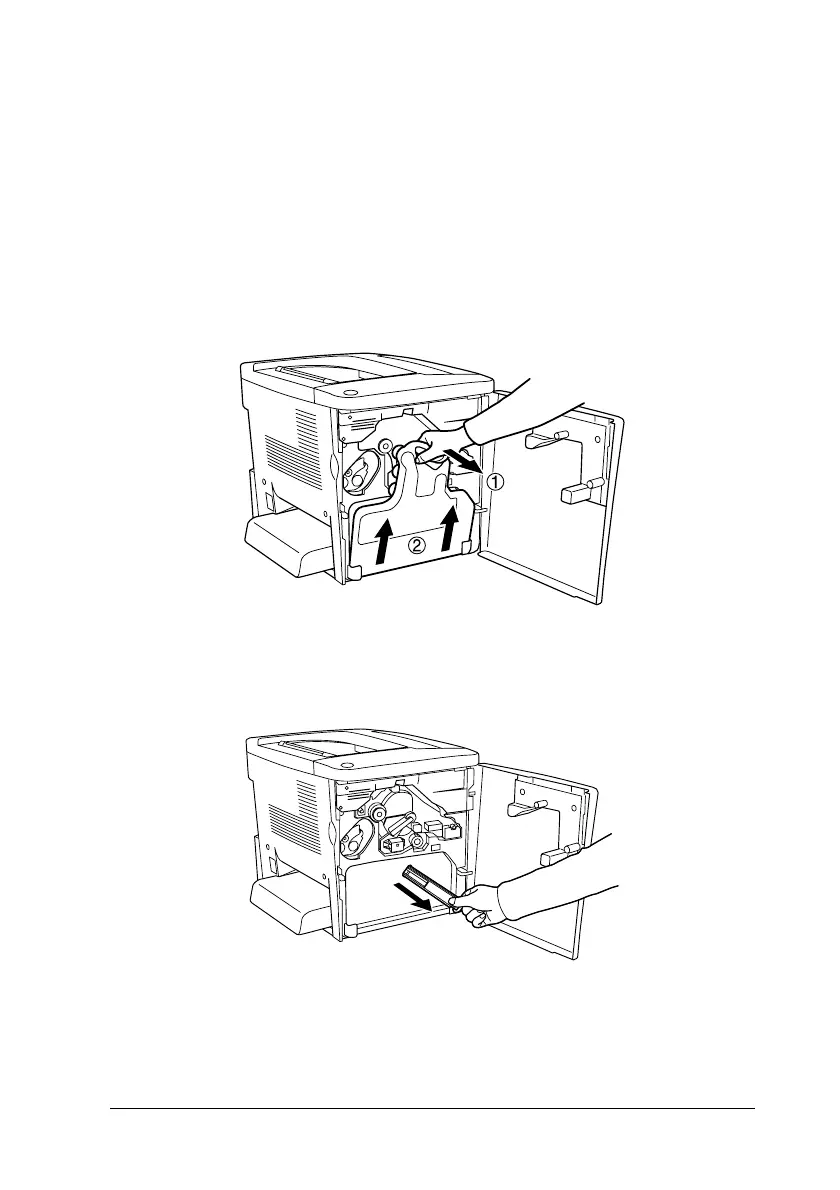
Cleaning the print head filter
If the glass on the print head filter is dirty with toner, wipe it with
a clean cloth. A vertical white line may appear in the printout.
Follow the steps below.
1. Open the front cover.
2. Tilt the waste toner collector and pull it out.
3. Grasp the handle of the print head filter with your fingers and
gently pull it straight out of the slot.
Note:
Be careful not to spill toner that has accumulated on the print head
filter.











 To Next Page