Windows OS X
OS
Windows 2000
Windows XP
Windows Vista
Windows 7
Windows 8
Windows 8.1
Mac OS X 10.3.x
Mac OS X 10.4.x
Mac OS X 10.5.x
Mac OS X 10.6.x
OS X 10.7.x
OS X 10.8.x
OS X 10.9.x
* It may not be possible to use the Wireless Mouse function under some
versions of the operating systems.
Use the following procedure to enable the Wireless Mouse function.
a
Set USB Type B to Wireless Mouse/USB Display from the
Configuration menu (EB-585Wi/EB-575Wi only).
s Extended - USB Type B p.123
b
Connect the projector to the computer with the supplied or a
commercially available USB cable.
s "Connecting a Computer" p.28
c
Change the source to one of the following.
• USB Display
• Computer1
• Computer2
• HDMI1
• HDMI2
s "Switching to the Target Image Using the Remote Control"
p.46
Once set, the mouse pointer can be controlled as follows.
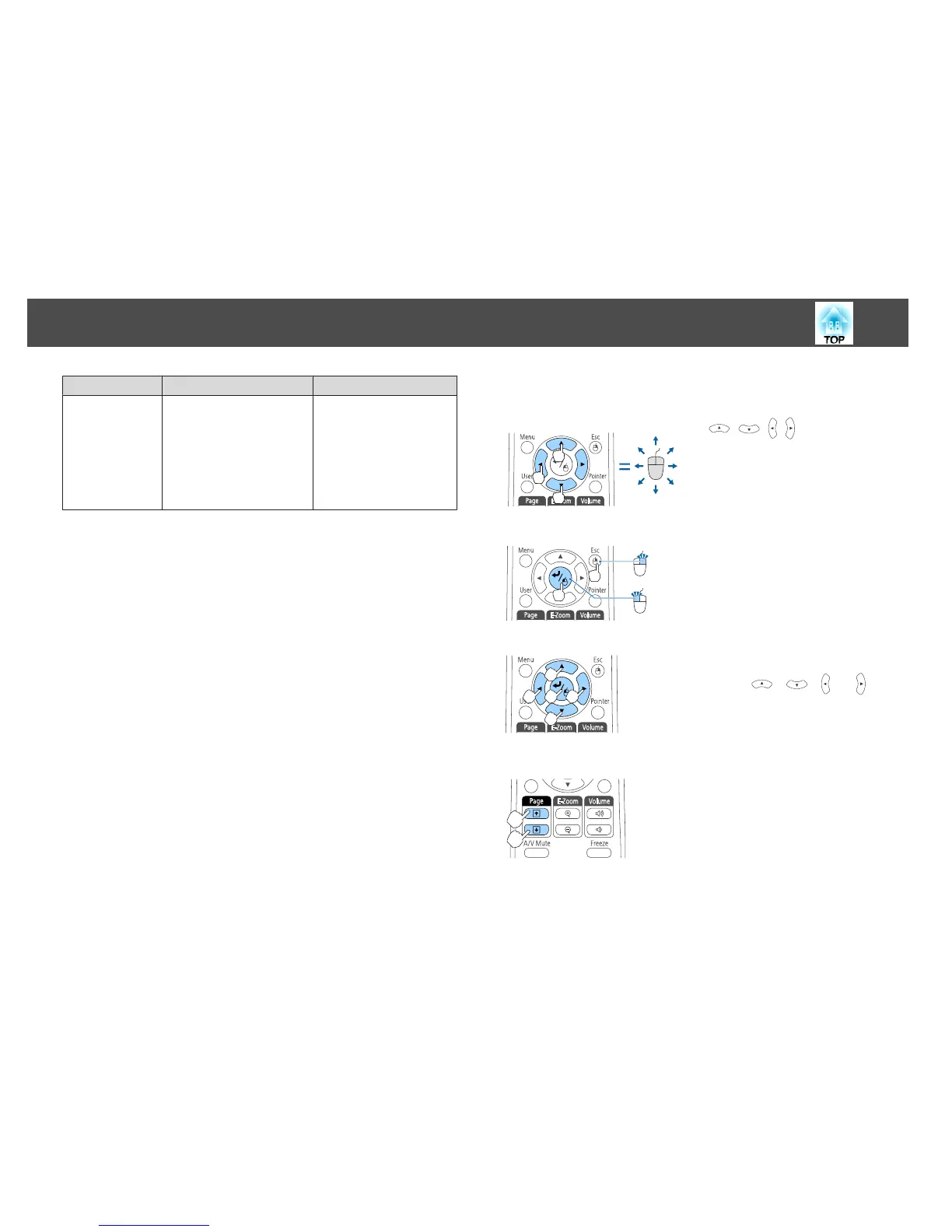
Moving the mouse pointer
[ ][ ][ ][ ] buttons:
Moves the mouse pointer.
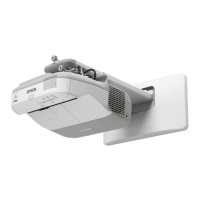
Mouse clicks
[Esc] button: Right click.
[Enter] button: Left click. Press quickly
twice to double-click.
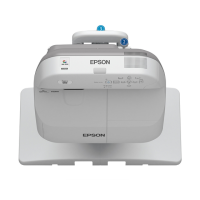
Drag and drop
While holding down the [Enter] button,
press the [
], [ ], [ ], or [ ]
button to drag.
Release the [Enter] button to drop at the
desired location.
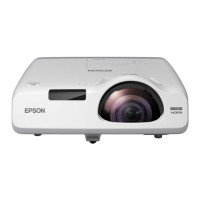
Page Up/Down
[[] button: Moves to the previous page.
[]] button: Moves to the next page.
Projection Functions
96


 To Next Page