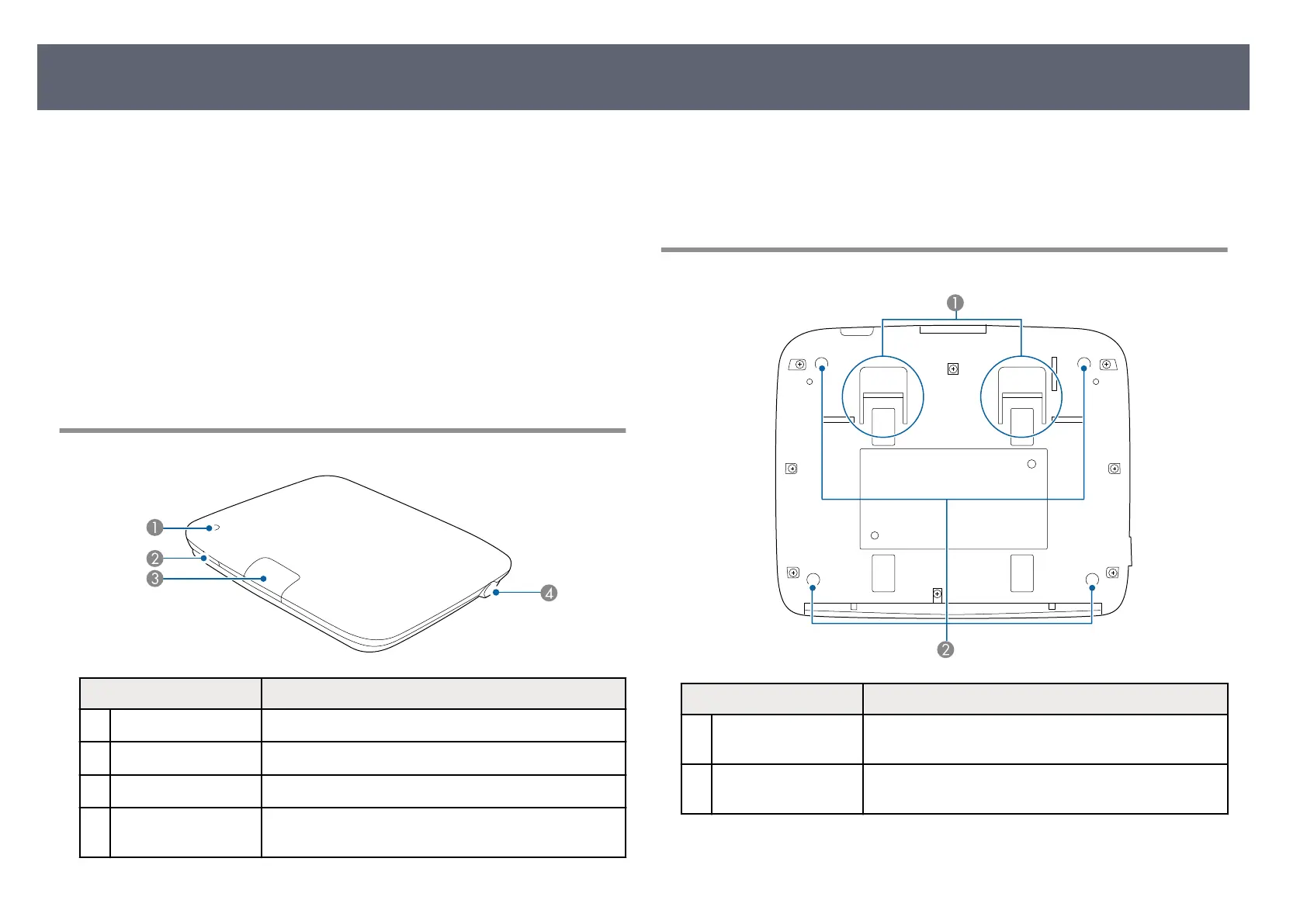
e following sections explain the product parts and their functions.
e
base unit is included only with the Wireless Presentation System
(ELPWP20). See the Quick Start Guide for a list of items supplied with your
product.
g
Related Links
•
"Base Unit Parts - Front/Top" p.16
•
"Base Unit Parts - Base" p.16
•
"Base Unit Parts - Rear" p.17
•
"Base Unit Parts - Interface Ports" p.17
•
"Base Unit Parts - Remote Control" p.18
•
"Wireless Transmitter Parts" p.19
Base Unit Parts - Front/Top
Name Function
A
Indicators Indicates the base unit's status.
B
Power button Turns the base unit on or o.
C
R
emote receiver Receives signals from the remote control.
D
Security slot e security slot is compatible with the Microsaver
S
ecurity System manufactured by Kensington.
g
Related Links
•
"B
ase Unit Indicator Status" p.105
•
"Remote Control Operation" p.32
•
"Cleaning the Base Unit Case" p.99
Base Unit Parts - Base
Name Function
A
Mount xin
g points Hook on the supplied mount when installing the base
unit o
n the ceiling or wall.
B
Rubber feet When set up on a surface such as a desk, these feet
su
pport the base unit.
g
Related Links
•
"I
nstalling the Base Unit on a Wall" p.25
Product Parts and Functions
16



 To Next Page