c
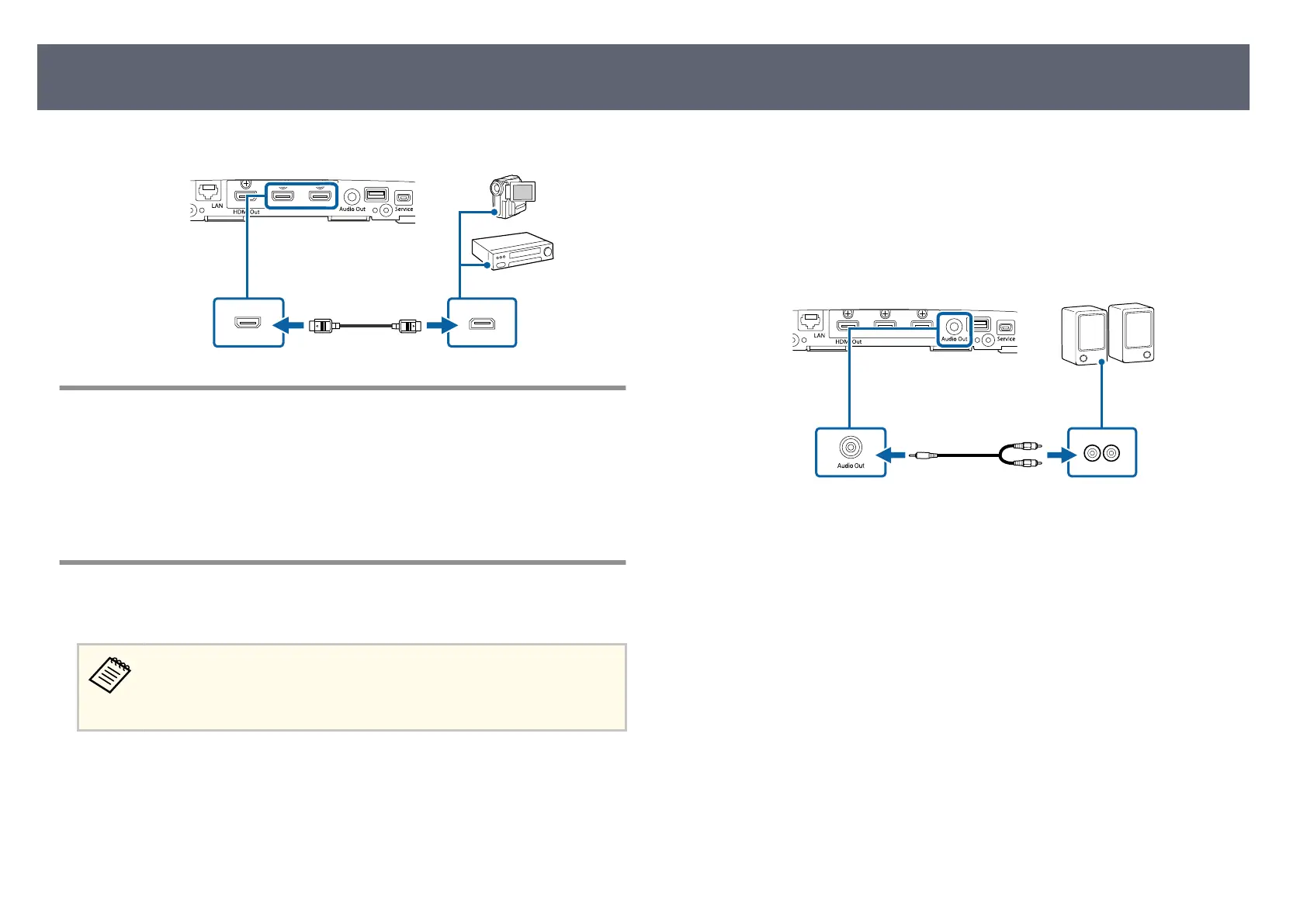
Connect the other end to the base unit's HDMI port.
Connecting to a Document Camera
You can connect a document camera to your base unit's USB-A port to display
imag
es viewed by the camera.
e connection method varies depending on your Epson document camera
model. See the document camera manual for details.
Connecting to External Speakers
You can connect the base unit to external self-powered speakers.
•
Yo
u can also connect an amplier with speakers to the base unit.
•
To output audio from an external speaker, set Audio Output Port to
Audio Out in the Signal I/O menu.
a
Make sure the base unit and external display device are connected using
th
e supplied HDMI cable.
b
Make sure your computer or video source is connected to the base unit
wi
th both audio and video cables as necessary.
c
Locate the appropriate cable to connect your external speakers, such as a
st
ereo mini-jack cable, or another type of cable or adapter.
d
Connect one end of the cable to your external speakers as necessary.
e
Connect the stereo mini-jack end of the cable to your base unit's Audio
O
u
t port.
Connecting Input Sources to the Base Unit
29



 To Next Page