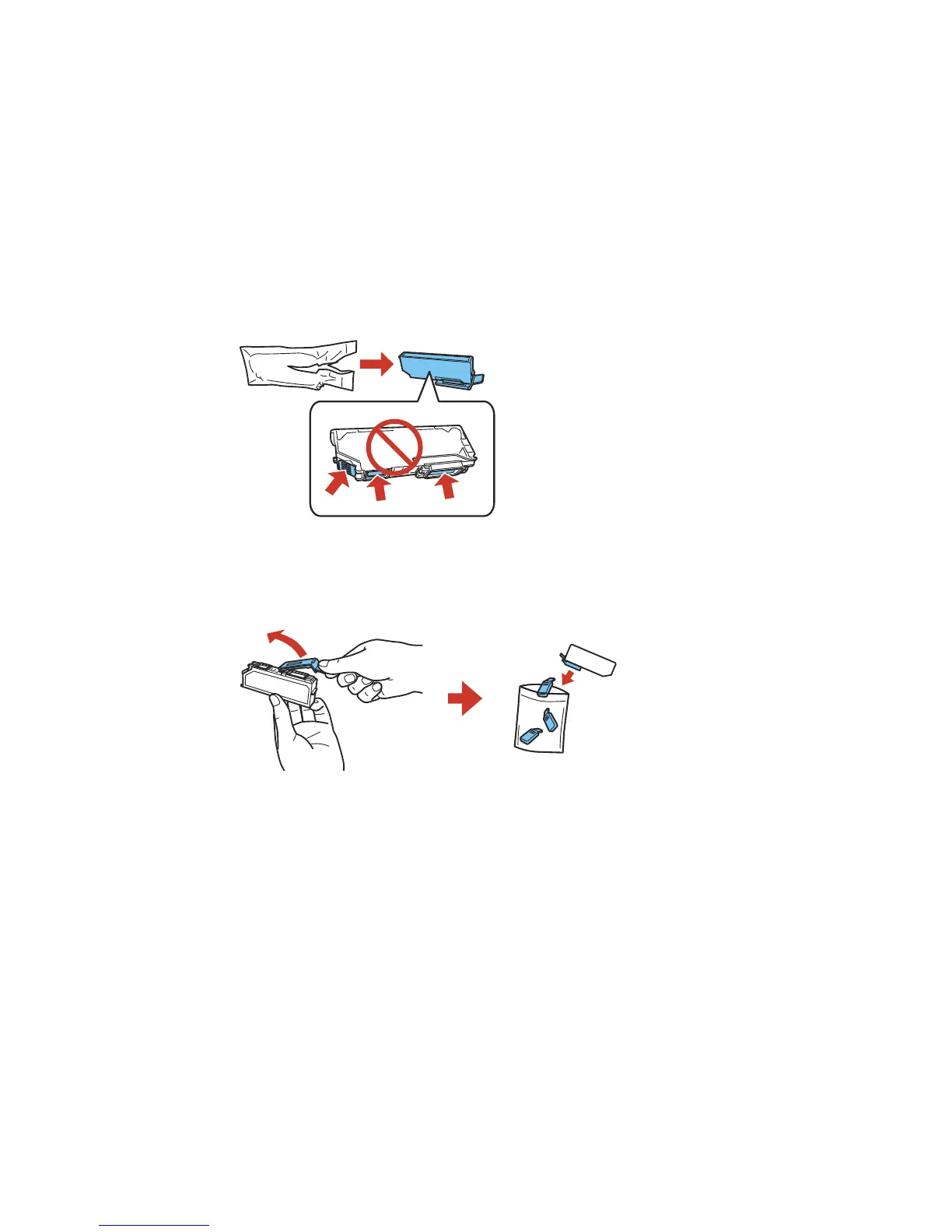
6. Remove the new ink cartridge from the package.
Caution: Do not shake the cartridges after opening the packages, or ink may leak. Do not touch the
areas shown above. Doing so may prevent normal operation and printing.
7. Remove the cap from the cartridge and store it for later use.
Note: Save the cap so you can recap ink cartridges before storing or disposing of them.
Caution: Do not remove any other labels or seals, or ink will leak.
245



 To Next Page
 Loading...










