53 / 106
6 • Working with the electrosurgical unit
80113-101_V25087
2023-11
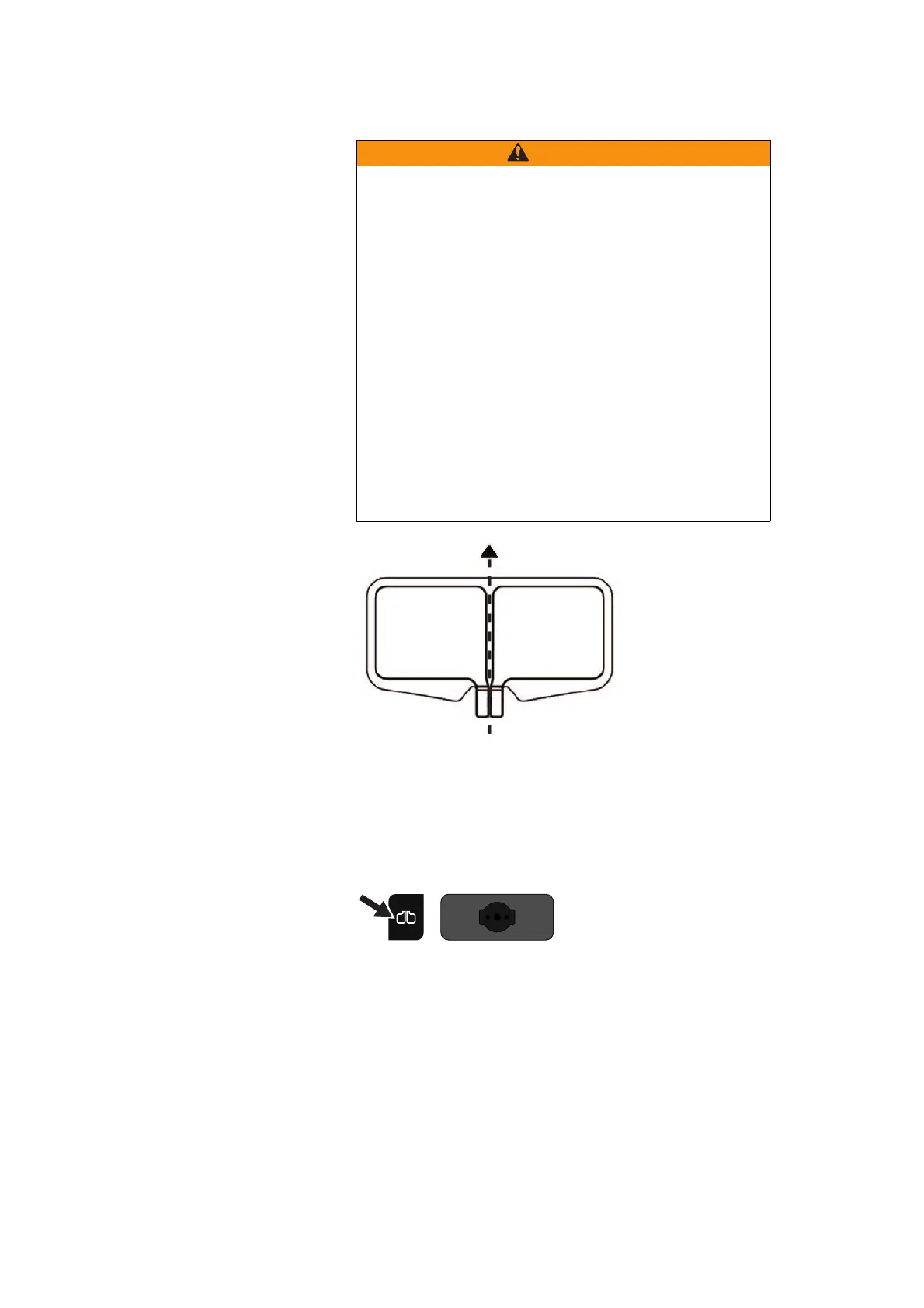
Fig. 6-3
1. Apply the neutral electrode to the patient.
2. For neutral electrodes without a permanent connecting cable: Connect the neutral
electrode to the connecting cable.
3. Check the neutral electrode indicator light next to the neutral electrode socket.
Fig. 6-4
Display green: The monopolar socket can be activated.
Display red: The monopolar socket cannot be activated.
If you attempt to activate the monopolar socket when the indicator light is red, a tone
sounds and the error number "2" is displayed.
Possible causes:
• Connection to unit interrupted
• Contact tab of electrode not completely inserted into connecting clamp
• Insufficient contact between skin and electrode (only monitored with dual surface
electrode!)
Incorrect application of the neutral electrode
Risk of burns to the patient!
Apply the entire contact surface of the neutral electrode to a
muscular part of the body with good blood circulation.
Apply the neutral electrode as close as possible to the surgical
site.
Insert the contact tab of the neutral electrode completely into
the connecting clamp. The contact tab must not touch the pa-
tient's skin. (For reusable cord with disposable pads only.)
Align the symmetry line of the neutral electrode towards the op-
erating field. The current should flow from the active electrode
(instrument) to the symmetry line of the neutral electrode.
Check the neutral electrode regularly for good contact with the
patient's skin.
Check the neutral electrode especially when the patient has been
repositioned and after surgical steps where the unit was activat-
ed frequently and for a long time.



 To Next Page