6 • Working with the electrosurgical unit
56 / 106
80113-101_V25087
2023-11
Using the unit (cutting/coagulation)
An instrument switch, footswitch or the AUTO START function (available for the
VIO
100 C only) can be used to activate the HF current.
Note: If you activate the HF current of a socket currently not in focus, the socket focus
changes and the settings of the activated socket are displayed.
Use the footswitch to activate the
HF current
Note: The footswitch is always used to activate the CUT or COAG current of the socket
to which the footswitch is assigned. This even applies when the other socket is in focus
before activation (the Focus button of the other socket is shining)!
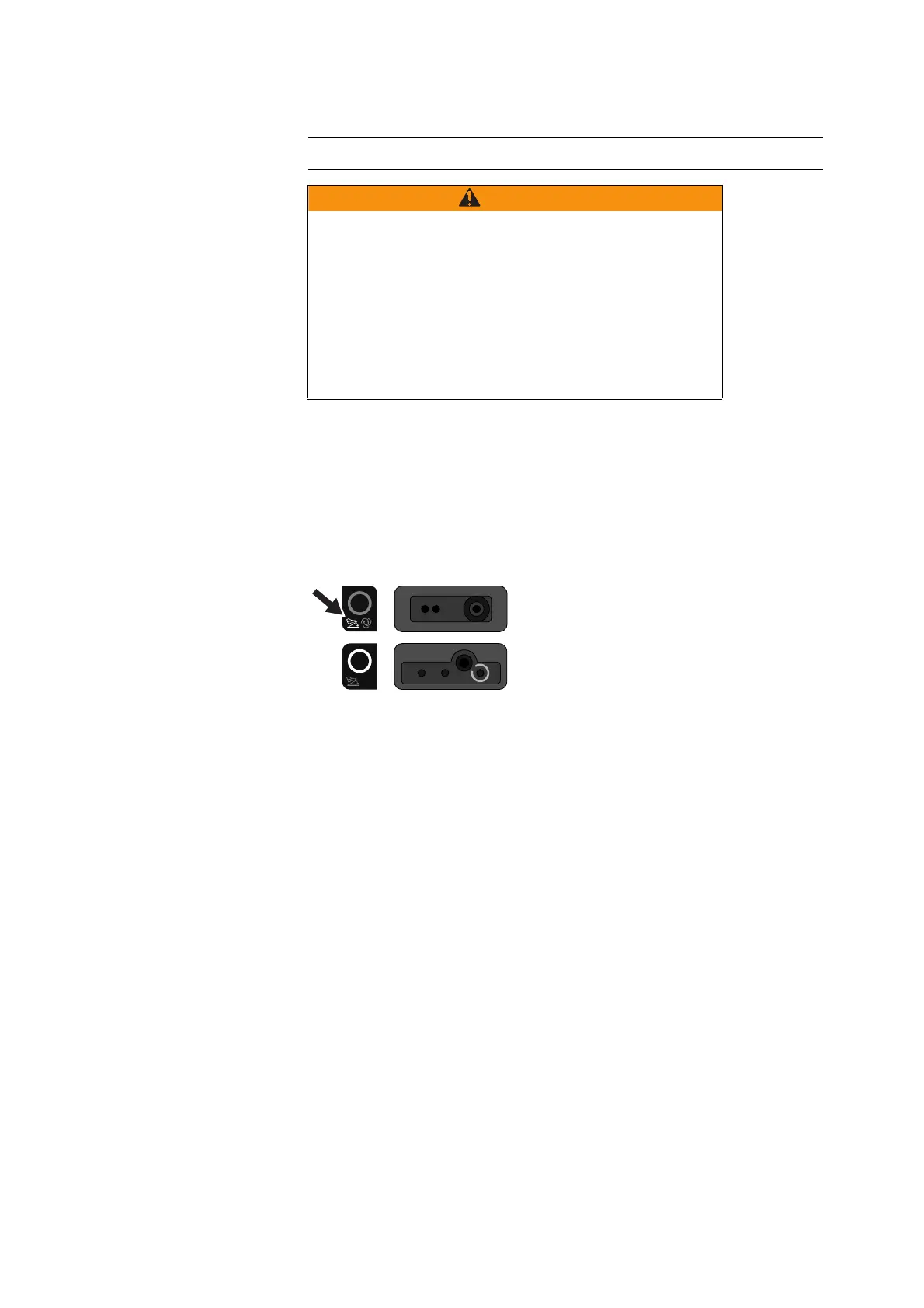
Fig. 6-7
Example (illustration above): The footswitch indicator light of the bipolar socket illu-
minates: The footswitch is assigned to the bipolar socket. In this case, you activate the
HF current of the bipolar socket with the footswitch.
How to assign the footswitch to a socket is described on page 60.
Press the CUT or COAG pedal of your footswitch.
A tone sounds and the Focus button of the activated socket lights up yellow or
blue.
The CUT or COAG current is activated.
Use the fingerswitch to activate
the HF current
Note: If you use an instrument with fingerswitch, you can activate the instrument in-
dependently of the current footswitch assignment using the fingerswitch.
Press the CUT or COAG switch of your instrument.
A tone sounds and the Focus button of the activated socket lights up yellow or
blue.
The CUT or COAG current is activated.
Very long activation cycles without cooling phases
The electrosurgical unit is designed and tested for a relative activa-
tion time of 25% (in accordance with IEC 60601-2-2). If you per-
form long activation phases without the appropriate cooling
phases, there may be gradual heating under the neutral electrode
or the unit may be damaged.
Risk of burns to the patient!
Keep to the 25 % relative ON time (see also Technical Data, Op-
erating Mode), if you operate the unit for a lengthy period.



 To Next Page