6 • Working with the electrosurgical unit
60 / 106
80113-101_V25087
2023-11
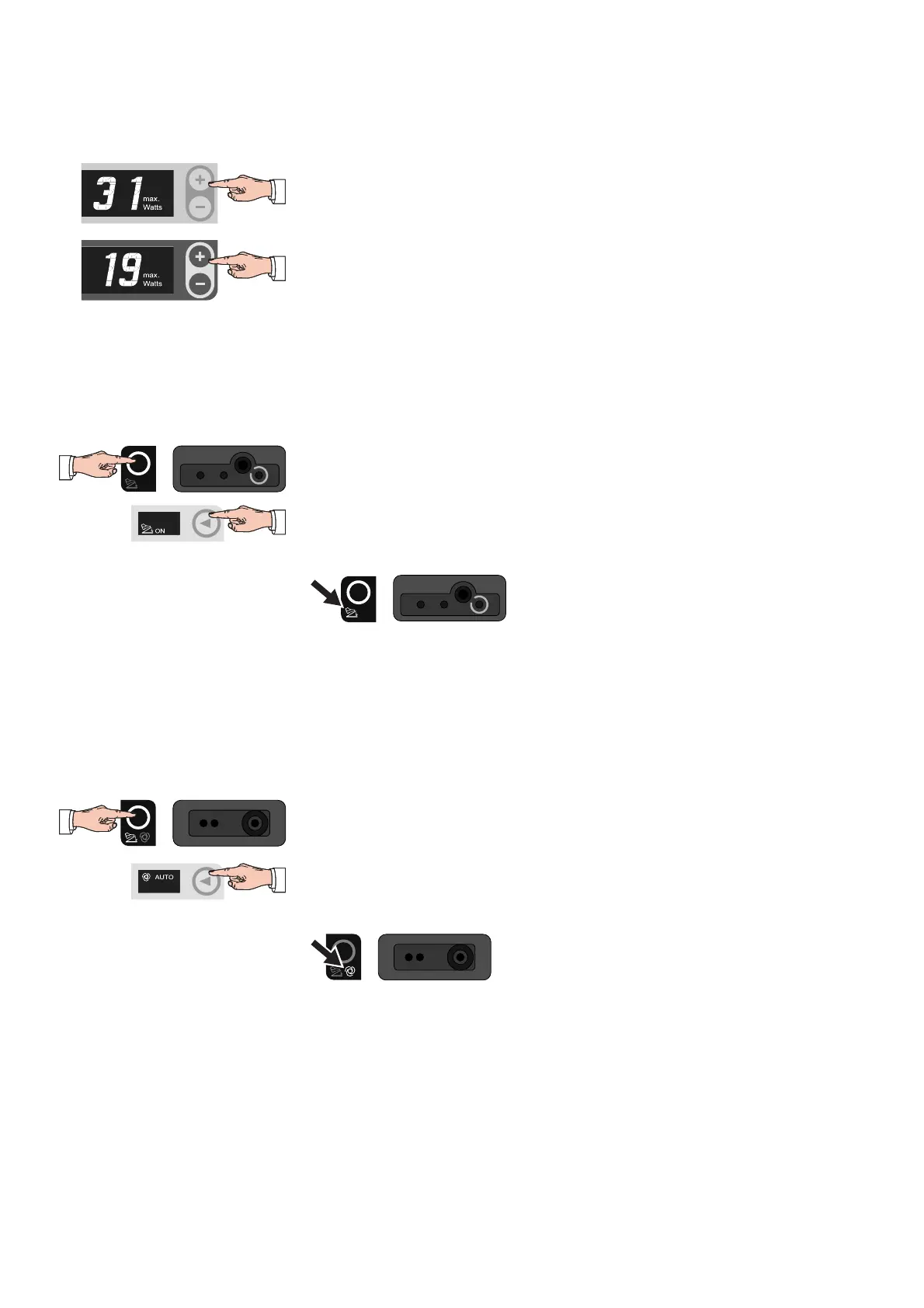
1. Make sure that the socket required is in focus and the mode required is set.
2. To change the CUT power limitation, press the Plus/Minus buttons next to the
watt display in the CUT setting area.
3. To change the COAG power limitation, press the Plus/Minus buttons next to the
watt display in the COAG setting area.
Perform settings for the second
socket
Repeat the previous setting steps as required (starting from "Focus socket") for
the second socket.
Assign the footswitch to the
monopolar or bipolar socket
Note: You can only assign the footswitch to a socket if the socket is in focus.
1. Press the Focus button of the socket to which you want to assign the footswitch
(e.g. the Focus button of the monopolar socket).
2. Use the selection button next to the display of the activation type to choose the
"ON" setting.
The footswitch indicator light of the socket in focus illuminates.
Fig. 6-9
Assign the AUTO START function to
the bipolar socket (available for the
VIO
100 C only)
The AUTO START function is only available for the COAG current of the bipolar socket.
Note: You can assign either the footswitch or the AUTO START function to the bipolar
socket, but not both.
Note: You can only assign the footswitch to the bipolar socket if the bipolar socket is
in focus.
1. Press the Focus button of the bipolar socket.
2. Use the selection button next to the display of the activation type to choose the
"AUTO" setting.
The AUTO START indicator light of the bipolar socket illuminates.
Fig. 6-10



 To Next Page