55 / 106
6 • Working with the electrosurgical unit
80113-101_V25087
2023-11
Check instrument socket settings
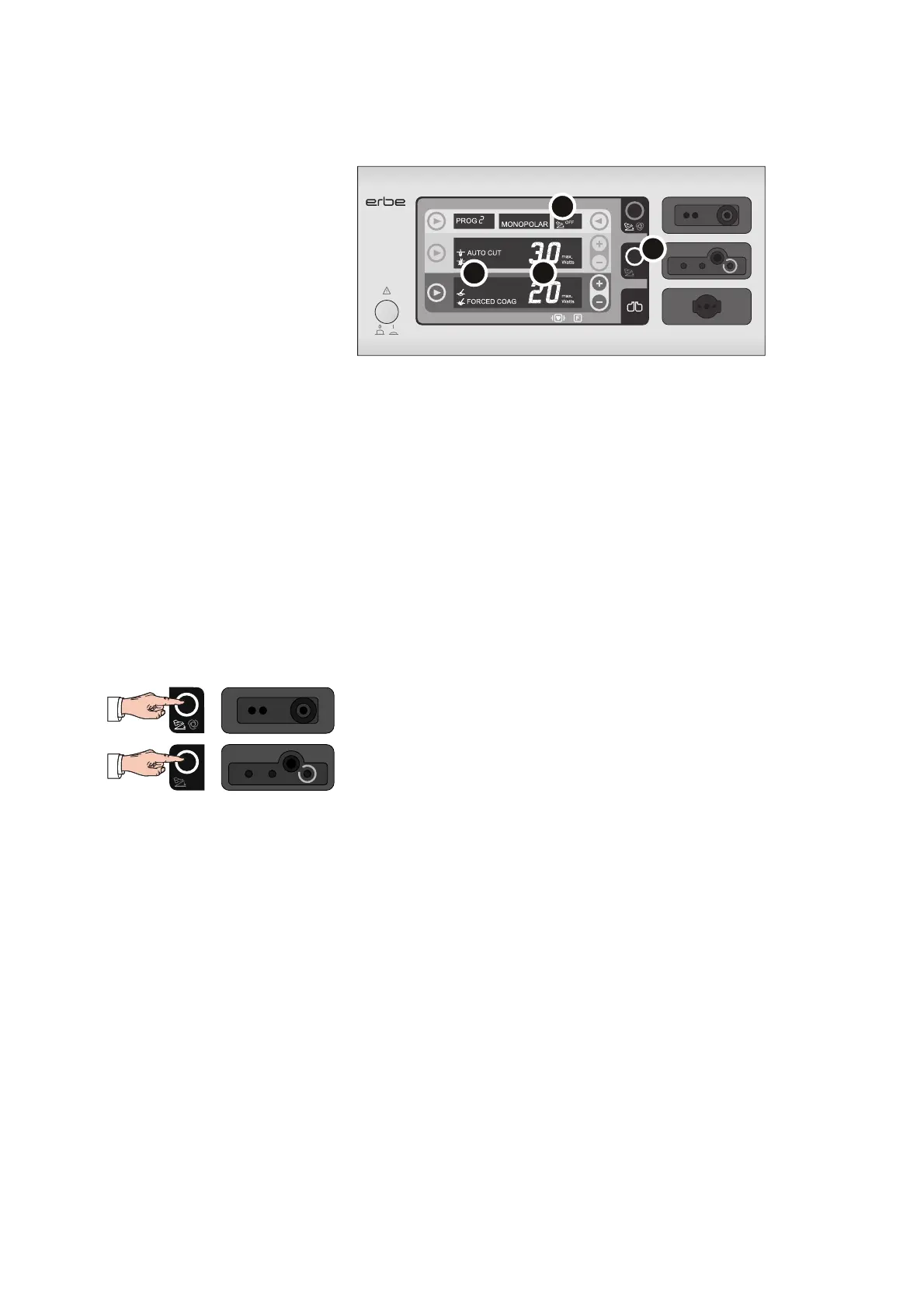
Focus View
Fig. 6-6
The VIO display always shows the settings of one socket only. The socket in focus (se-
lected) can be identified by the illuminated focus button (4). The following settings of
the socket in focus are displayed:
• (1) CUT and COAG mode
• (2) CUT and COAG power limitation
• (3) Assignment of the footswitch or AUTO START function (AUTO START function
available for the VIO 100 C only)
You can bring a socket into focus by pressing the Focus button of the socket or by ac-
tivating an instrument connected to the socket.
CAUTION! If you activate an instrument, be careful not to touch any persons or ob-
jects!
Check the settings as follows:
1. If you are using the bipolar socket: Bring the bipolar socket into focus and check
the settings on the display.
2. If you are using the monopolar socket: Bring the monopolar socket into focus and
check the settings on the display.
How to change the unit settings is described on page 59.



 To Next Page