2 MENUS
0460 949 274
- 17 -
© ESAB AB 2015
If the set value is changed when welding is not in progress, the measurement value
changes to zero.
For activating cold wire feed, a soft key, ICE WF, is activated, see “Soft key configuration”,
page42. When the key is depressed, the cold wire speed is changed using the left
settings knob A. If the soft key is not depressed, the settings knob affects the A current.
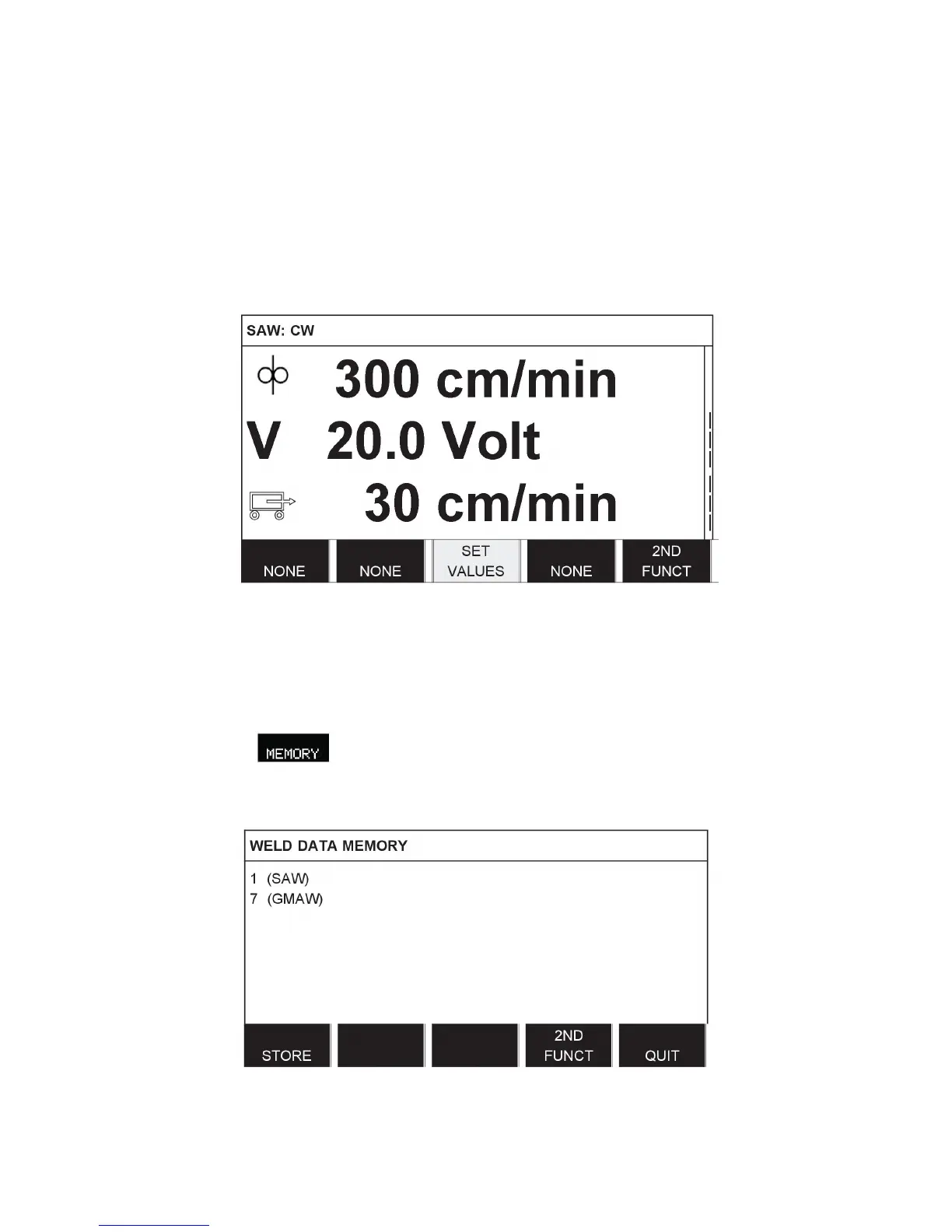
In the measurement display one can also see the set values if the soft key SET VALUES is
activated. If both soft keys, ICE WF and SET VALUES are activated, the set feed speed for
cold wire can be changed. For activating see “Soft key configuration”, page42.
• 300 cm/min - Set wire feed speed
• 20.0 Volt - Set arc voltage
• 30 cm/min - Set travel speed
2.1.5 Weld data memory menu
Main menu →
In the WELD DATA MEMORY menu you can store, recall, delete and copy various set weld
data. The weld data sets can be stored in 255 different memory positions.
For further information, see “MEMORY MANAGEMENT”, page30.



 To Next Page