9 TOOLS
0460 949 274
- 60 -
© ESAB AB 2015
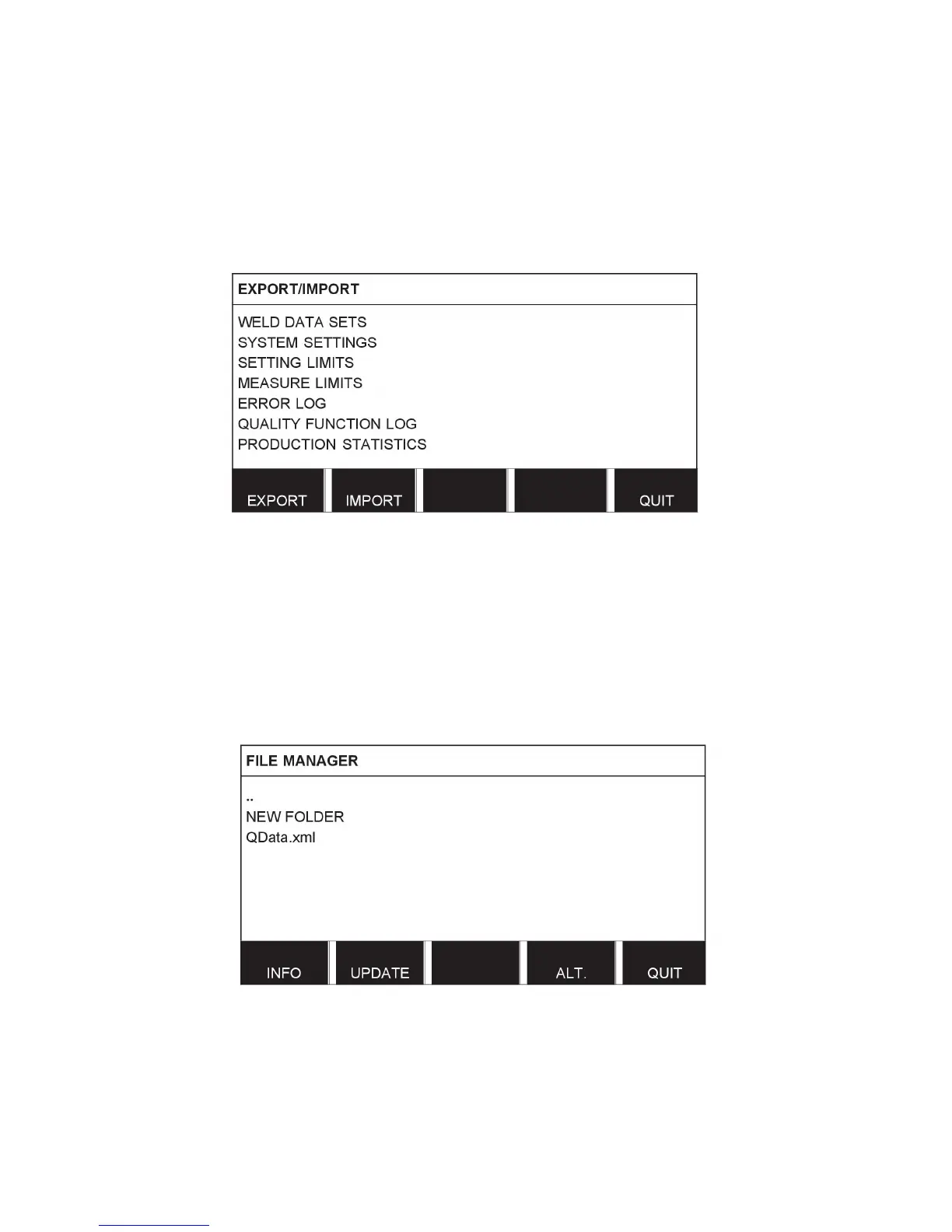
• Quality function log Export
• Production statistics Export
Carry out the following to save on a USB memory:
Insert the USB memory into the control unit.
Select the row with the information that is to be transferred. Press EXPORT or IMPORT,
depending on whether the information is to be exported or imported.
9.3 File manager
Main menu → Tools → File manager
In the file manager it is possible to manage information on a USB memory (C:\). File
manager makes it possible to delete and copy weld data and quality data manually.
When the USB memory is connected, the display shows the memory's default folder if one is
not previously selected.
The control panel remembers where you were the last time you used file manager, so that
you return to the same place in the file structure when you come back.
• In order to ascertain how much storage space remains for the memory, use the INFO
function.
• Update the information by pressing UPDATE.
• When you want to delete, change name, create new folder, copy or paste, press ALT. A
list then appears from which you can choose. If (..) or a folder is selected, you can only
create a new folder or paste in a file that you have previously copied. If you have selected
a file, the options RENAME, COPY or PASTE will be added if you have previously copied
a file.



 To Next Page