8 CONFIGURATION MENU
0460 949 274
- 52 -
© ESAB AB 2015
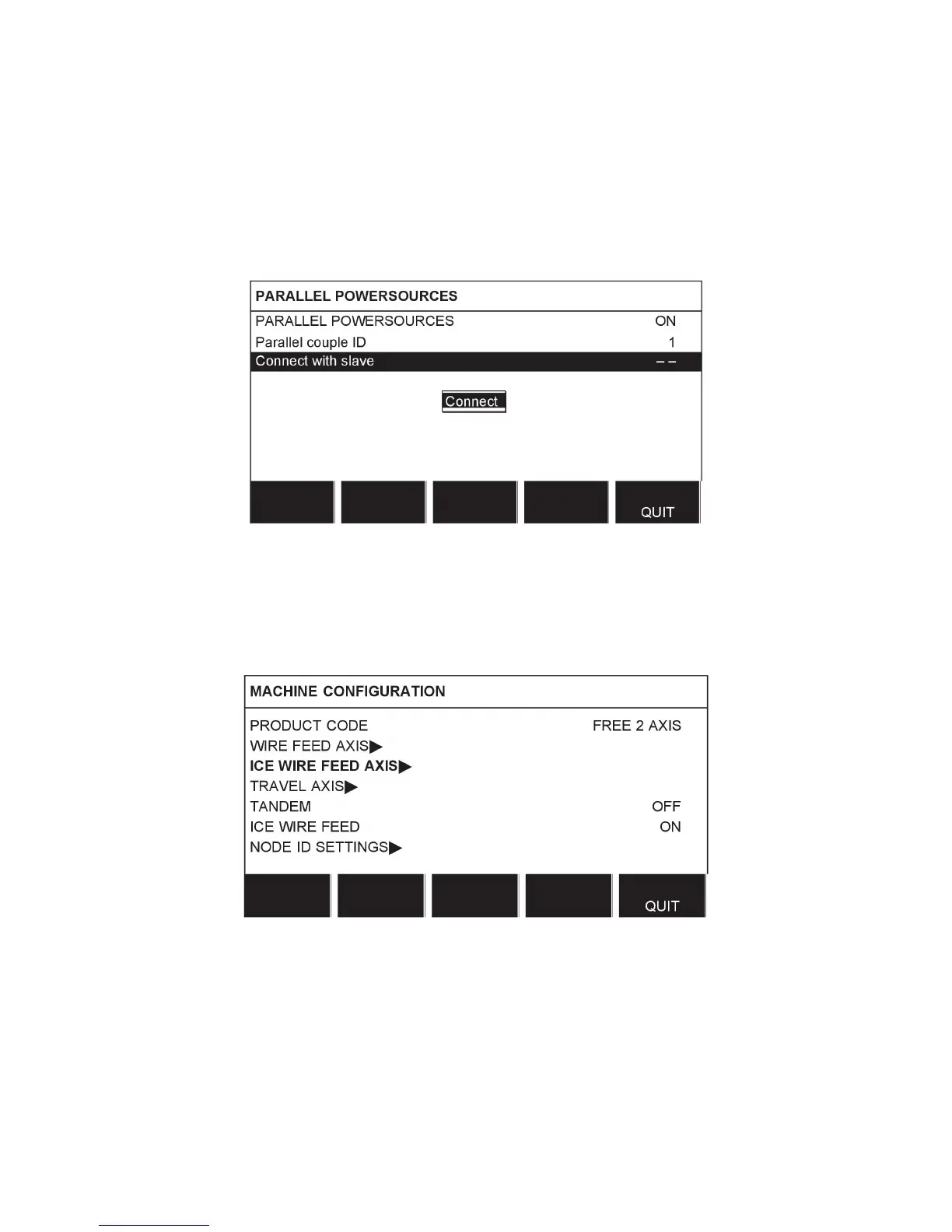
Perform settings for parallel power sources as follows:
1. Set the PARALLEL POWERSOURCES function to ON.
2. Set Parallel couple ID. The first parallel couple is set to 1, the next parallel couple is set
to 2 etc.
3. Select menu line Connect with slave and press Enter.
A message "Connect" appears.
4. Press Enter again.
When the Master and Slave power sources are connected, the text "Connected" is
presented.
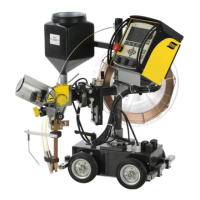
8.3.9 Ice wire feed
The option ICE WIRE FEED (ON) can be selected in the machine configuration menu. If ice
wire feed is selected, the option ICE WIRE FEED AXIS appears.



 To Next Page