9 TOOLS
0460 949 274
- 67 -
© ESAB AB 2015
9.8 Calendar
Main menu → Tools → Calendar
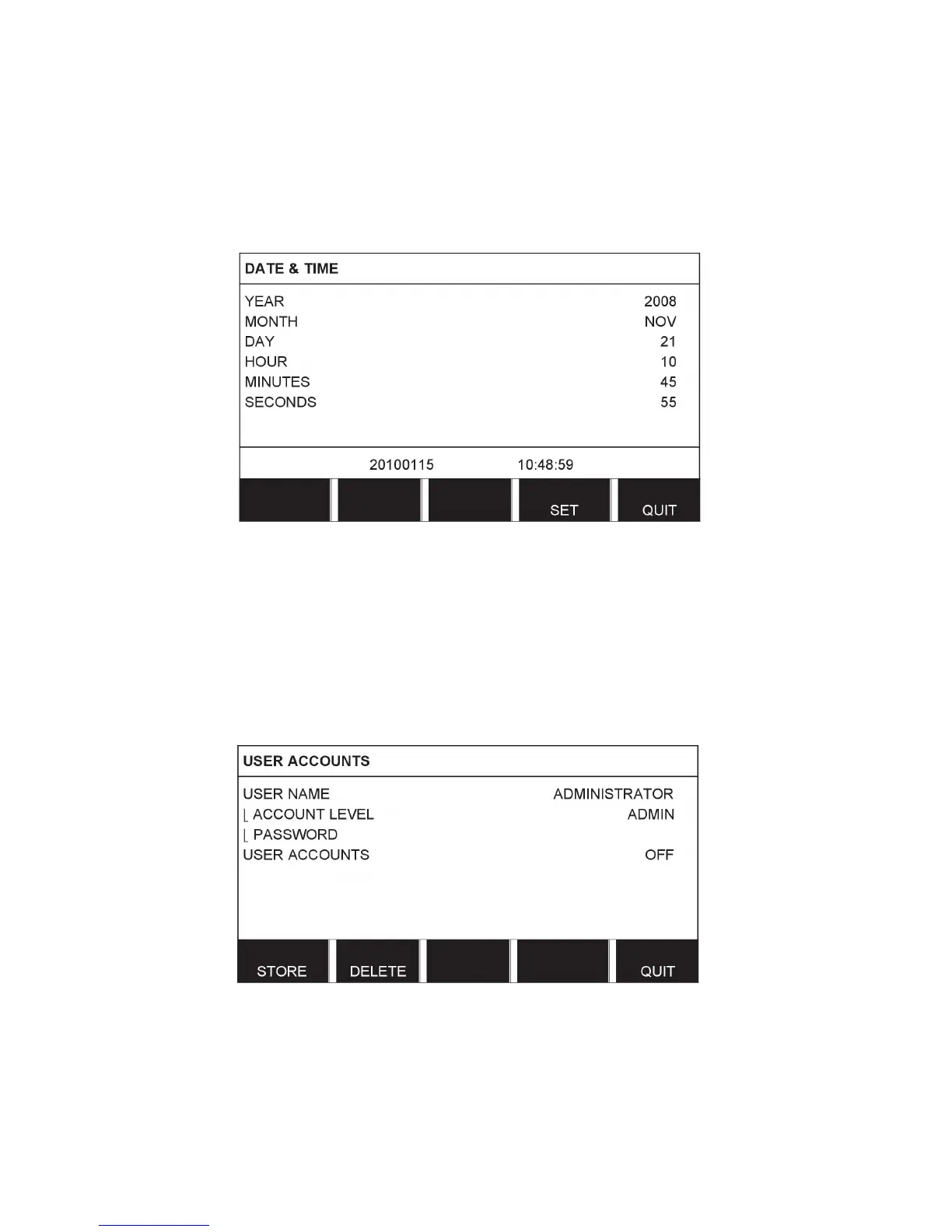
Date and time are set here.
Select the row that is to be set: year, month, day, hour, minutes and seconds. Set the correct
value using one of the setting knobs. Press SET.
9.9 User accounts
Main menu → Tools → User accounts
Occasionally it is particularly important from a quality perspective that the product cannot be
used by unauthorised parties.
User name, account level and password are registered in this menu.
Select USER NAME and press ENTER. Step down to an empty row and press ENTER. Key
in a new user name on the keyboard using the positioning knob and the arrows and ENTER.
There is space for 16 user accounts. In the quality data files it will be evident which users
have executed a particular weld.



 To Next Page