9 TOOLS
0460 949 274
- 61 -
© ESAB AB 2015
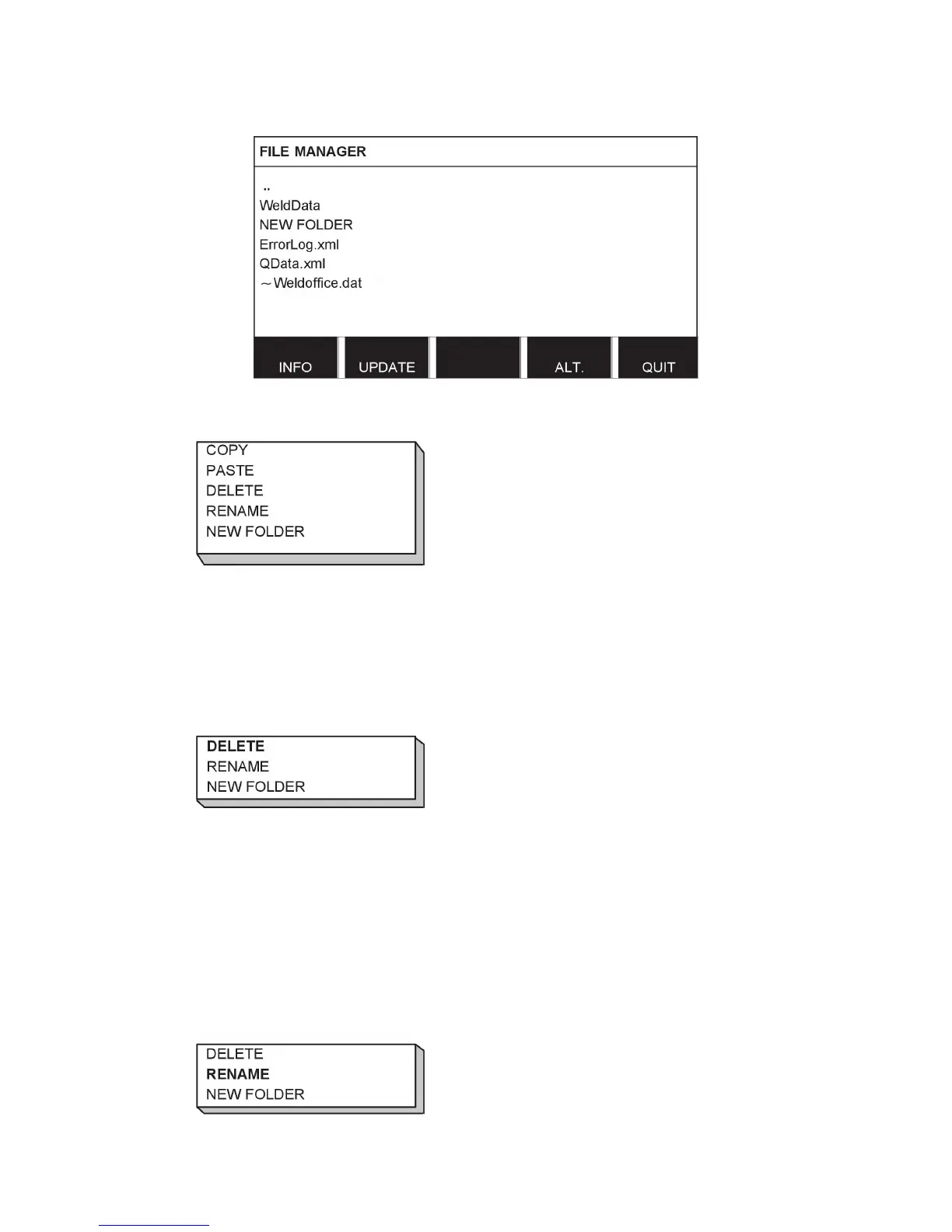
Select a folder or file and press ALT.
This list is displayed when you have pressed ALT.
9.3.1 Delete a file/folder
Select the file or folder that is to be deleted and press ALT.
Select DELETE and press ENTER.
The file/folder is now removed. In order to delete a folder it must be empty, i.e. first delete the
files contained in the folder.
9.3.2 Rename a file/folder
Select the file or folder that is to be renamed and press ALT.
Select RENAME and press ENTER.



 To Next Page