8 CONFIGURATION MENU
0460 949 274
- 44 -
© ESAB AB 2015
8.2.4 Auto save mode
When a weld data set has been recalled from a memory position in the weld data memory
and you change the settings, the changes will be saved in the working memory at welding
stop in the last recalled memory position.
Saving weld data manually in a memory position disables the next automatic save.
The memory position in which the weld data set is stored is displayed in the top right corner
of the measure screen.
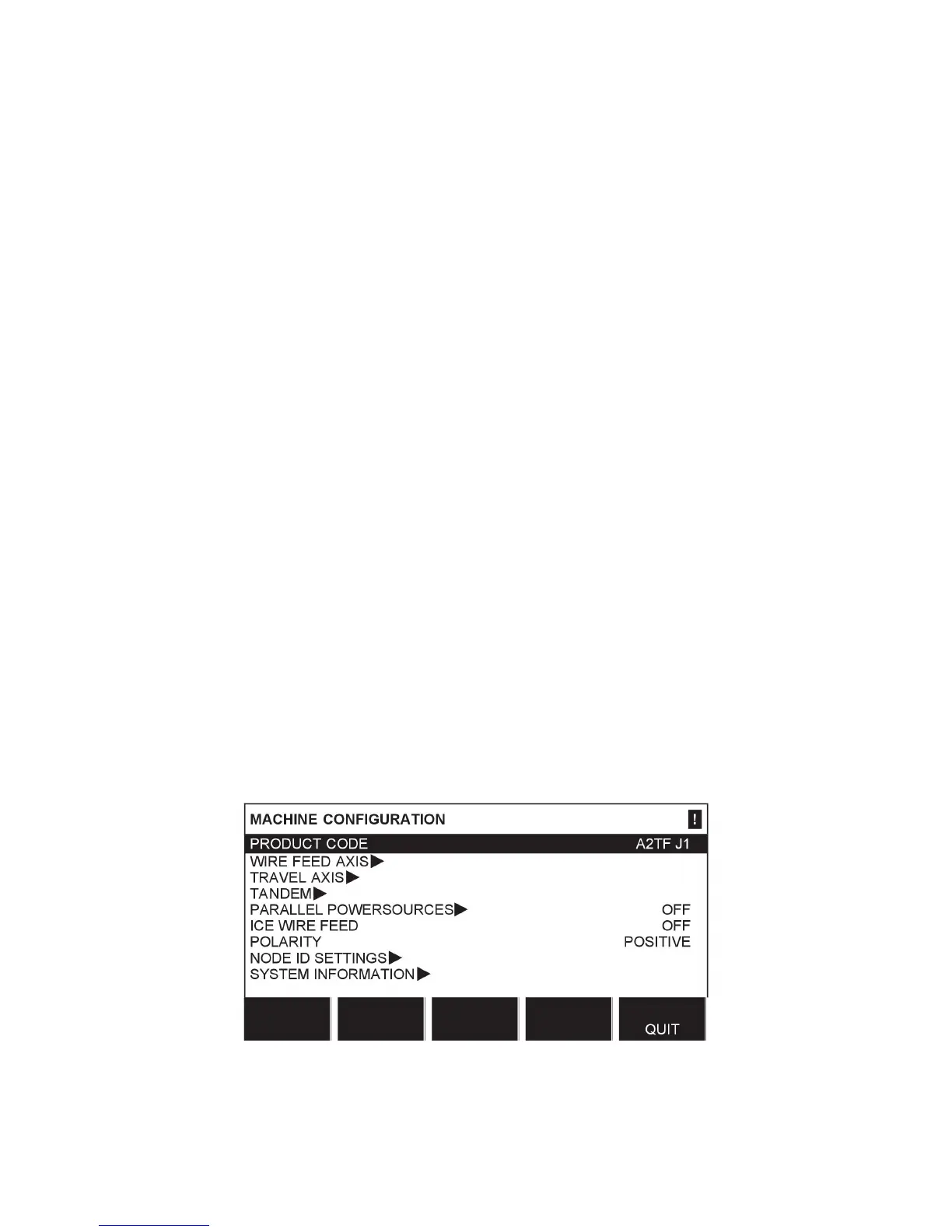
8.3 Machine configuration
Main menu → Configuration menu → Machine configuration
In this menu you can set:
• Product code, see “Product code”, page44
• Wire feed axis, see “Wire feed axis”, page45
• Cold wire feed axis, see “Cold wire axis (ICE)”, page45
• Travel axis, see “Travel axis”, page46
• Outer axis, see “Outer axis”, page46
• Tandem, see “Tandem for LAF and TAF power sources”, page47 and “Tandem for
Aristo 1000 power source”, page50
• Parallel power sources, see “Parallel power sources (applies only to Aristo 1000 power
sources)”, page51
• Ice wire feed, see “Ice wire feed”, page52
• Polarity, see “Polarity (applies only to Aristo 1000 power source)”, page53
• Node ID settings, see “Node id settings (applies only to Aristo 1000 power source)”,
page54
• System information, see “System information (applies only to Aristo 1000 power source)”,
page54
8.3.1 Product code
In the PRODUCT CODE menu it is possible to select the automatic welding machine,
column and boom, roller bed or positioner to be used.
When selecting product code, the correct motor type and gear ratio for the used gearbox in
the relevant product are selected automatically.



 To Next Page