7 MEMORY MANAGEMENT
0460 949 274
- 37 -
© ESAB AB 2015
7.7 Edit
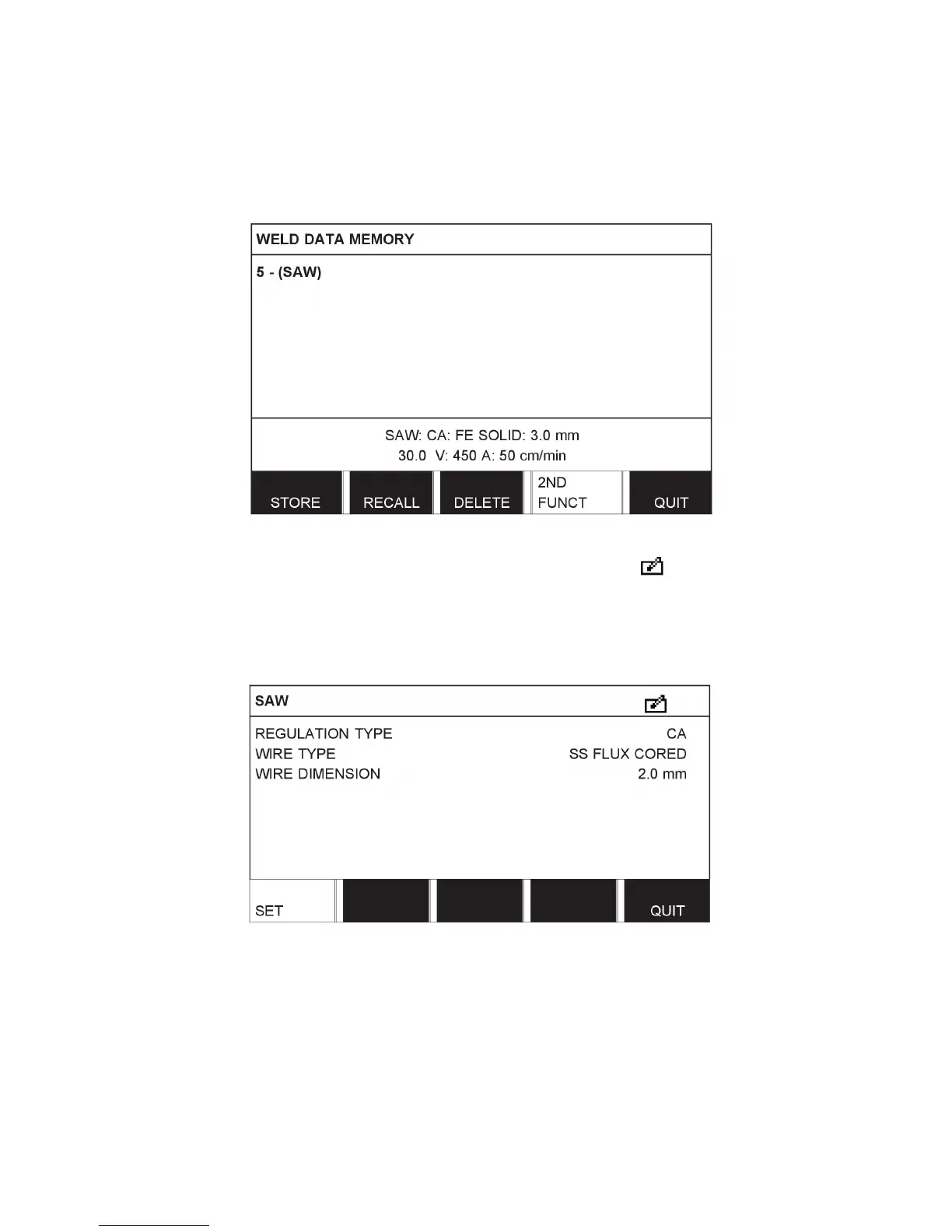
To edit the content of a weld data set, proceed as follows:
Press 2ND FUNCT. Select the memory position you want to edit and then press EDIT.
Part of the main menu is displayed and the menu shows the symbol which means that
you are in an editing mode.
Press SET and make the relevant changes. 7



 To Next Page