9 TOOLS
0460 949 274
- 66 -
© ESAB AB 2015
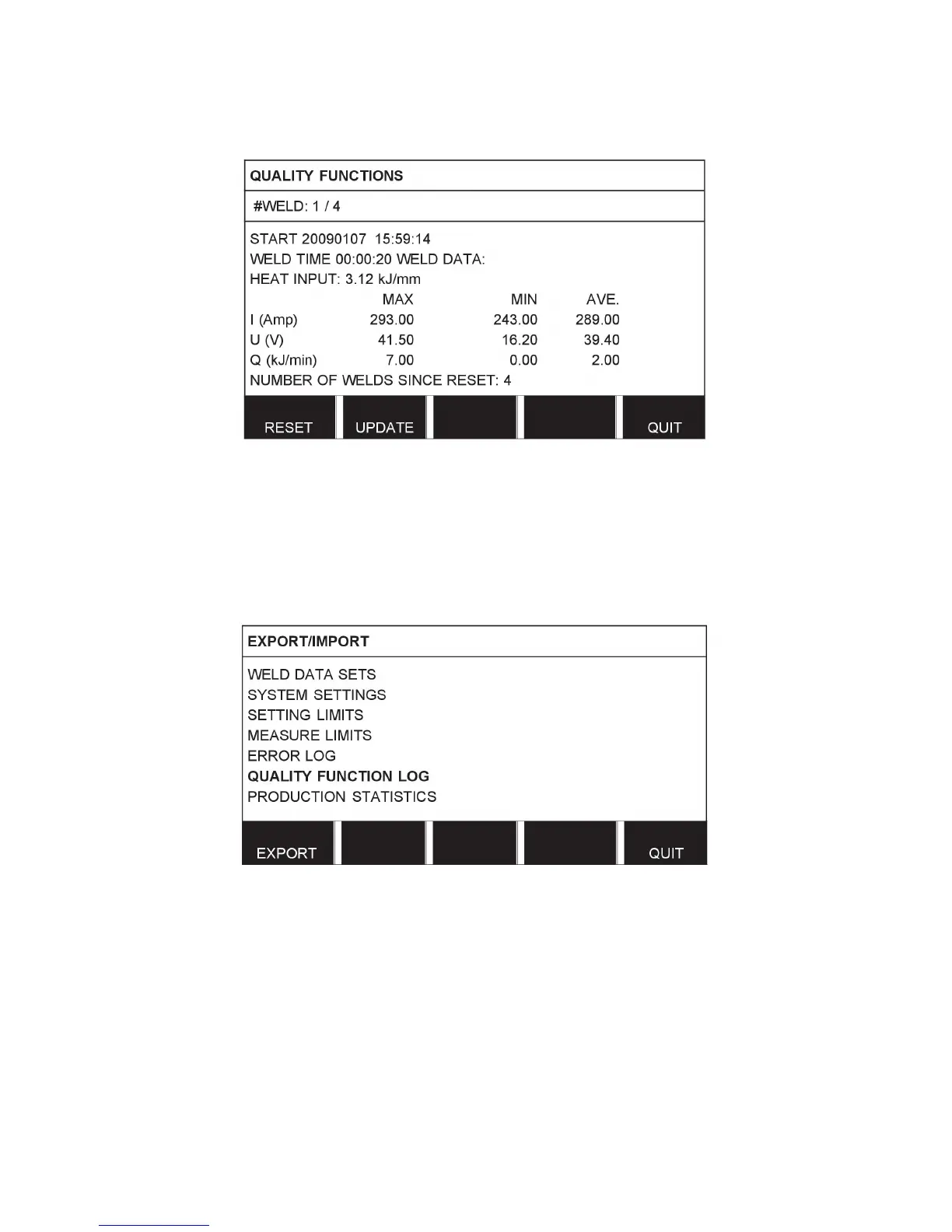
The most recently noted weld is presented in the display, although it is also possible to
browse between other noted welds. All logs are deleted when you press RESET.
9.7.1 Store quality data
Main menu → Tools → Export / Import
The files that are produced in the control panel are stored as xml files. The USB memory
must be formatted as FAT32 in order to work.
Insert a USB memory in the control panel, see “File manager”, page60.
Select QUALITY FUNCTION LOG, press EXPORT.
The entire set of quality data (information about the 100 most recent welds) that is stored in
the control panel is now saved on the USB memory.
The file is in a folder called QData. QData is created automatically when you insert a USB
memory.



 To Next Page