8 CONFIGURATION MENU
0460 949 274
- 55 -
© ESAB AB 2015
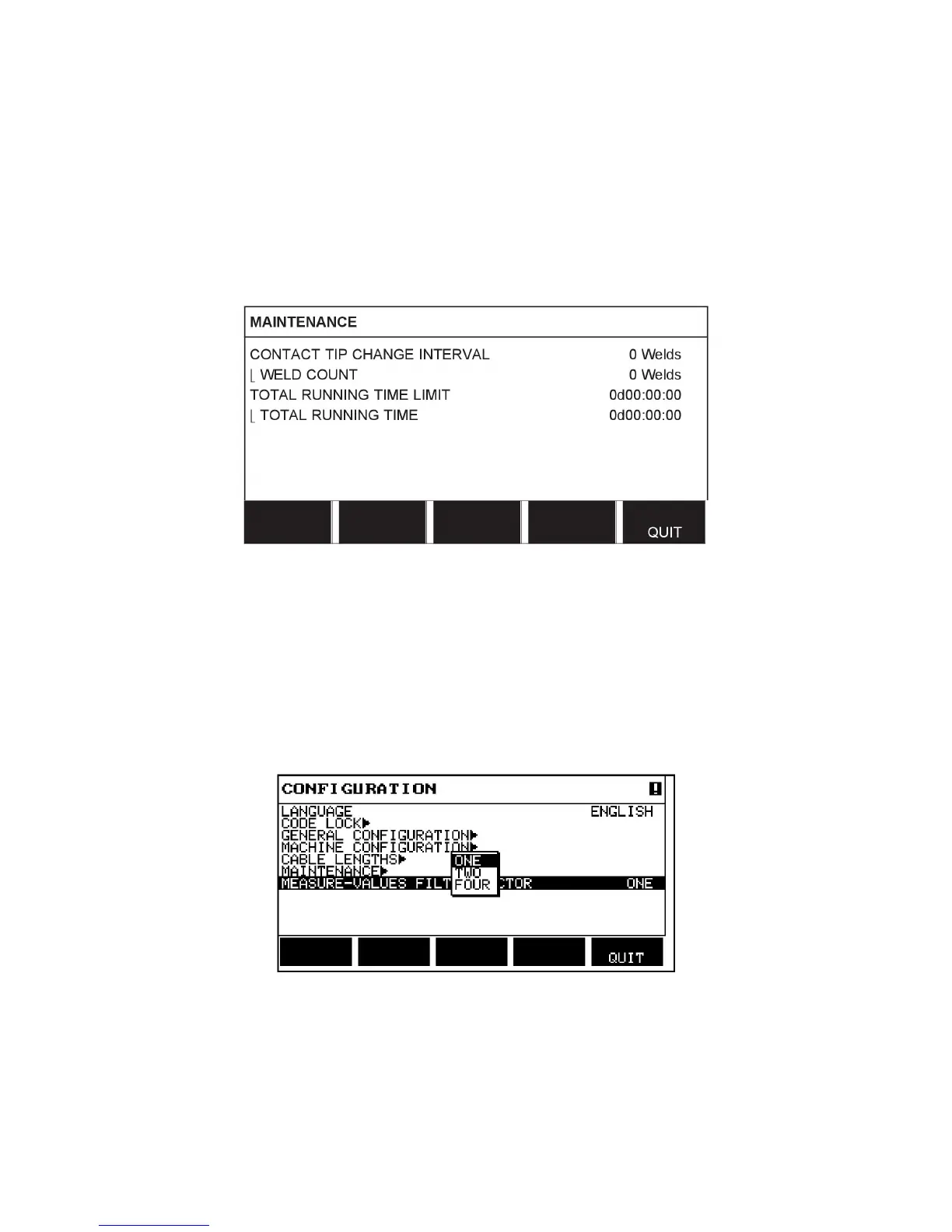
8.5 Maintenance
Main menu → Configuration menu → Maintenance
In this menu you set how often the contact tip is to be changed. Specify the number of weld
starts after which the tip is to be changed by selecting the CONTACT TIP CHANGE
INTERVAL row and pressing ENTER. Change the value using the setting knobs. When the
interval has been passed, fault code 54 is displayed in the error log.
When TOTAL RUNNING TIME LIMIT is selected instead of the number of starts, an
authorised ESAB service technician is contacted.
8.6 Measure–values filter factor
Main menu → Configuration menu → Measure–values filter factor
This menu provides a filter factor for the measurement values of the welding current. The
higher filter factor value you choose, the more stable welding current measurement value
you will get. You can choose between filter factors 1, 2 and 4.
Position the cursor on the MEASURE–VALUES FILTER FACTOR row and press ENTER. A
pop-up menu shows filter factors ONE, TWO and FOUR. Select the preferred filter factor
using the positioning knob and press ENTER.



 To Next Page