IP Series IP Feature Phone operation
A.1
IP Feature Phone operation
Your IP Feature Phone is
equipped with a speakerphone
for hands-free conversation, an
LCD display for call handling
status, and both fixed and
programmable feature keys for
simplified operation. Its built-in
voice mail features and voice
prompting make it easy to
program and use.
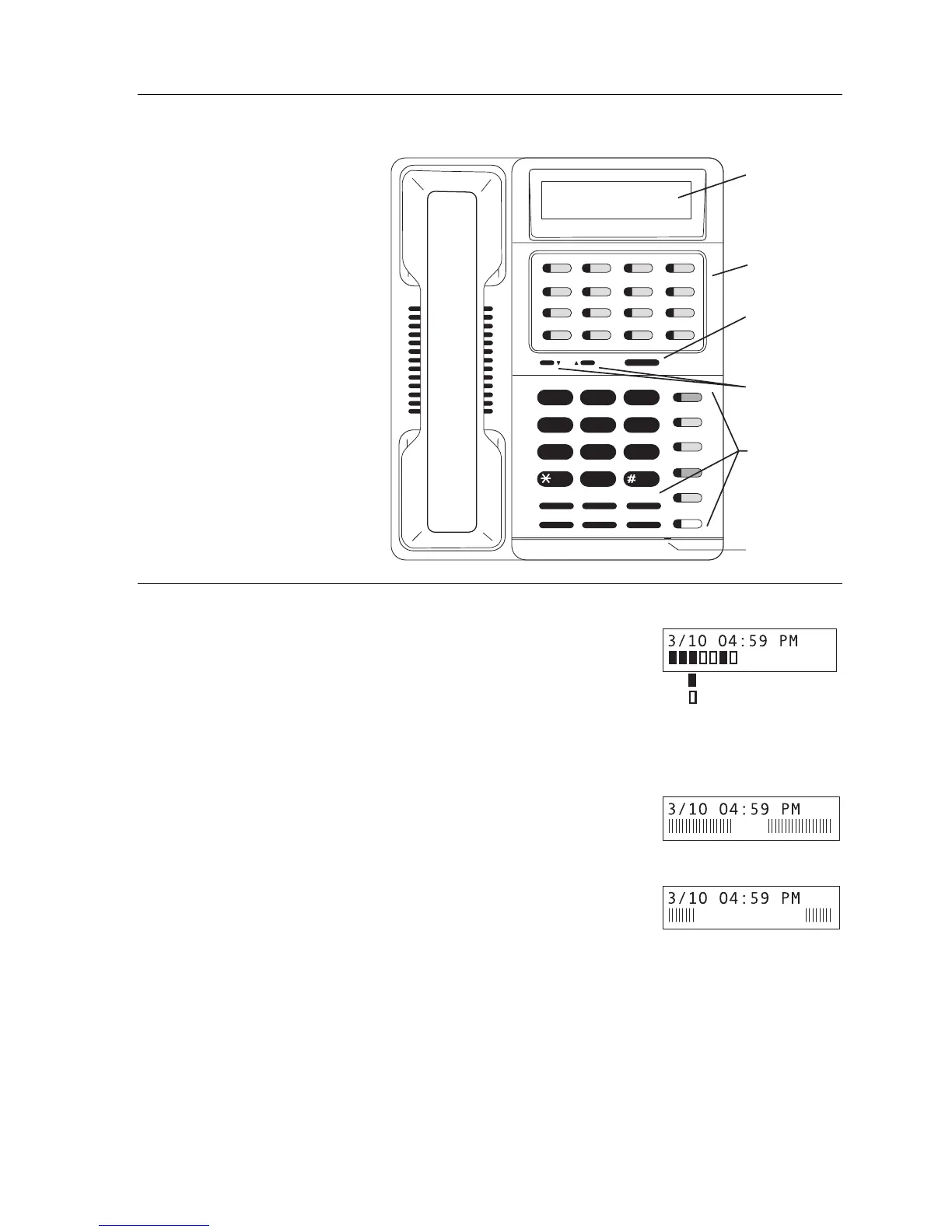
Liquid crystal display (LCD)
When your phone (or station) is not in use, the liquid crystal display
(LCD) will show the current date and time, activated features such as
DND (do not disturb; see “MUTE/DND,” page A.4), monitor mode, etc.)
and the system’s current line usage.
If your system has 16 or fewer lines, each block on the bottom line of the display will represent an
individual line (as in the seven-line example, above). Incoming calls usually are assigned
beginning with Line 1 at the far-left line indicator. Outgoing calls are assigned from the highest
numbered line beginning at the far right.
If your system has 17 or more lines, then the bottom line of the display
will provide a graphical representation of relative line usage (see right).
The ratio of bars on the left and right will indicate the relative amount
of incoming and outgoing lines in use. The relative size of the blank
area in the center will indicate lines not in use.
As you use your IP Feature Phone, its display changes frequently
to provide detailed information during call processing and voice
mail operations.
ABC DEF
GHI JKL MNO
PRS TUV WXY
OPER
1
2
3
4
5
6
78
9
0
QZ_
SPEAKER
FLASH
MUTE/DND
HOLD
TRANSFER
VOICEMAIL
PROG/HELP
RELEASE
PICK
PAG E
ESIDEX
RECORD
CONFREDIAL
PARK
Liquid crystal
display (LCD)
Programmable
feature keys
Esi-Dex key
Volume/
scroll keys
Fixed
feature
keys
Microphone
Lines in use
Available lines
A high percentage of lines in use
Fewer lines in use



 To Next Page