30 Ion Operations Manual
Parameter Display
This display shows the parameters available for patched channels. It is also where you can select
which parameters to view in the Live and/or Blind displays, or select parameters for command line
control. The parameter display will dynamically change depending on the channel (fixture) selected
and its applicable parameters.
For more information on using the parameter display, see Using the Parameter Display(on
page158).
Parameter Category Button Labels
These labels correspond to the buttons directly beneath the Parameter display. They indicate the six
buttons; Intensity, Focus, Color, and the three Beam categories (Form, Image, and Shutter).
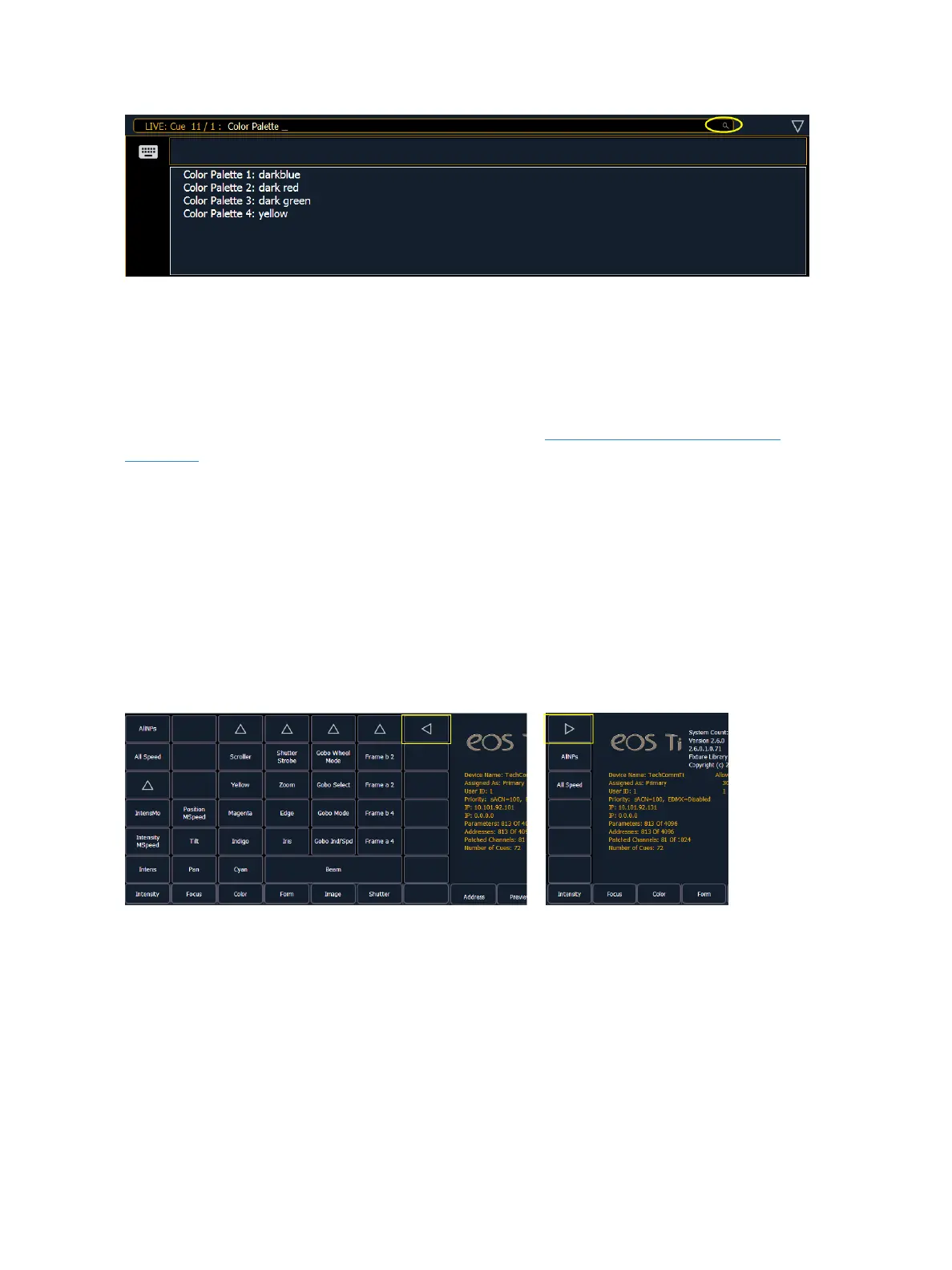
Collapsing the Parameter Display
The parameter display can be collapsed when working with some displays that use the CIA, such as
About and Query. A collapse/ expand arrow will display in the last column where this option is avail-
able.
When collapsed, only the {All NPs}, {All Speed}, and {Expand Arrow} buttons will be displayed.
Labeling
[Label] is used to attach an alphanumeric label to an object such as cues, channels, submasters, etc.
[Label] [Label] when appended to a record target command, clears the current label. This includes
show file labels.
Editing Labels
The page arrow keys on the console or an external alphanumeric keyboard can be used to move the
cursor within a label to aid in editing.



 To Next Page