Creating and Using Effects 319
Grey - property is drawn directly from the effect.
Red - property has been manually modified but not stored.
Blue - property is an override to the saved effect.
Magenta - property is tracking from a previous cue.
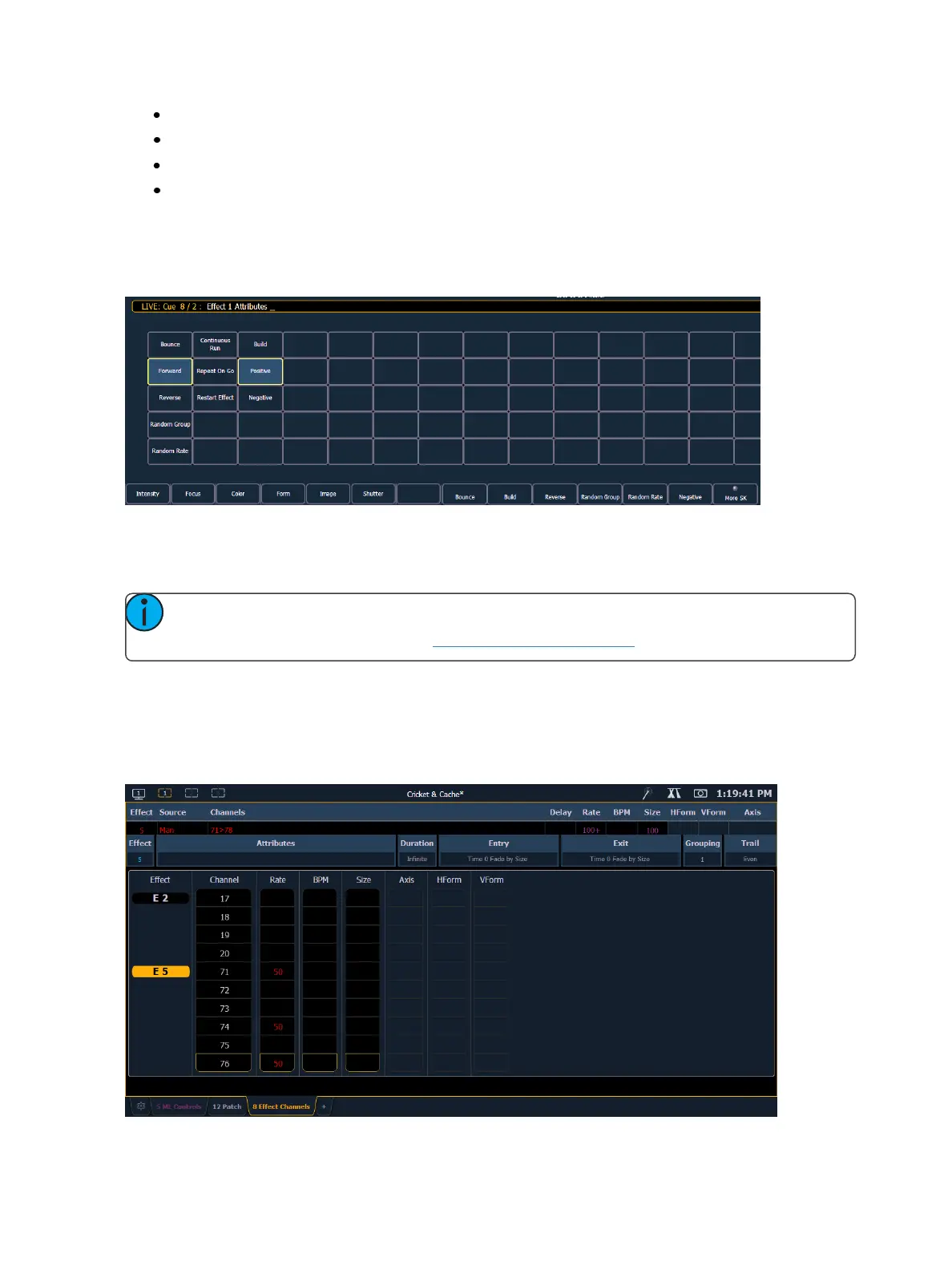
Clicking on the Attributes column will open the Effect Attribute Override display. From that display,
you can access most of the same properties as those found in the Effect Editor. This display allows
you to make modifications to properties, and store those modifications in a cue or submaster.
{Restart Effect} is an atrribute that can only be accessed from this display. When enabled, {Restart
Effect} will cause an effect to restart whenever the cue is fired. This attribute is applied to the cue
that the effect is stored in and not in the effect itself.
Note: {Repeat on Go} is similar to {Restart Effect} but it is applied to the effect. For more
information on {Repeat on Go}, see Effects Editor (on page313).
Effect Channel Display
In the Effect Channels Display, you can override certain effect properties per channel at the cue level.
To open this display, press [Shift] + [Effect], [Tab] [8], or select the effect channel icon from the dis-
play management home screen.



 To Next Page