288 Ion Operations Manual
You may use [Next] and [Last] to cycle through the query selection, one channel at a time to
control only a specific channel.
Other examples of using a query are:
{Query} {Isn’t In} {Beam Palette} [2] [5] [Enter]
{Query} {Accessory} {Can Be} {Color Palette} [8] [Enter]
{Query} {Unpatched} [Delete] [Enter] [Enter]
{Query} {Fixture Type} {Revolution} {Can Be} {Focus Palette} [6] {Isn’t In} [Cue] [4] [Thru] [9]
[Enter]
[Next] [Next] [Enter] - selects one channel from the query result
Additionally, in Patch you can define up to ten query keywords for each channel. These keywords
can be used to create a query condition as well (See Adding Keywords in Patch (on page121)).
Keywords defined in Patch will appear in the CIA when {Query} is pressed. They can then be used in a
query like this:
{Query} {Your keyword} {Can’t Be} {Beam Palette 5} [Enter]
Hardkeys on the facepanel, such as [Time] can also be used to construct a query.
Using [Undo]
Undo is a method to reverse or “undo” certain operations performed in the software. You can use
[Undo] to reverse any command that results in a change to data that would be saved to the show file
or any command that changes manual levels in Live.
If there are any commands in the command line, pressing [Undo] once clears the command line.
Once the command line is empty, pressing [Undo] will start the undo process.
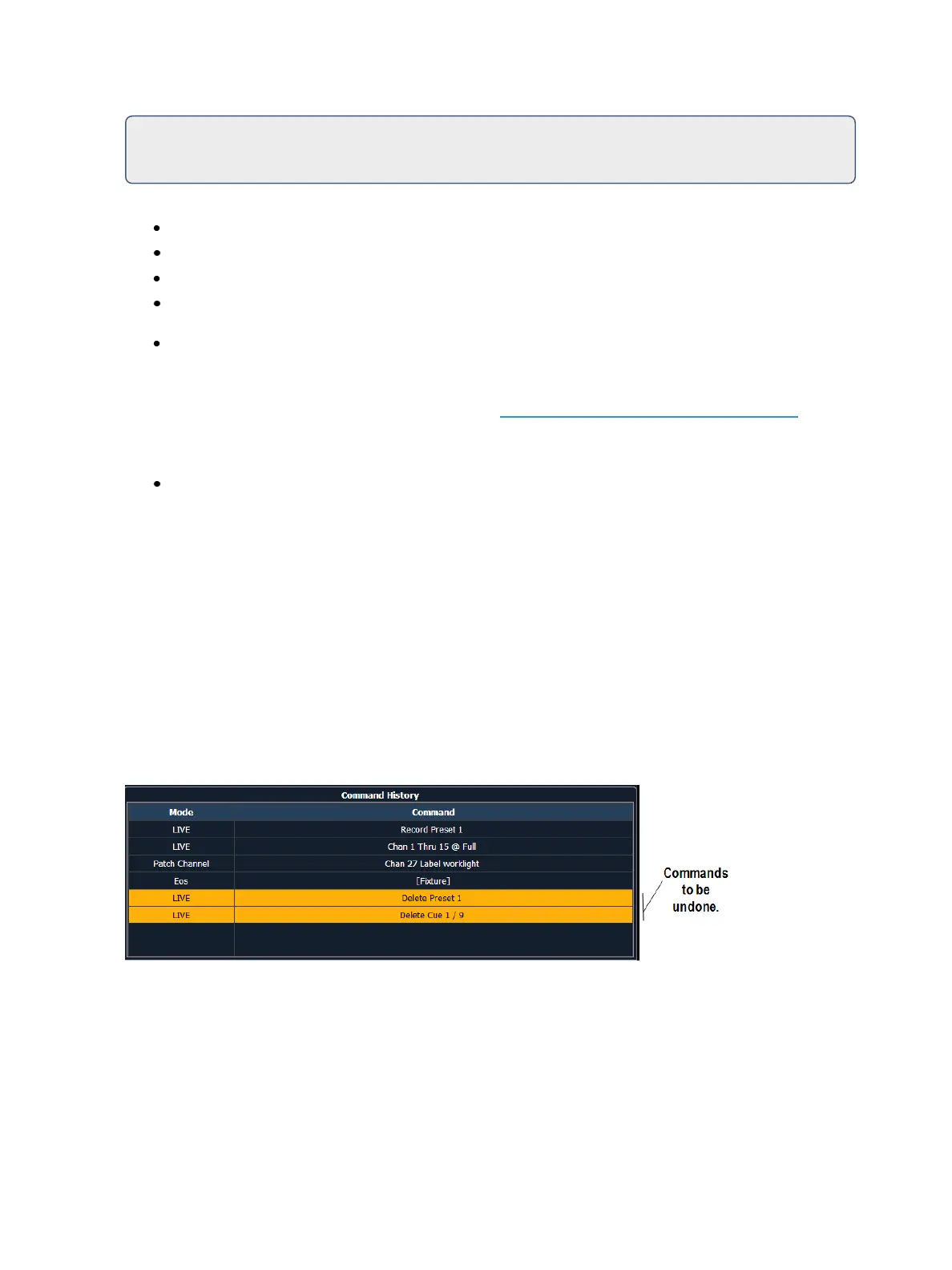
When [Undo] is pressed from an empty command line, the command history display will open in the
CIA and the most recent completed command is highlighted in gold. If you press [Enter], you will
undo your last command. [Shift] & [Clear] can be used to clear the command line as well.
You may use the page arrow keys or a mouse to select multiple commands. When [Enter] is pressed,
an advisory is posted. When [Undo] is pressed again, all highlighted commands will be undone and
subsequently removed from the command history. When removing more than one command, a con-
firmation is required.



 To Next Page