Virtual Media Server 427
5. Setting up the Backup and Clients
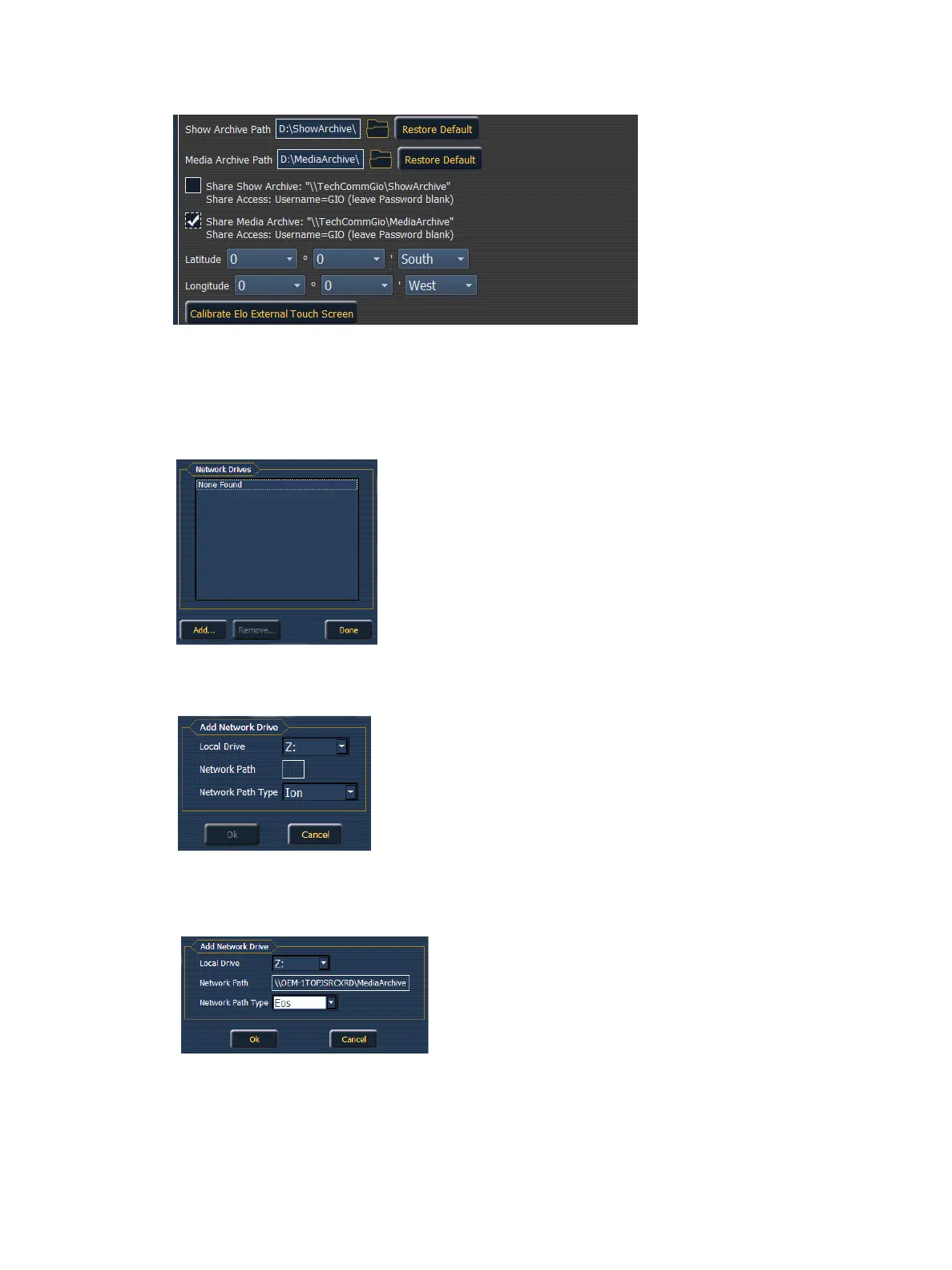
6. On the backup or client, exit to the Eos Configuration Utility (ECU).
7. Press the {Settings} button.
8. Press {Maintenance}.
9. Press {Network Drives}.
10. In the Network Drives display, click the {Add} button.
11. In the Add Network Drive display, choose a drive letter for {Local Drive}.
12. Enter in the {Network Path}. The path name is listed next to the primary’s {Share Media
Archive} checkbox.
13. Select the appropriate console type for the {Network Path Type}.



 To Next Page