72 Ion Operations Manual
[Encoder Paging Keys] & [#] will take you directly to a page. [Flexi] & [Encoder Paging Keys] will toggle
the flexi encoder states. See Flexi Encoders (on the facing page) for more information.
To post a parameter category to the command line, use the parameter category buttons located in
the CIA.
Note: To post beam to the command line, double press the shutter, image, or form para-
meter category buttons.
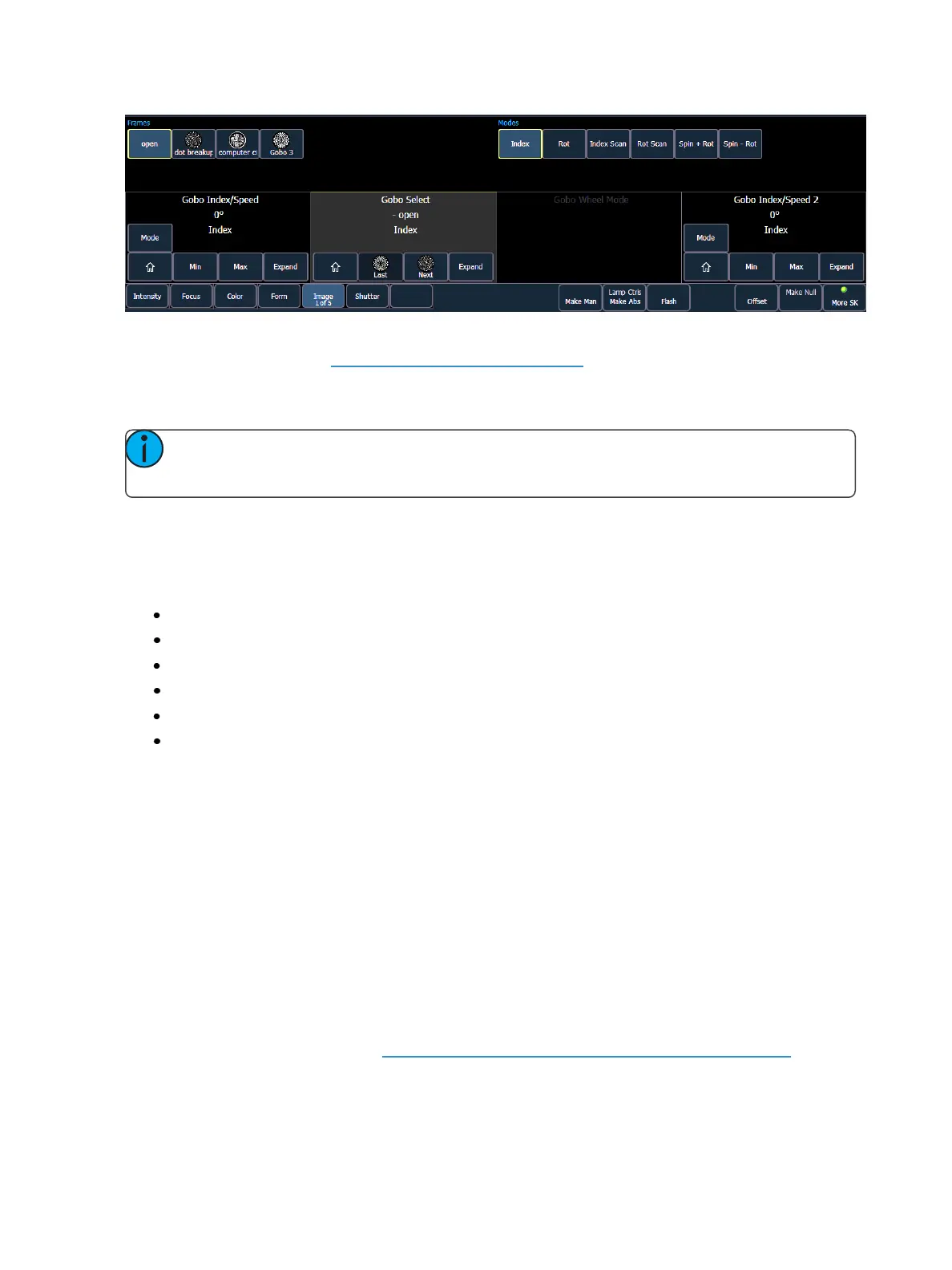
Each encoder’s area will display the name of the parameter it controls, display stepped limits (if any)
and also a {Home} button which allows you to set that parameter to its default position.
The encoder controls display allows you to cycle through parameter steps (if available). You can also
home any parameter. Some buttons that may be available are:
Min
Max
Next
Last
Mode
Expand
Buttons like {Next} and {Last} are used to step through ranges (such as colors in a color scroller) one
step at a time. {Min} and {Max} allow you to send a parameter to its minimum or maximum limit with
one press.
Modes allows you to switch between modes of a parameter (if any exist); for example, a rotating
gobo wheel. If additional modes are available, their softkeys will display at the top of the encoder con-
trols display.
Encoders can be switched from course mode into fine by holding down [Shift] while using an
encoder will put it in fine mode for as long as [Shift] is held down. Once [Shift] is released, the
encoder will return to course mode.
Press {Expand} to see all of the information about any device with a frame table. Press again to col-
lapse to the normal view. You may make selections from the Expand screen. The colors/images in the
device are established in patch (see Using the Scroller/Wheel Picker and Editor (on page111)).



 To Next Page