System Basics 75
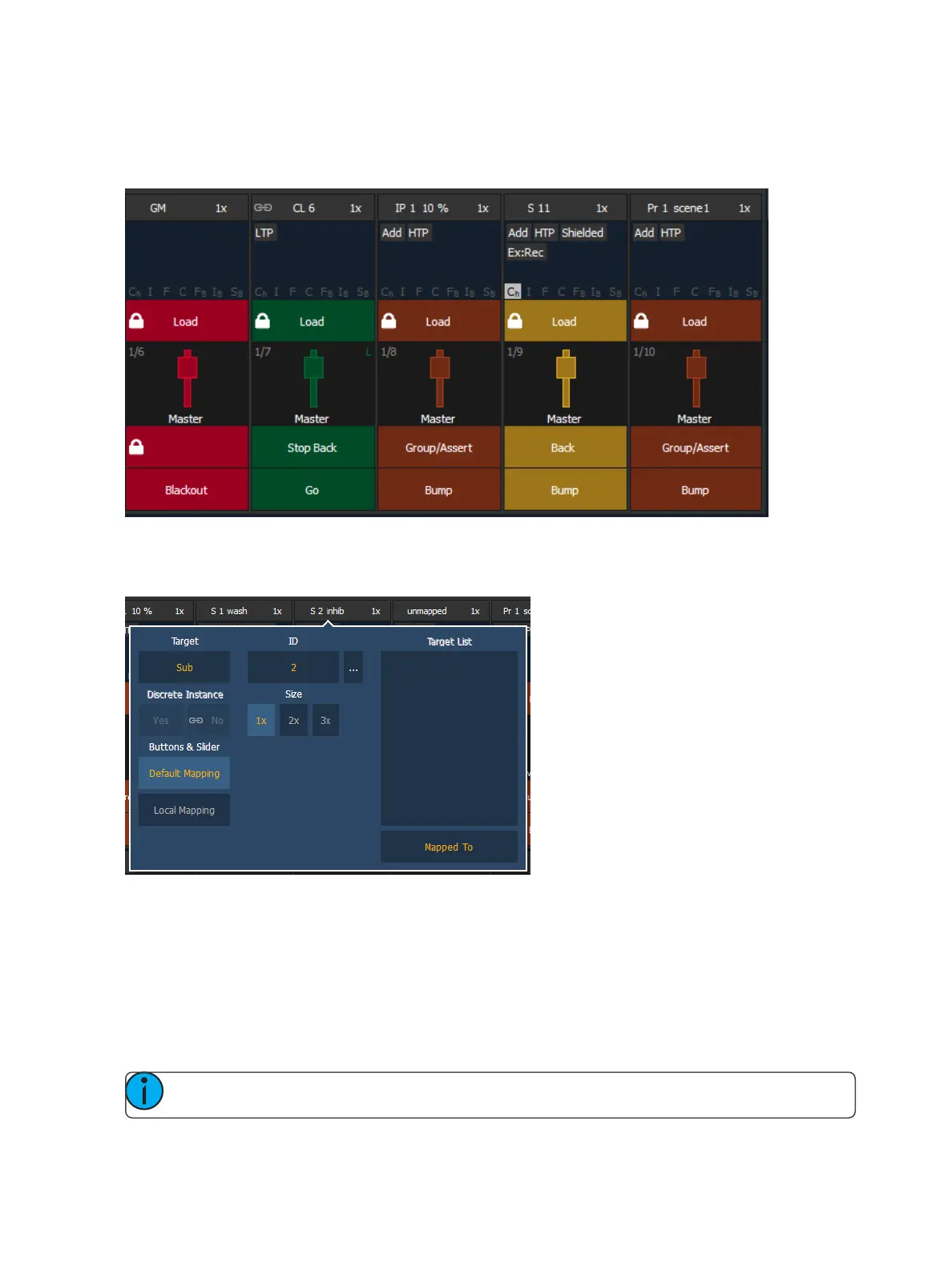
Each fader is color coded based on its assigned target type. Grandmasters and inhibitive submasters
are in red, additive submasters are yellow ,playback faders display in green ,and presets, palettes,
global effects, and manual time masters are brown.
Fader Configuration Window
Click on the fader header to open the fader configuration window.
Target
This setting allows you to map a cue list, submaster, intensity, focus, color, or beam palette, preset,
global effect fader, manual time master, or grandmaster to a fader.
ID
This sets the number of the target assigned to the fader, such as Cue List 2 or Submaster 5. For a list
of available Target IDs, click or press the {...} button beside ID.
Note: Content can also be loaded to faders from Live, using the command line and load.



 To Next Page