If you install the H9000 in a location where working with the front panel is not practical or
convenient, all adjustments can also be made using Emote.
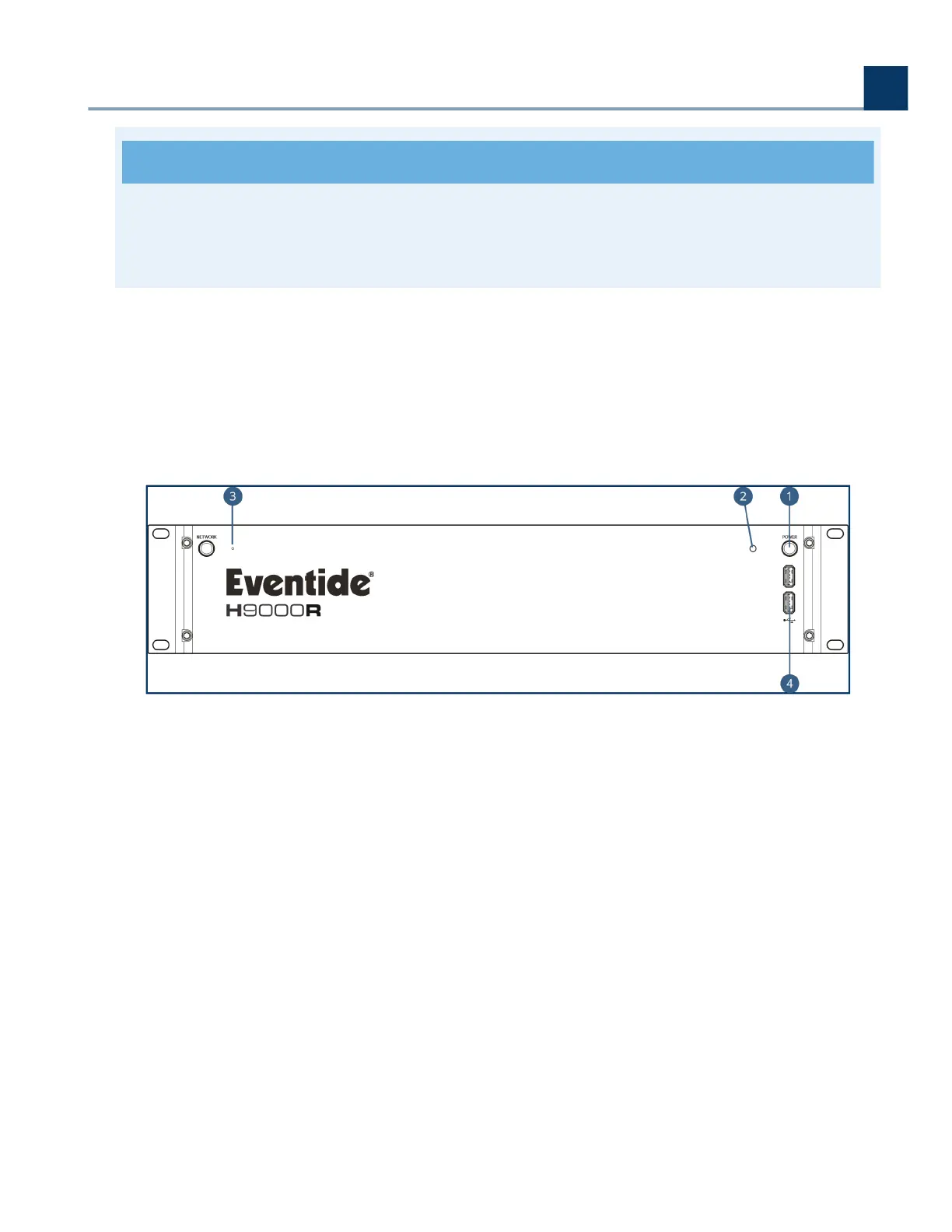
3.2. H9000R Front Panel
The H9000R front panel has the following controls:
Power
Press the latching power button to turn the H9000R on or o.
Power LED
This LED illuminates when the H9000R is powered on.
Reset Button
Use this pinhole key in the event you need to perform a failsafe boot (as described in Section B:
Startup Sequences).
USB Ports
.
.
.
.
3. Hardware
Copyright © 2021, Eventide Inc.



 To Next Page